

Computer help someone please
11 years ago
Featured Answer
Sort by:Oldest
Comments (17)
 11 years ago
 11 years ago
Related Discussions
Need a new computer - help me with brands please!
Comments (15)The Toshiba A135 received a Very Good rating from cnet. Cnet doesn't give very many $1000 affordable laptops that high of a rating. I recently bought the A135 2877, I believe is the model, the one with 2 gs of mem. (would recommend 2 gigs minimum for vista, from what I hear. It has a 180g hard drive, actually two seperate hard drives, a 100g plus an 80g. Great for backing up your system. With this much memory and hd space, you could collect a sizeable video and audio library (were talking hundreds of songs and movies). It runs Vista flawlessly. Yes, there are faster systems out there. I would have loved one with the Nvidia graphics card, which would give you a whopping 512m of shared graphics memory. The Intel that comes with the A135 has 256megs, acceptable. For about $1100 at costco online, I thinks it's one of the best deals out there. It was about $300 more than I wanted to spend on a laptop, but I'm just thinking where technology is going today, with streaming video, tv and music becomming more and more prevailant, before too long, anything less that 2 gigs of memory and a harddrive less than 100 gigs will probably be obsolete in the next couple years. I think this will be sufficient for our needs for some years to come. -- john...See MorePLease help..computer is beyond speeding up now i think
Comments (34)PolarPrincess - If you have a USB port, buy an external hard drive that connects to the USB port and copy ALL of your data (pictures and other personal files) to it. Then your data is safe and you can clean up the rest of the system. If not, burn them to CD for safety. THEN: 1 - Empty the Trash 2 - Search for files on the entire system, using this search pattern" *.bak (those are temporary files that can be deleted) 3 - Delete all of those files. 4 - Empty the trash again. 5 - Search for all *.tmp files and delete them 6 - Empty the trash again. 7 - Run the Windows XP "check disk" utility as described here: http://www.updatexp.com/windows-xp-chkdsk.html It may take quite a while ... 8 - Then try running the defragmentation program....See MoreCan someone help a computer idiot? (ME!)
Comments (12)These discs were purchased for the purpose of backing up data on my 2009 Acer Laptop which (supposedly) has the capacity to burn CDs and DVDs. My smart brother said that DVDs can hold way more data (such as pictures) than CDs. So after reading a gazillion reviews at amazon.com, I went with the DVD-RW and maybe that's the problem. For years, I have used the NTI program to burn my CDs but I have never used it for DVDs. Perhaps there's another program I should use to burn the DVDs? I dunno. I am burning through jump drives at an alarming rate because of all the architectural photos that I take (and back-up) and CDs are wholly inadequate due to their small storage capabilities. When my smart brother burned many photos to a DVD disc, it looked easy as pie. I *thought* he used NTI CD-maker too. Now my computer keeps saying, "Insert blank disc" when in fact, there's already a disc inserted. I tried 10 discs (thinking one or two might be bad) before giving up. So, did I buy the wrong DVDs? Or am I using the wrong program? Sigh. I do feel like an idiot. ROse...See MoreSomeone please help! Help me with furniture/decor argmnt in my apt
Comments (4)I advise you forget about all the extras—art, shelves, dining table. You need to start with the bones of a room. Where are the doors and windows? How large is the room? What shape does it have? Starting with your bedroom, measure each wall of the room and write down the number. Draw a rough outline of the room and put the measurements on it to help keep them straight. How far is a door (to closet, bath, etc.) from a corner and which way does the door open. How wide is each door? Main doors and closet doors open into a room and determine where you cannot put furniture by their swing. When you have measured all these things you need to create a floor plan. You can print graph paper (aka quadrille paper) from HERE. I like the 1/4-inch. If you need a larger grid just trim off the edge of a second page and tape it to the first so the grid is uninterrupted. Draw out your measurements so that 1 foot equals 1 inch (4 squares) on paper. Every square equals 3 inches, but you don't have to worry if the drawing is a little off. Draw in the doors and how they swing open. Next, measure the length and depth of furniture you want to put in this room. On another sheet of graph paper draw the outlines of your furniture, including the TV, to the same 1 foot equals 1 inch scale. Label each piece and cut them out. Now you can move these around the floor plan to see how they fit. You need a minimum of 36 inches for pathways between the main door and the bath and closet doors; 42 inches is better. Will you have enough room to stand beside the bed and open a dresser drawer? Only after deciding where furniture can/must go can you move on to decorating. Do this for every room you are having trouble with. In fact, before you buy an L-shaped sofa make sure it will fit without causing trouble moving around it. Here are some rule-of-thumb guidelines for decorating: Part 1 Part 2 However, the rules for art don't apply to TV placement. The middle of the TV screen should be level with your eyes when you are seated where you will watch. This is a guideline. It's OK for it to be a little high, but you don't want to put strain on your neck either....See More 11 years ago
- 11 years agolast modified: 11 years ago
 11 years ago
- 11 years ago
 11 years ago
- 11 years ago
- 11 years ago
- 11 years agolast modified: 11 years ago
- 11 years agolast modified: 11 years ago
 11 years ago
- 11 years ago
- 11 years ago
- 11 years agolast modified: 11 years ago
Related Stories
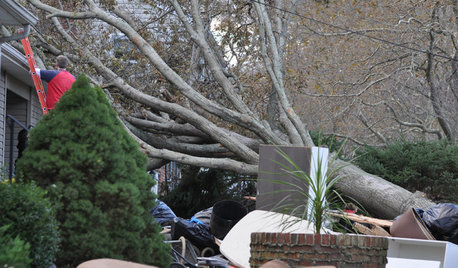
DISASTER PREP & RECOVERY7 Ways to Help Someone Hit by a Hurricane
The best things you can do in the wake of devastation are sometimes the most surprising
Full Story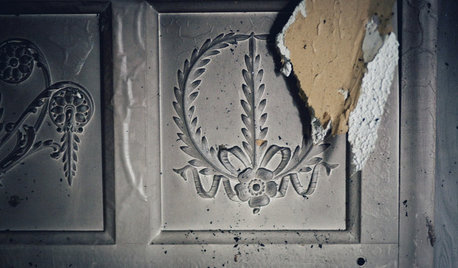
MOST POPULAR9 Real Ways You Can Help After a House Fire
Suggestions from someone who lost her home to fire — and experienced the staggering generosity of community
Full Story
ORGANIZINGGet the Organizing Help You Need (Finally!)
Imagine having your closet whipped into shape by someone else. That’s the power of working with a pro
Full Story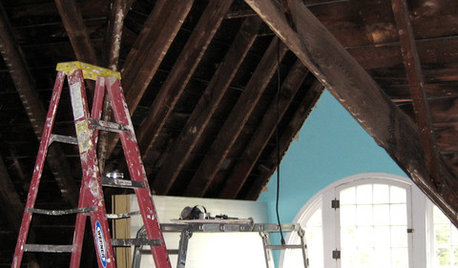
REMODELING GUIDES8 Lessons on Renovating a House from Someone Who's Living It
So you think DIY remodeling is going to be fun? Here is one homeowner's list of what you may be getting yourself into
Full Story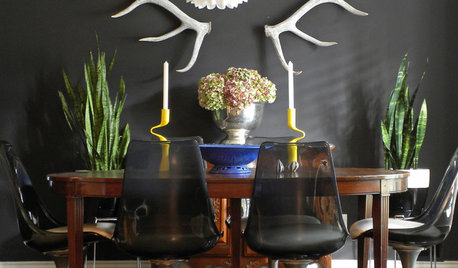
HOUSEPLANTSMother-in-Law's Tongue: Surprisingly Easy to Please
This low-maintenance, high-impact houseplant, also known as snake plant, fits in with any design
Full Story
ORGANIZINGHelp for Whittling Down the Photo Pile
Consider these 6 points your personal pare-down assistant, making organizing your photo collection easier
Full Story
EXTERIORSHelp! What Color Should I Paint My House Exterior?
Real homeowners get real help in choosing paint palettes. Bonus: 3 tips for everyone on picking exterior colors
Full Story
SELLING YOUR HOUSE10 Tricks to Help Your Bathroom Sell Your House
As with the kitchen, the bathroom is always a high priority for home buyers. Here’s how to showcase your bathroom so it looks its best
Full Story
MOST POPULAR7 Ways Cats Help You Decorate
Furry felines add to our decor in so many ways. These just scratch the surface
Full Story
SELLING YOUR HOUSE5 Savvy Fixes to Help Your Home Sell
Get the maximum return on your spruce-up dollars by putting your money in the areas buyers care most about
Full Story

rob333 (zone 7b)