

I pad question
11 years ago
Featured Answer
Sort by:Oldest
Comments (9)
 11 years ago
 11 years ago
Related Discussions
I pad question
Comments (2)Who is the mail provider (ISP, AOL, Gmail, Yahoo, etc.). How are you accessing your mail on the desktop computer (web, Outlook, etc.)?...See MoreI-Pad WiFi question
Comments (8)Thanks mike. I guess I should have said 'reboot' in my initial post rather than restart. Yes, I rebooted several times to get the opportunity to enter the security password. This pad does not have cellular capability so when wi fi is gone, it is disconnected. It certainly used to connect to other networks, but I haven't checked lately. I was beginning to think that the pad was retaining wifi connection, but today it is again back to disconnected, still with the blue check indicating that it is connected. The only difference from several days ago, is that the password on 'client ID' is still showing. I had assumed that the showing password was somehow involved in the wifi retention. I have considered 'forget your WiFi', but I don't know where to get the ssid. I suppose it is built in but I don't understand this stuff that well. Edit for addition: OK, I got brave (or could have been stupid) and 'forgot the network' and at least for the time being, the pad is reconnected. It was easy to reconnect because my regular network was still waiting for me to re choose it and it immediately asked for the password and I was properly connected. The password isn't showing in 'client ID'. Perhaps it was never the appropriate place to add it anyway!? I do see a couple of possible differences in the settings that I wrote down if things didn't work. There may have been a difference in the DNS setting (whatever that is) (or it might have been a hand written typo on my part) but the new setting's last 7 chars are now 171.2.226 and I scribed 172.2.226. And under the area of HTTP Proxy (whatever that is), OFF is highlighted, and before there was a space below where it said URL. Was it waiting for some website? So, for the time being, things are in order. It took 2.5 days to lose the network the last time, so we'll see.?!...See MoreiPad Case Question
Comments (11)Thanks to both of you, but it's not practical. You cannot use a laptop on a music stand and there isn't nearly such nice software for organizing and reading music as there is for iOS. Also, I would have to carry a very heavy clunky stand if I wanted to do that, and it can't come in nearly as close as a regular music stand because of the keyboard, besides looking terrible. Also, I'd have to turn every half page because laptop software isn't designed for the computer to run sideways, so you can only see half a page of music at a time with most of those programs. I find the suggestion kind of puzzling, to tell the truth. The idea that needing to bring a phone, keys, credit card, and a comb is "a whole lot of other stuff" confuses me. Don't you need those things when you go anywhere in your car? All I want is a case that can also serve as a small clutch for valuables like a phone and credit cards. You don't seem to realize that there is usually no safe place to put valuables on jobs in public locations like stores and restaurants, unless you keep it right at your feet, which clients often don't care for. In the pre-internet days it didn't matter so much, because smart thieves knew that a musician wasn't worth robbing, but these days a smartphone, for instance, is a very tempting target to anyone. I don't happen to have one, but they're going to grab the bag first and find that out later....See MoreQuestion re: importing videos from digital camera to iPad
Comments (2)Many cameras, when connected with a USB cord to a PC, appear as external drives in Windows Explorer. Find the folder with the media files (often named DCIM or a folder under it) and you can copy the files off onto your PC. Or, with the camera off, remove the SD card and connect it to the PC and do the same thing. Once the files are on the PC, the transfer to the iPad is an iPad question. I think you need to put it into a folder that "syncs" with the iPad using iTunes. Refer to the Apple forums for help if you can't figure it out. This is not a difficult task. Good luck....See More- 11 years ago
 11 years agolast modified: 11 years ago
 11 years ago
 11 years agolast modified: 11 years ago
 11 years ago
 11 years ago
Related Stories

WORKING WITH PROS8 Questions to Ask Yourself Before Meeting With Your Designer
Thinking in advance about how you use your space will get your first design consultation off to its best start
Full Story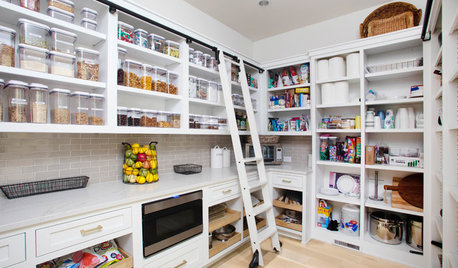
KITCHEN DESIGN9 Questions to Ask When Planning a Kitchen Pantry
Avoid blunders and get the storage space and layout you need by asking these questions before you begin
Full Story
GREEN BUILDINGConsidering Concrete Floors? 3 Green-Minded Questions to Ask
Learn what’s in your concrete and about sustainability to make a healthy choice for your home and the earth
Full Story
REMODELING GUIDESConsidering a Fixer-Upper? 15 Questions to Ask First
Learn about the hidden costs and treasures of older homes to avoid budget surprises and accidentally tossing valuable features
Full Story
INSIDE HOUZZInside Houzz: Updates to the Houzz App for iPhone and iPad
With a redesign and new features, the Houzz app is better than ever
Full Story
KITCHEN DESIGNWhy Your Kitchen Wants Its Own iPad
Cooking-school gateway, recipe database, foodie networking ... an iPad in the kitchen has uses far beyond being a message center
Full Story
RUGSPrevent Slips and Floor Damage With the Right Rug Pad
Here's what to know about sizes, materials, costs and maintenance of this important companion to your area rugs
Full Story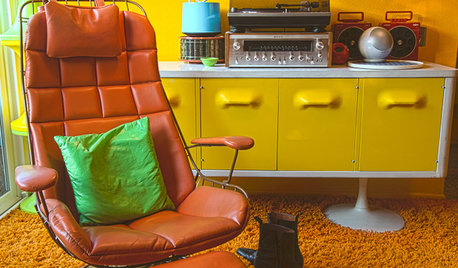
HOUZZ TOURSMy Houzz: Groovy 1970s Retro Pad in Los Angeles
Tune in to a dazzling kaleidoscope of colors, collectibles and vintage furnishings in this lovingly curated, mod California home
Full Story
HOUZZ TOURSMy Houzz: Boutique Hotel Ambience in a Manhattan Bachelor Pad
Chanel, MoMa and nature all had a hand in influencing this city apartment's design, but the killer skyline views needed no help at all
Full Story
DECORATING GUIDES10 Ways to Bring Palm Beach Fun to Your Pad
Kick it up at home with palm-leaf motifs, splashes of aqua and citrus hues, and decorating touches with a little wink
Full Story
ravencajun Zone 8b TX