

Have a question for reading kindle on iPad
11 years ago
Featured Answer
Sort by:Oldest
Comments (6)
 11 years ago
Related Discussions
if you love to read Kindle for pc is free
Comments (15)yes you sure can sync all three as long as they all are on the same kindle store account name. Have you tried going to your iphone kindle app and clicking on the sync function there on it and seeing if you can get it to sync and add the new books? I do not have the iphone but that is how it worked for my laptop, I had to go to the kindle app on it and click there to sync and find new items, then go to the archive area on that kindle app and double click on each to get it downloaded to there. I know it says it can be synced with the iphone and my nephew has both and did it so if you play around with it you should be able to do it. Try going to the Menu on your kindle pc, then the manage my account to see if you can click from there on each individual listed book in the drop down beside them and select your iphone app there. I am able to do my sync that way also. "For Whispernet synchronization to work, however, you must keep it turned on in your account settings on the Amazon site (it's on by default)--and, of course, you must turn on the wireless support on your Kindle devices. The option of turning sync on or off is useful, because if more than one person is reading a book registered to a single account at the same time, they probably don't want to use one another's bookmarks. But if you're the only account user, turning sync on lets you pick up reading on any Kindle device or application. "...See MoreKindle question
Comments (14)All great answers. We used to not be able to do collections on the kindle app but recently they added that option which is great so that way we can make folders for those that are finished reading or separate them into individual folders for the various persons reading from the same Amazon library. My husband has a folder with his name and his selection of books and I have mine. Some do over lap but the separation helps keep it more organized. I also never remove books from my Amazon library because should you want to loan that book to someone else with a kindle if you removed it well it's gone. You have unlimited space so why remove them? And if you just move the ones you are currently interested in onto the device it is much easier to keep track. And yes leave them at 100%! I wish there was some type of marker they had that would mark the cover as read. You can however add a notation to the book which once you open it and wonder if you have read this you can look at notations and if you added the note that you finished this book you would know. I taught my husband how to do that and put the date he finished it. He reads extremely fast and goes through books like crazy so he really was having a hard time remembering what he had read. I only keep about half a dozen or so books on my device at a time, the ones I want to read next, then I move them into my collections folder for done reading in my name. So I have a folder for Ravens books and one for Ravens finished books same for hubby. I love that they let me know I have already ordered the book because several times I am not sure. I doubt that it would give that warning if you no longer had that book in your library but I don't know for sure because I have never removed a book....See MoreKindle vs iPad vs ???
Comments (27)I just wanted to jump in and say there are many many more great tablets out there other than the ipad and much cheaper too. I have a few and absolutely love them, I can do pretty much what I do on my pc and I have several different ereader apps on them so I can read kindle format books, I can read epub format like nook books and get ebooks from the library since they also use epub format. That way I can get my books from pretty much anywhere I am not limited to just Amazon. I have lots of free books I get from sites all over the internet. I tried my brother in laws kindle before I ever made a purchase and it just was not for me, the flash of page turns messed with me and gave me headaches. And if I was going to spend the money I wanted one that did more than just one thing. If you do searches here and at the computer help forum you will find many of us here have other tablets like the Pandigital Novel, and other Android OS tablets. I just recently bought a sylvania one which I am really enjoying. I do have one device that is strictly an ereader, it has color and it connects to wifi so I can get books directly to it, it is a Lookbook and they have had them on sale from time to time at CVS for $50 an amazing price it looks very much like the kindle and it comes with a very nice case. Do some searches here for the many many threads we have where we discuss them and the various options. I have paid under $150 for all of mine. I just can not see paying so much more for an ipad. My hairdresser was looking at my new tablet recently and said she liked it a lot better than her ipad, to me the ipad it a little large and heavy that was her complaint also. I also love the Andorid OS and all the tons of apps out there you can add to the device. I have a ton of games on mine and like I said several ereader apps, I watch youtube, videos, music, pictures, surf, post here from them, do my email. Honestly I am rarely on my desktop anymore since I can sit anywhere in the house with my tablet, and it is lighter weight than my netbook (netbook is just a small version of a notebook or laptop) Pandigital Novel eReaders LookBook a great place to see how many of the tablets are available is to check out China Grabber, I would not get any that were not at least Android 2.2 they can do a lot more stuff.There are some however that come with android 2.1 and then do an update which brings them up to 2.2 which is how my sylvania was. Android 2.2 Froyo Tablets here are some that have Android 3.0 which is the most recent versions android 3.0 tablets" So don't think just ipad if you do you are really limiting yourself. These little tablets pack a big punch and can do a LOT of stuff. AND none of the tablets I have use a cell phone connection so there is absolutely NO monthly charges involved, they connect to wifi easily and you can do all your internet stuff that way. I found one of the topics we had here recently you can check out, there are many more if you search lookbook ereader & sylvania tablet at CVS this week If you keep watch at CVS it goes on sale for $50 Shift3 LOOKBOOK Wireless Reader In fact I am just now looking at the current CVS flier on their website and the same sylvania touch screen tablet I have and love is on sale right now for $99.99 it is on page 6 of the flier. On sale through Oct 8! If you want to try out a tablet this is a great way to give it a shot and not spend a ton of money. They sell out fast and I had to call several stores to find them available. Hey you can always return it... http://www.cvs.com/CVSApp/user/home/home.jsp Here is a link that might be useful: cvs...See MoreKINDLE QUESTION
Comments (5)I have a Kindle and also use the Kindle App on my iPad and I seldom look at the time remaining. But I wonder if it recalculates the time every time you turn it off and then back on again . The navigation on my car estimates the time remaining to my destination - but it changes depending on the speed of my car. Is it possible that you were reading a little slower the second time or stopped to answer the phone or something? I'll have to look my mine the next time. And to be really scientific I could open both my Kindle and iPad and check the time on both of them......lol Maire...See More 11 years ago
- 11 years ago
- 11 years ago
- 11 years agolast modified: 11 years ago

Related Stories

ORGANIZINGPre-Storage Checklist: 10 Questions to Ask Yourself Before You Store
Wait, stop. Do you really need to keep that item you’re about to put into storage?
Full Story
LIFEHouzz Call: Where (and What) Are You Reading This Summer?
Whether you favor contemporary, classic or beach reads, do the long and lazy days of summer bring out the lit lover in you?
Full Story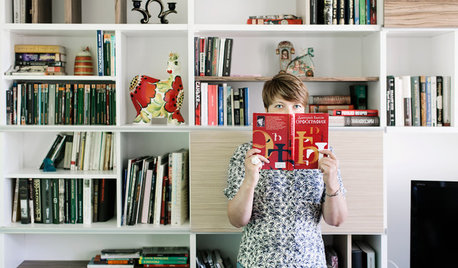
HOMES AROUND THE WORLDWorld of Design: 11 Book Lovers and Where They Like to Read
Bibliophiles across the globe reveal their top books and favorite reading spots, from a 2-story library to an artfully curated book nook
Full Story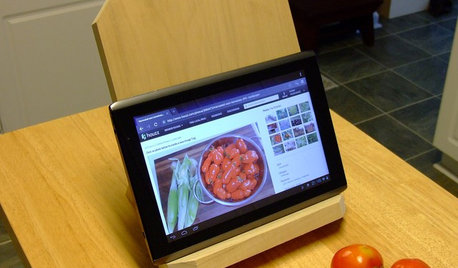
DIY PROJECTSNeat Little Project: Make a Sturdy Stand for Tablets and Books
Save your neck from straining with this handy DIY wooden stand for an iPad, a Kindle or a good old-fashioned cookbook
Full Story
LIFESimple Pleasures: Cozy Up Your Reading Spot
Losing yourself in a good book is even better with these ideas for reading comfortably all around the house
Full Story
CONTEMPORARY HOMESHouzz Tour: Reading Shapes a Seattle Home
Written words drive the design of a house for aging in place, from a plethora of bookshelves to a personal word wall
Full Story
Guest Picks: Set Up a Comfy Reading Corner
With a snug chair, good lighting and other cozy niceties, you may never want the story to end
Full Story
MOST POPULARHow High Should You Mount Your TV?
Today we look at an important question to consider when locating your television: How high should you set it?
Full Story
REMODELING GUIDESMust-See Mock-ups for Your Remodel
Avoid 'oops' and 'oh, no' with real-life tryouts of any design elements in question
Full Story
DECORATING GUIDESNovel Ways With Bedroom Books
Reading and relaxing go hand in hand. See how designers are incorporating mini and all-out libraries in the bedroom
Full Story
User