

Dead mouse again
16 years ago
Sort by:Oldest
Comments (2)
Related Stories
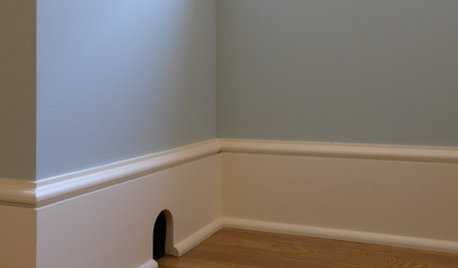
FUN HOUZZThere's a Mouse in the House
No need for 'eek' and capture schemes. These mouse toys, decals and artistic renderings have all the trappings of cute
Full Story
FUN HOUZZHow to Survive an Epidemic of Walking Dead
Tips to use around the house and garden to prep for the zombie apocalypse
Full Story
SMALL KITCHENSThe 100-Square-Foot Kitchen: No More Dead Ends
Removing an angled peninsula and creating a slim island provide better traffic flow and a more airy layout
Full Story
DECORATING GUIDES12 Deadly Decorating Sins
Are your room designs suffering from a few old habits? It may be time to change your ways
Full Story
DINING ROOMSNew This Week: Proof the Formal Dining Room Isn’t Dead
Could graphic wallpaper, herringbone-patterned floors, wine cellars and fire features save formal dining rooms from extinction?
Full Story
DECORATING GUIDESNo Guilt! 7 Deadly Sins in Décor
Make a room more interesting with a hint of gluttony, pride, sloth and the rest — no redemption required
Full Story
LIFELate Again? Eliminate the Things Holding You Up in the Morning
If you find yourself constantly running late for appointments, work and get-togethers, these tips could help
Full Story
Disco Fever Hits Home Again
Add a dash of Studio 54 glitz with sparkling tile, tables, lights, and Diana Ross on the stereo
Full Story
REMODELING GUIDES11 Reasons to Love Wall-to-Wall Carpeting Again
Is it time to kick the hard stuff? Your feet, wallet and downstairs neighbors may be nodding
Full Story
MOST POPULAR11 Reasons to Paint Your Interior Doors Black
Brush on some ebony paint and turn a dull doorway into a model of drop-dead sophistication
Full StorySponsored
More Discussions

zep516
msm84
Related Discussions
A dead 'mouse'
Q
dead mouse in duct
Q
A jay bird flew off with a dead mouse ....
Q
Jasmina and Cloud 10 dead to the ground AGAIN!
Q