

Free Photo-Hosting Site?
3 years ago
Featured Answer
Sort by:Oldest
Comments (8)
Related Discussions
garden photo to share
Comments (8)Love your garden, and great paths! There are many free photo-hosting sites out there that people use to store their pics. You can paste the code for showing as many of them per post as you like. I haven't used mine since GW started allowing pics in any post. Making multiple posts here is easier - 1 step - and much quicker (one pic per post to have multiple pics) than to use the 3rd party process. What I don't understand is why there's no facility for me to see the pics I've uploaded to GW. There are times I want to include a particular pic in another discussion. It doesn't make sense for GW to store it twice. Also, it would be nice to be able to browse the other pics of other users by a link in their profile. This post was edited by purpleinopp on Mon, Jan 28, 13 at 11:22...See MorePhotos - Help!
Comments (4)I agree with using Photobucket. Go to www.photobucket.com. Press the Join Now button and register with a username and password to establish an account. It's free. Once you have an account, you can log in. It's easy to log in to Photobucket from then on, because your computer remembers your username and password. Once you log in, scroll down to the "Upload Images and Video" section, where you can upload your photos to Photobucket. I find it best to press the "reduce to" function to reduce the size of the photo files to 640x480 for purposes of posting photos to the Rose Forum. Press "Choose Files" and use Ctrl to select multiple files. You can then go to the folder in your computer like "My Pictures" where you store your photos. Select the ones you want to upload and press "Open". The photos then get uploaded to Photobucket. Once your photos are uploaded to Photobucket, you can then Title them such as "Landon", press save and continue. Your photo then appears on Photobucket, with four lines of text below the picture: "Email and IM", "Direct Link", "HTML Code" and "IMG Code". Press the "HTML Code" with your cursor and the word "copied" appears in a yellow box. This means your photo is copied to your Clipboard on your computer. Then go to the Rose Forum where you are composing your Message. Write what you want in your message, then put the cursor where you want to place your picture. Right click and press "Paste". The HTML code then gets copied to your message with the phrase of computer gibberish. Then press the box "Preview Message" and a new window appears that actually contains your picture or pictures. If everything is OK then press "Submit Message" and your message with photos gets published to the Rose Forum. I find it easy to do once you learn how and you can post multiple photos very quickly. Hope this helps. Landon...See MoreCan someone help with photo upload instructions?
Comments (6)Hi Dea.. You will need to upload them to a free photo hosting site from your computer. Many of us use photobucket. After you have them in photobucket, you will want to copy and paste the html code right here into the text box. It will look like a ton of jibberish, so don't panic. :-) When you click on preview, it should show your photo, if not something went wrong. Hope this helps. JoJo...See MoreNEW and 'Free' Photo Hosting Site
Comments (1)Okay .. I have tried it and so far .. I am Really impressed! I took screen shots of the two pages that you get after uploading your photo. I am not sure how this will display on here because as I said, these are screen shots plus the two shots are hosted on photobucket because I'm still messing around with 'how' to do stuff with the new site. What is Really impressive is that even though I did sign up for an account .. I wasn't signed in to do this. You only need an account if you want control over your pictures. (You might want to use your magnification to see details) JM...See More 3 years ago
 3 years ago
- 3 years ago
 3 years ago
Related Stories
ENTERTAINING10 Tips for Stress-Free Holiday Hosting
Simple steps to make sure entertaining is easy — and fun — from prep to cleanup
Full Story
INSIDE HOUZZCreate a Free, Custom Business Website With Houzz Site Designer
Manage your website and your Houzz profile from a single place, so you can spend more time focusing on client work
Full Story
MOST POPULAROvernight Guests Coming? How to Be a Great Host
Ensure a good time for all — including yourself — by following these steps for preparing for and hosting houseguests
Full Story
COMMUNITYLittle Free Libraries Take Manhattan
Designers' modern mini libraries boost reading and community in New York City
Full Story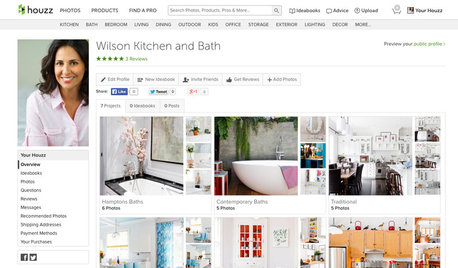
INSIDE HOUZZFor Home Pros: A Quick-Start Guide to the Houzz Site Designer
Want to create a great-looking website for your business? Our free tool with customizable themes makes it easy
Full Story
HOLIDAYSYour Guide to Stress-Free Thanksgiving Prep
We break down shopping, cleaning and cooking into manageable bites so you can enjoy yourself on the day
Full Story
TREESGreat Design Plant: Sabal Palm Enchants in Balmy Sites
Towering and tolerant, this tree blends in, stands out and happily stars in vacation photos
Full Story
LIFEHow to Stay Relaxed When Hosting Overnight Guests
Make sure their visit goes smoothly by following these simple steps
Full Story
ENTERTAINING8 Stress-Busting Tips for Hosting Small Gatherings
Make entertaining easy with these ideas for casual get-togethers
Full Story
DINING ROOMSHow to Pick a Table and Chairs for Holiday Hosting
Get ready for entertaining with the right dining table and comfy chairs
Full StorySponsored
User