

Canceling/changing AT&T Direct TV Cable
6 years ago
last modified: 6 years ago
Featured Answer
Sort by:Oldest
Comments (51)
Related Discussions
The cost of cable tv
Comments (54)We switched to satellite (ATT) a year or so ago because they offered fiber-optic internet, and we wanted that. It is not bundled with phone, but the bill for internet and TV is $126.00 a month. I've considered getting rid of the TV part, but that would only save me $35.00 a month - I got the barest minimum channels and made sure that it has NO extra sports channels on it. If I upgrade my TV at all, all the sports channels get added in, plus a $15.00 a month payment to some football sports organization, and I do not want to give them a penny. We also have antennae that look like sheets of paper, and with those, we can get 127 local channels, about one third of which are in English. We get seven or eight local Armenian channels, not to mention Korean, Thai, Taiwanese, Philippine, Russian, Spanish, etc. We do want a lot of TV on the local channels, as they are not included in the cable. My brother pays the cell phone bills, and so I don't know what that is, but he said it only cost $10 a month to add me to his plan. We have pretty much no problems with the satellite, as our weather tends to be clear. We no longer have a landline. We only used it when our parents were alive. I will probably cancel satellite when my two year contract is up. However, I do like the DVR that comes with it, and that's what I use the most....See MoreDirect TV/Dish Network comparisons?
Comments (17)DO NOT go to Satellite internet! DO NOT DO IT! If you have any other choice for internet service, stay with that!! I have satellite internet through Dish Network, "powered by WildBlue" - It is better than dial-up, which is my only other option. It is SOMEWHAT faster, but not very fast. The big thing is the usage cap - you can only use so much internet time in a rolling 30 day period (watch that word rolling!) If you watch any videos, have more than one computer/iPad/etc. - you will quickly go over your usage cap. They will then throttle you down so hard that dialup looks blazingly fast. Forget the idea of streaming TV shows, skype, etc. No way!! Just basic Windows updates, etc. can put a major strain on the usage cap if you have the cheapest package. We have the middle package and have to really watch our usage. I usually go to the library to download any songs, etc. from iTunes. If you do more than just a small amount of internet surfing and email - you will have to get a larger internet package $$$ and you will still have usage cap issues. We are able to deal with it, as it is our only option - but if I had any other choice, I would go for it. I have had Dish Network TV satellite for 15 years - never had any trouble. Some weather related issues, but that is to be expected....See MoreDirect TV vs Dish?
Comments (14)I'll try to give you a description but I suggest you look at the website AND call Dish to see if what you have is enough or if something else is required. I have an older Dish box, the model before the Hopper. For my box, the access feature requires what they call a Sling Adapter. The device looks like a flat red plastic rectangular waffle about 6 by 4 inches. It plugs very easily into the USB socket on the settop box and just sits next to it in my cabinet. If I recall, it connects and configures itself. I got it for free as a new customer. Some Hoppers have Slingbox built in, some don't. For ones that don't, I presume the same adapter I use would also work. Remote access is then made using the feature they call DISH Anywhere. You need to sign up for it (it's free) and then can use the web address (like on a PC) to sign on, or equally one of their free custom apps. They have apps available for both the Ipad/Iphone and also for Android. I believe the Apple ipad app also allows you to download programs to an Ipad to watch offline with no internet connection required. There's no monthly charge or charge for use. Once it's set up (which I just described, nothing else required), you can access your setop box from anywhere. You can then watch any current program (as if you were sitting in front of your TV), or you can watch something you've already recorded. Or you can schedule a recording from a future broadcast. Or you can watch a movie on demand. Quality is excellent. I've watched programs when traveling in both Europe and Asia, the only requirement is a fast enough internet connection on the receiving side. My home internet connection is fast. One proviso - you need to have a fast enough internet uplink connection to make it viable outside the house. In general, DSL is too slow but most cable connections are fast enough. If your internet connection is too slow, you could still use it for TV watching anywhere in the house (on any device) over Wifi. We were able to remove a TV from the kitchen (that was used when cooking, not eating) because we have an all-in-one PC on a desk that can be used to watch anything from DISH. Or, if something essential (like a game) is going on when eating, we can put a laptop on the table and watch TV on that. As I said, my kids all save money, not needing to have their own TV services, because they can connect to ours and watch for free (they're all adults and live elsewhere). WIth the equipment I have now, only one connection can be handled at a time but they're good about sharing. I could get an additional box and have an additional connection. I have a few friends with vacation homes and they use the Sling feature as their TV provider at their vacation homes, saving an additional subscription. Good luck, as you can see, I do recommend it, we use it a lot....See MoreDirect TV unable to get ABC
Comments (32)I watched the preview via streaming last night and Nick was on one time where he was a finalist and had his heart broken when she chose the other finalist. They had him back and a similar thing happened; down to two and she chose the other guy - he took it hard. Then they do a mid-season show called Bachelor in Paradise, which is an extremely tasteless "reunion" type show where some of the losers from the Bachelor and Bachelorette come together to party and many seem to have indiscriminate sex to try to find love with the other losers. He was on that - I'm guessing that he fell for someone but she ended up with someone else (but I don't watch that show). I'm embarrassed that I know so much about this and am glad GW is anonymous! eta: Linelle-"I don't get why this show is such a big deal." Drama, beautiful people, intrigue, sex, maybe love, fabulous locations. What's not to like, lol?...See More- 6 years agolast modified: 6 years ago
 6 years ago
- 6 years ago
 6 years ago
 6 years ago
- 6 years agolast modified: 6 years ago
- 6 years agolast modified: 6 years ago
- 6 years ago
- 6 years ago
 6 years ago
- 6 years ago
- 6 years ago


Related Stories
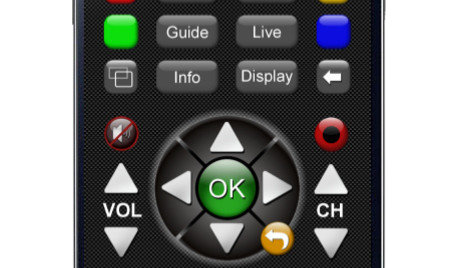
HOME TECHNew TV Remote Controls Promise to Do More — Without the Struggle
Dim your lights, set up user profiles and discover a remote you can't lose. Welcome to the latest and greatest way to change the channel
Full Story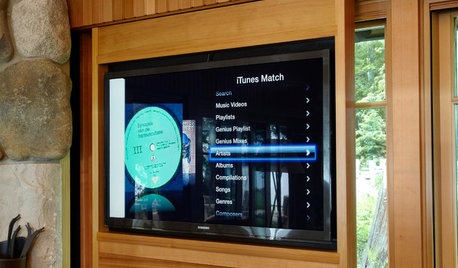
HOME TECHNew Strategies for Hiding the TV
Its easy to be discreet when you've got cabinets, panels and high-tech TV hiders like these
Full Story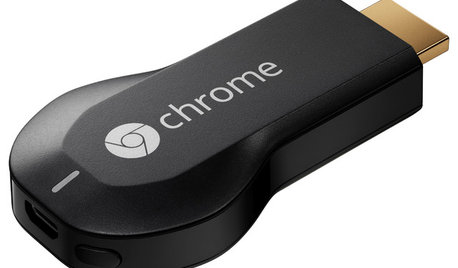
HOME TECHNow Playing in Homes Everywhere: TV, the App
It's easier than ever to beam streaming content from mobile devices to your TV screen
Full Story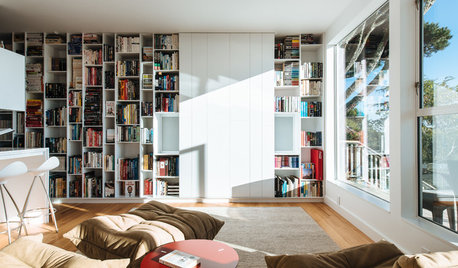
LIVING ROOMSLiving Rooms That Don’t Revolve Around the TV
In these spaces, the television takes a back seat to conversation, relaxation and aesthetics
Full Story
MOST POPULARDesign Debate: Is It OK to Hang the TV Over the Fireplace?
In the spirit of the upcoming political debates, we kick off a series of conversations on hotly contested design topics
Full Story
MOST POPULARHow High Should You Mount Your TV?
Today we look at an important question to consider when locating your television: How high should you set it?
Full Story
HOME TECHLove Your TV but Not the Way It Looks? Here’s How to Hide It
See the clever new ways designers are concealing that big, blank TV screen
Full Story
MOST POPULAR7 Ways to Rock a TV and Fireplace Combo
Win the battle of the dueling focal points with a thoughtful fireplace arrangement that puts attention right where you want it
Full Story
KITCHEN DESIGNGlued to the Tube: 14 Ways to Put a TV in the Kitchen
If you must, here's how to work a flat screen into your kitchen design
Full Story
MOST POPULARHow to Hide the TV, No Cabinet Required
Minimize the impact of the big black screen with these tricks to make it blend with your decor
Full Story



LarsOriginal Author