

Best Kindle Reader
6 years ago
Featured Answer
Sort by:Oldest
Comments (26)
 6 years agolast modified: 6 years ago
Related Discussions
Kindle/Sony Book Reader
Comments (2)I've played with both Kindle and Sony (I didn't buy, I borrowed). In both cases, I found pushing a button and waiting for the next screen to load irritatingly slow in comparison to flipping a page. I did have difficulty reading, but that may be due to wearing bifocals. You can adjust the font to make the words easier to read, but that means fewer words per screen. And IMO, both screens were difficult to use in full daylight. I'd suggest trying one before you buy [or have a full-refund return policy], and be sure to take it outside where the light is stronger than inside the store....See MoreReaders
Comments (15)ok this is what I have determined so far, there are a lot of us trying to figure out how to get and use these books on our readers LOL It may not be possible because this site is changing them to a .umf file format not epub, therefore it would take a .umf converter to change them to epub or a umf reader which is what that media manager thing is. I tried searching for a .umf converter and nothing is coming up that looks trustworthy. I had hoped that it was one of the formats that calibre would use but it is not. so at this point I think we may have to just stick to reading them online free which is better than nothing. I do not like the media manager program since it did trigger a response from your AV and I know nothing about that program so I think it best not to be messing with it. Also when I was doing a google search for umf converter, of course I was doing this with linux, I did end up on one of those sites that tries to install one of the nasty rogue programs so if you try doing that kind of search be really careful. It did nothing to me on linux but had I been on windows that may have been dangerous. Don't forget that anytime you download anything file or program before you open it right click on it and scan it with your AV and malwarebytes just to be sure they are clean. I did run into several other PDN owners asking this same question on some of the android forums and no one had an answer there either....See MoreKindle, Nook or IPad?
Comments (26)I have a Kindle, which I love. Just a regular Kindle. At the moment I have 10 "pages" of samples saved on it. I love that I can hear about a book somewhere, grab a free sample on my Kindle, and just have it saved there so when I'm ready to read a new book, I have a huge selection of choices. Of course, usually by the time I get to a book, I can't remember WHY I saved it (where did I hear about this book? from a friend, book review, what?) but then I can just click on the description to remind myself. I also have an Ipad. DH does too, and that's where he does all his reading. I seem to have ADD brought on by perimenopause, so I'm afraid if I read books on my iPad, I'd be constantly stopping to go check my email, pop into this forum, check the weather, etc. So I don't read books on my iPad. Also, I take my Kindle to the beach, in its leather cover, slipped into a gallon size ziplock bag (sounds weird, but I can read through the bag!). I think I'd be worried about doing the same with the iPad because it seems more delicate, and also more expensive to replace if something goes wrong....See MoreKindle Readers... Penguin Pub. pulls ebooks from libraries
Comments (5)Download the free (and very reputable) Calibre program and then you can get the library books in ePUB format and convert them to Kindle (.azw) format. Pam_25f -- I don't know why Windows Player is entering into this at all. Download the Kindle book to your computer, and make note of where you've saved it. It's easiest if you create a folder and name it "Kindle downloads" or something like that. Connect your Kindle to your computer using the USB cable that came with the Kindle. Now, open "My Computer" and go to the folder where you downloaded the Kindle book. Now, do the "copy/paste" thing to copy it to the "Documents" folder on your Kindle. Disconnect your Kindle from the computer, and you'll have the book on it, available to read....See More 6 years agolast modified: 6 years ago
 6 years ago
 6 years ago
 6 years ago
- 6 years ago
 6 years agolast modified: 6 years ago
- 6 years ago
- 6 years ago
 6 years ago
 6 years ago
- 6 years ago
- 6 years ago
- 6 years ago
 6 years ago
- 6 years ago
- 6 years ago
- 6 years ago
- 6 years ago
- 6 years ago
- 6 years ago
- 6 years agolast modified: 6 years ago
- 6 years agolast modified: 6 years ago
Related Stories
KIDS’ SPACESInspiring Book Nooks Welcome Young Readers
Encourage a lifelong love of reading with inviting and cozy places where kids can burrow into books
Full Story
KITCHEN DESIGN20 Kitchen Must-Haves From Houzz Readers
We asked you to tell us your top kitchen amenities. See what popular kitchen features made the list
Full Story
DIY PROJECTSNeat Little Project: Make a Sturdy Stand for Tablets and Books
Save your neck from straining with this handy DIY wooden stand for an iPad, a Kindle or a good old-fashioned cookbook
Full Story
DECORATING GUIDESNovel Ways With Bedroom Books
Reading and relaxing go hand in hand. See how designers are incorporating mini and all-out libraries in the bedroom
Full Story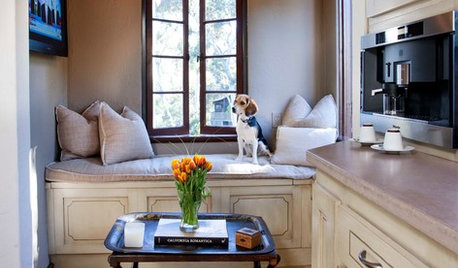
FEEL-GOOD HOME15 Cozy Book Nooks and What They Want You to Read
Put the beach reads away; these comfy spaces are creating a fall reading list. What books do they suggest to you?
Full Story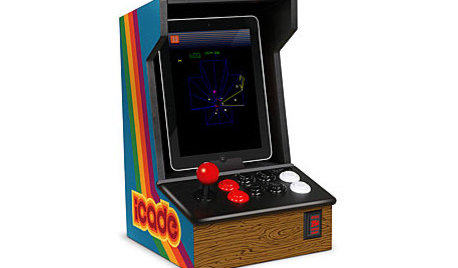
DECORATING GUIDESGift Guide: Gadgets Go Retro
20 gift-worthy add-ons give your smart phone or tablet the look of an arcade game, boombox, Etch-A-Sketch and more
Full Story
LIFEReading in Bed Comes Out From Under the Covers
No more sneaking a flashlight beneath the sheets. Grown-up bedtime reading deserves grown-up lighting and other bedside amenities
Full Story
DECORATING GUIDES12 Spaces That Prove There’s Always Room for Books
Be inspired by the bookworms on Houzz who have won the book storage war
Full Story
STUDIOS AND WORKSHOPSCreative Houzz Users Share Their ‘She Sheds’
Much thought, creativity and love goes into creating small places of your own
Full Story
MOVINGHouzz Call: What’s Your Best Downsizing Tip?
Deciding what to say goodbye to can be hard, which is why we want to hear your hard-won wisdom. Please share your advice
Full Story
Lindsey_CA