

File transfer iPad Windows iPhone
7 years ago
Featured Answer
Sort by:Oldest
Comments (19)
 7 years ago
- 7 years agolast modified: 7 years ago
Related Discussions
Using Dropbox to transfer files to new PC
Comments (6)I would recommend buying a usb drive reader. Yank that hard drive out of the old computer, and connect it to the new one. Then copy the files you need over. When doing so, copy the files you want to Dropbox. Will save you a ton of time and frustration with the old computer not working. Bypass it all together unless the hd itself is what's going bad. You old hd is a SATA, so this should work for you. https://www.amazon.com/Anker-Portable-Adapter-Cable-Power/dp/B005B3VO24/ref=pd_sbs_147_5?_encoding=UTF8&pd_rd_i=B005B3VO24&pd_rd_r=XMK3XNTH75RD4550AZQ2&pd_rd_w=Aw7ZM&pd_rd_wg=W7lil&psc=1&refRID=XMK3XNTH75RD4550AZQ2 When you plug in your drive, it should show up as another drive, just like a usb drive. Then its just drag and drop....See MoreGetting data off an old iPhone
Comments (6)If you're working with people from the company that produced the app, there's nothing more to know or any more expertise to plug into. I guess the lesson you've learned is that data should have been backed up along the way. And, of course, that's true of any digital data anywhere because a hardware failure (always a possibility with any device) will cause a complete loss of all data it contains. Apple has a tendency, a very consumer unfriendly one as far as I'm concerned, of forcing operating system upgrades and then orphaning any devices that stay put. I have two Apple devices in the house that work fine but as with yours, can't be updated and can't download any more apps. The Android world does that in a way (new apps aren't always backward compatible to older versions of the OS) but with more flexibility. Android phones can be connected to a PC with a USB charging cord. With the regular Windows Explorer program used for file manipulation, folders on the Android device can be accessed ( in the exact same way as with a PC's drives or attached memory devices) to copy or delete any folders or files as desired. I don't know if the same is possible with an iPhone, maybe it is?...See MoreiPhone photo file format question
Comments (17)I have a Canon camera with Wifi too. I've never turned it on, it's a capability that's not of value to me. I find photos easy to unload by either using a USB cord (one of the standard sizes, any one works) or from the card, which I swap out anyway and access when removing the battery to charge. I've shared my view before, I think Win 10 is really not different at all from prior versions. It acts the same, it looks the same (since they changed the tile view, though that was always easy to avoid by using one of the simple add-ons like Classic Shell or Power 8). It's maybe a bit better in recovering resources and a bit more stable. Otherwise, very similar to its predecessors....See MoreiPhone photo problem
Comments (12)OK major improvement! I updated my iPhone12 from iOS 15 to 15.1! That seems to have solved the problem. Before (like 3 months ago), when I would plug the phone into the computer's USB port using the charging cable, the folders would have names like 2021_07, which would contain all the photos and movies taken in July 2021. Then the behavior reverted to their older format, like 101APPLE or 101CLOUD. That was the situation when I was trying to copy the folders from the phone to the computer via the USB cord. It started working, but suddenly stopped, with nothing copied, and the photos were unviewable. Since I now had updated iCloud on my computer, I tried copying them from there to my hard drive. It worked, but was very slow. I guess what I see on the iCloud folder on my computer are only links, not the actual files, which accounts why this process was so slow (see my comments two posts up). Now, after the iOS update, the folders had a new naming format, 202107_, and the photos and movies were viewable and copyable via the USB cord. I'm now going to do an thorough file comparison between the various copied files using a great file comparison program called Beyond Compare 4....See More 7 years ago
- 7 years ago
- 7 years ago
- 7 years ago
- 7 years agolast modified: 7 years ago
 7 years ago
- 7 years ago
- 7 years ago
- 7 years agolast modified: 7 years ago
- 7 years ago
 7 years ago
- 7 years ago
 7 years ago
- 7 years ago
- 7 years ago
- 7 years ago


Related Stories

ORGANIZINGGet Organized: Are You a Piler or a Filer?
Tote out the bins and baskets and learn how to be an organized piler if file cabinets leave you cringing
Full Story
HOME TECHTech to the Rescue: How to Get Stolen Gadgets Back
Catch any crook who dares steal devices from your home with recording and tracking technology that's easy to use
Full Story
MOST POPULARIs Open-Plan Living a Fad, or Here to Stay?
Architects, designers and Houzzers around the world have their say on this trend and predict how our homes might evolve
Full Story
MOST POPULARHow to Remodel the Laundry Room
Use this step-by-step guide to figure out what you want and how to make it happen
Full Story
DECORATING PROJECTSWhat to Do With Old Family Photos
Find out how to research, share and preserve images that offer a connection to the past
Full Story
KITCHEN DESIGN12 Items Worth a Spot on Your Kitchen Counter
Keep these useful tools and accessories out in the open to maintain high function without spoiling the view
Full Story
HOLIDAYS10 Essentials for a Gracious Guest Room
Stock the room with these basic items to make your overnight visitors comfortable
Full Story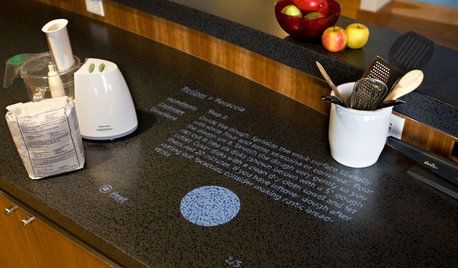
HOME TECHComing Soon: Turn Your Kitchen Counter Into a Touch Screen
Discover how touch projection technology might turn your tables and countertops into iPad-like devices — and sooner than you think
Full Story
MOST POPULAROvernight Guests Coming? How to Be a Great Host
Ensure a good time for all — including yourself — by following these steps for preparing for and hosting houseguests
Full Story
TRAVEL BY DESIGNPro Secrets for Taking Fantastic Travel Photos With Your Phone
When great design and family antics catch your eye, capture the memories with photos that tell a story
Full Story
kudzu9