

What Cable Speed for Streaming?
7 years ago
Featured Answer
Sort by:Oldest
Comments (11)
 7 years ago
Related Discussions
Streaming Netflix
Comments (17)Hello, We have an older Sony CRT with no HDMI cables. I have a Zoom brand cable modem connected, via a cable, to an Apple wireless rounter (A Base Station, they call it.) This gives us wireless internet in the house. I have a Roku box connected to video inputs on the TV. This is the old three color system, with white red and yellow pin inputs. The cables for this were in the box with the Roku. The Roku has wireless capability so it works off of the router signal when just plugged into the TV and the power source. We do need to switch between video feeds on the TV to get to the Roku, but this is a simple matter of pressing a button on the TV remote. If you have something like "video 1, video 2, video 3" selections and you only get a blank screen, those inputs are marked as such on the back of your TV and you can use them. If you only have one set of these, you may have to swap out the cables if your DVD player uses the inputs. This might be a good argument for getting a Netflix enabled DVD player or game console. If your DVD player is a good one and you can't see spending the money, you should consider the Roku. The base model today is $59.99 at Roku.com. The website lets you see the back of the device, so you can check out the input areas to see if it matches what you have on your TV. They are very backward compatible in general, so I'm sure you won't have problems there. I bought the XD model ($79.99) for when we upgrade to a better 1080p HD in a couple years, plus it supports the wireless "N" protocall which is the newer, fastest level of wireless and it matches our router. I may have wasted $20.00 because we don't use the internet while watching the Roku and my guess is with the way HDTVs are developing, our future TV will have Netflix ability built into it and we won't need the roku box. Oh well! All it might take for you to get up and running on DSL: call your provider company and ask them for a wireless DSL modem. You might be able to get one for free from them. This will give you wireless in the house and your Roku box will be up in a jiff. When we had DSL we had the wireless router and were happy with it. There was an initial problem with not being able to acess the internet while on the wireless phone, but that is a setting on the modem that can be changed with a quick call to your provider. It is a simple fix and they walk you through it. As to the bandwidth issue go to www.speedtest.net and check your speed it is easy and free. You might be able to research your speed and see how this effects others with Netflix. Just a thought. To give you courage, (if you need it!) go to Youtube and search "set up Roku on DSL," or "set up Roku." Peolpe have made some quick video's of themselves doing this and you'll see how simple it really is. Good luck with it all! We love streaming Netflix. We still sometimes look at each other and say, "This is so awsome!" Here is a link that might be useful: Speed test...See MoreStreaming Movies Via WiFi
Comments (17)Just a thought: I was having trouble using my VUDU Account on my Smart TV in my Bedroom. My wife uses Netflix all the time in there and the one time I try to watch a movie from my VUDU account it would run for 30 seconds and then the screen would go Green (also pixelated). After many hours of trying to figure out what the problem was, I figured out that the Software had been up dated to Accommodate HDX and the TV was only able to play the movies in HD or SD. I wondering if Netflix has a feature where you could adjust the picture resolution like in VUDU. You could then try it at a lower setting. I do have Netflix but have never had any problems. But it may be worth a looking into....See MoreWhat speed internet?
Comments (7)chisue, 5 kattywhompers up and 50 whojoclumpets down is a very fast connection. To put it in context, it takes 5-6 whojoclummpets down for a best-quality Netflix stream, so 50 would support 8 or more (but not wirelessly, limited by most home routers to 12-15 in total). If you could share the connection, what you have would support email reading by dozens and dozens of people at the same time. zep, internet speeds are in megabits per second, not megabytes per second. The difference is small m vs large M, and 8 bits to the byte. 8 megabits is one megabyte....See MoreStreaming Speed Degredation?
Comments (13)Coming back to update this thread. I did check with a couple neighbors and found that others were having problems as well. I called CenturyLink back a few times to keep them alert and bring techs out for potential diagnosis, repair AND to keep them driving 20-40 miles and their time=money so that centurylink would feel obliged to do something. The first tech out agreed with me that the system was over loaded but had the good news that a supervisor was going to be moving to a home just down the street and would likely see the problem for himself. Unfortunately for centurylink, they have some auto software that emails me to let me know that my problem has been fixed (since the tech has been here) rather than saying something reasonable like 'we are working on it'. That ticked me off so I called for more repair. The next tech agreed that there was a problem and upgraded the 'repair ticket' to a higher up department (who actually called me saying they were working on it and would get back to me; but they didn't). Last week (following me calling again after another 'all OK' when not OK, the pair of techs said there were 12 complaint calls and that they had found that the local distribution box had old 'slow cards' that they were now replacing. They said 6 lines per card, and I knew the system had approx. 270 homes so that's a lot of newer cards. I'll bet centurylink knew about it all the time but were waiting until enough folks whined about it. With card replacement, the speeds are almost always above 9mbits/sec even under evening load. Guess you were right Steve....See More 7 years ago
- 7 years ago
- 7 years ago
- 7 years agolast modified: 7 years ago
- 7 years ago
 7 years ago
 7 years ago
- 7 years agolast modified: 7 years ago
 7 years ago

Related Stories

MODERN ARCHITECTUREHouzz Tour: Sunshine Streams Into a Canadian Home
A Tucson design firm creates a light-filled house in a northerly climate
Full Story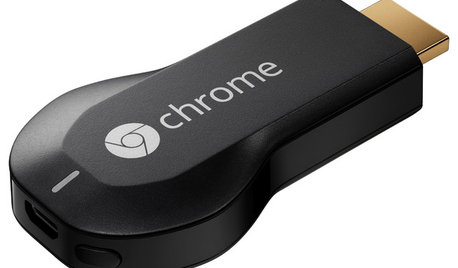
HOME TECHNow Playing in Homes Everywhere: TV, the App
It's easier than ever to beam streaming content from mobile devices to your TV screen
Full Story
DECLUTTERING10 Secrets to a Neat Living Room
Keep the clutter at bay with ‘speed bumps,’ hidden storage and a little-stuff drawer
Full Story
HOME TECHMake Your Home a Champion Olympics Viewing Platform
Watch a sprint during a cooking marathon or a vault while curled up in bed. Live streaming and mobile apps put viewing in your control
Full Story
HOME TECHIs the Timing Finally Right for Framed Digital Art?
Several companies are preparing to release digital screens and apps that let you stream artworks and video on your wall
Full Story
DESIGN DICTIONARYZip Line
A long cable and a little fearlessness make for a thrilling ride between two points
Full Story0
ORGANIZINGYour Total Home Organizing and Decluttering Guide
Take it slow or be a speed demon — this room-by-room approach to organizing and storage will get your home in shape no matter how you roll
Full Story
SELLING YOUR HOUSEHome Staging to Sell: The Latest Techniques That Really Work
Get up to speed on the best ways to appeal to potential buyers through accessories, furniture, colors and more
Full Story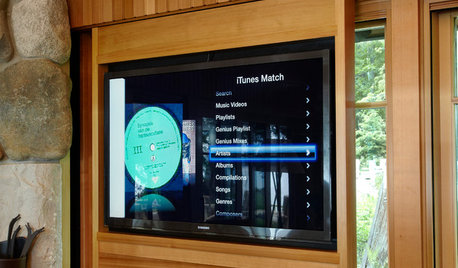
HOME TECHNew Strategies for Hiding the TV
Its easy to be discreet when you've got cabinets, panels and high-tech TV hiders like these
Full Story
HOME TECHIf ‘High-Def’ TV Isn’t High Enough, Maybe You Need Ultra-HD
The ultra-luxury next generation of TV, called Ultra-HD, is finally here. And so is the first content, if you know where to look
Full Story
Fun2BHere