

Moving pics from SB card to computer
7 years ago
Featured Answer
Sort by:Oldest
Comments (6)
Related Discussions
How to move back the task bar at bottom of computer
Comments (4)Loralee, that has happened to me several times, I am blaming a herky jerky finger sometimes, and sometimes when I play cards, the task bar has a mind of it's own, so when these things happen, that don't happen often, and I am staring and wondering What happened? I write the solution down in a little book I have, so if it happens again, at least I don't have to come into the forum to find the answer. I know most of the time it is my own fault, and I feel somewhat bereft about that, I am a senior, and should know better by this time. regardless, I always appreciate the help provided by the great gang here, and know it will always be available. Shaddy...See MoreComputers in Kitchens (anyone have pics)
Comments (22)cawfeegirl: Yes, Cawfeegirl, you can have your cake and eat it too! You'll need either a miniDVI-to-HDMI adapter ($6.94), or a DisplayPort-to-HDMI adapter ($8.55), both available from monoprice.com, depending on which model Mac you have (older iMacs have miniDVI ports; new MacMinis have both; newest iMacs have DisplayPort only). With the proper adapter, you can connect a MacMini to any HDMI-capable display or TV. I actually misspoke in my earlier post--the preference would be to have a TV with two HDMI inputs and use one for your MacMini, and one for your CATV set-top box. Although a VGA input would also work (with the appropriate adapter), HDMI is capable of addressing higher resolutions than VGA, and is therefore preferred. When connected via HDMI, Macs typically automatically scale their display output to your TV's native aspect ratio and resolution (everything will look "right" without any hassle). dcwesley: Congrats! Many PC manufacturers are now making compact, all-in-one computers these days, some, even with touchscreens (which Apple does not yet offer). Many all-in-one, Windows-based PCs also offer significant savings over their pricier Apple counterparts....See MorePrinting Pics off computer
Comments (8)I have always been a fan of the high end HP printers however last August when I moved from Ohio to Massachusetts my good printer somehow got packed in a container of household goods that was not scheduled to arrive here for another 6 weeks. For the first two weeks I was selecting photos to print and putting then on a flash drive which i then took to WalMart or my local camera store for printing but that was a real PITA. I happened to be in Staples on an unrelated errand and I saw a Kodak ESP 7250 printer scanner on sale for $99. I needed a new scanner so I thought what the heck, I'll try it. Right out of the box with the sample Kodak paper that came with the printer I was impressed, then I printed a couple 8x10 with some generic glossy photo paper and the best I could say is, they sucked. I went in the printer setup and changed from draft to Best quality, but with the generic paper the prints were still a mess, often coming out with way too much ink, feeling wet and they smudged when you touched them. Well, as they say, when all else fails, read the directions. I read the directions and did the setup routine to match the printer & paper, but even though it improved, I was still not happy. As I read the directions it said that Kodak recommended using only Kodak Paper, but who pays attention to that. That is just to promote purchasing their products, right? WRONG- In further reading I discovered that Kodak Papers have a bar code printed on the back side of the paper. The printer reads that code and sets up the printer to the specific needs of that paper whether you use MATT, Semi-Gloss or Glossy paper. In fact, I used glossy in the 4x6 tray and Matt in the 8x10 tray and it worked fine. Here is the catch I thought. They offer cheaper ink but get it back on higher priced paper, but to my surprise, when I priced the Kodak Paper at WalMart it was slightly cheaper than the HP paper. I then printed 2 8x10 and 6 4x6's on this printer, then put the photos on my flash drive and had them printed at both Walmart & Staples to compare print quality. To my surprise the prints from my printer were equal to or better than those from the commercial printers....See MoreCan I delete pics from my camera card on the computer?
Comments (11)I do it on all my cameras after I upload the pics to computer I check them out that they are on the computer and what they look lik then I go back to the drive where the camera is and delete all items then I right click on the drive and eject. Tht way it cleans up tht drive (read tht somewhere) I end up with n empty camera disk. some times I putthe disk in the computer sometimes I upload with a cord from computer to camera works the same both ways...See More 7 years agolast modified: 7 years ago
- 7 years ago
- 7 years ago
Related Stories

SELLING YOUR HOUSEA Moving Diary: Lessons From Selling My Home
After 79 days of home cleaning, staging and — at last — selling, a mom comes away with a top must-do for her next abode
Full Story
DOWNSIZINGMoving Testimony: Downsizing Pearls From Houzz Readers
These downsizing tips come from readers who’ve been there. Read on to prep for your own move
Full Story
HOLIDAYS7 Ways to Shoot a Great Holiday Card Photo at Home
Make this year's holiday card stand out from the crowd with your home as the backdrop and these tips from the pros
Full Story
LIFETips for Moving Into a Smaller Space
Downsize with less compromise: Celebrate the positive, pare down thoughtfully and get the most from your new home
Full Story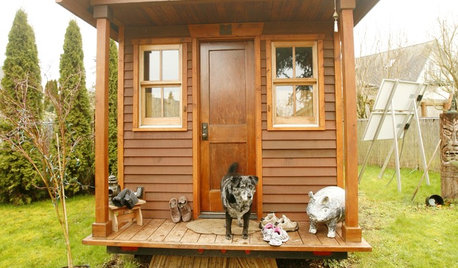
SMALL SPACESLife Lessons From 10 Years of Living in 84 Square Feet
Dee Williams was looking for a richer life. She found it by moving into a very tiny house
Full Story
MOVINGRelocating Help: 8 Tips for a Happier Long-Distance Move
Trash bags, houseplants and a good cry all have their role when it comes to this major life change
Full Story
INSIDE HOUZZHouzz Prizewinners Take Their Kitchen From ‘Atrocious’ to ‘Wow’
A North Carolina family gets the kitchen they always wanted — and not a minute too soon — courtesy of the Houzz sweepstakes
Full Story
LIFEThe Moving-Day Survival Kit: Lifesaving Items and Niceties
Gather these must-haves in advance for a smooth move and more comfortable first days in your new home
Full Story
LIFE7 Things to Do Before You Move Into a New House
Get life in a new house off to a great start with fresh paint and switch plates, new locks, a deep cleaning — and something on those windows
Full Story
MOVINGThe All-in-One-Place Guide to Selling Your Home and Moving
Stay organized with this advice on what to do when you change homes
Full StorySponsored
More Discussions

Jean