

Want to copy browsing session between browsers
8 years ago
Featured Answer
Sort by:Oldest
Comments (11)
 8 years ago
- 8 years ago
Related Discussions
Browse at your lesiure :)
Comments (9)WOW!!!!!! I just spent a hour looking at part of this Paul Owens web site. its really great.Real beauty.The whole time I was looking at it, I was thinking boy, how I wish I was young again and knew about daylilies.I would have beauties like this too, but, am now too old for this sort of thing and too many problems with the body.But, he certainly has a beautiful place, have to look at where its at,I didn't look to see where his place is at.I didn't even know what a daylily was until about 6 years ago, when a daughter gave me a few (Ditch lilies) she had that I thought wa so pretty, Sinc e then I learned the difference between good daylilies and the ditch lilies. Thank you Julia for posting this site. His sunflowers are another very pretty flower I like to grow too. Cant grow everything you want to grow here for the deer. and they love flowers or all kinds,and seem to have a favorite one, which is daylilies. jean...See MoreClickJacking Alert! new threat affects all browsers
Comments (14)it will redirect you and will take you to one of the sites that is auto installing the various versions of antivirus xp 2008/2009 or what ever they happen to be naming them, which are carrying many types of infections with it. This has gotten so prevalent now that the bad guys have discovered this method of taking over websites that everyone is trying to put out warnings to the community to try to make people aware if they see this suddenly happening to them NOT to click on any of the redirected pages, Not to buy any of the fake programs, but instead to immediately close out all instances of the browser, in some cases that will flush the urls out of the clipboard but not always in some it takes a reboot of the pc to clear the urls from the clipboard from what I have read. The best thing you can do is be very careful where you surf and where you click. If you use firefox you can use the no script add-on set as shown. The forums have been seeing many many cases of these exploits and several got them from very legit websites that had been hacked and a redirect put on the site. gillian don't panic about it but it is something we all need to be very aware of since it has been so on the increase. Hopefully adobe and the browsers can get some method out to help with this soon. It is better to be aware of this kind of thing so we know to come for help asap if we know we have been exposed to one of the redirects. If you see anything pop up saying it is scanning your pc and that you have infections or anything like that do NOT click anywhere on the page, close the browser or just go to start and reboot it. From what I have read the earlier versions of firefox are also affected. Also it is a good idea to go to your pc to your adobe and check for updates. You can also use the secunia inspector to see if it shows you have out of date programs. Updates should hopefully come out soon. The Secunia Online Software Inspector I just wanted to post so y'all would be aware of this stuff, don't freak out, just be alert. Always better to be prepared and educated than caught off guard....See MoreBrowsers.....
Comments (9)First of all let's clear this up. Opera works fine with Vista. I've had Opera on my Vista machine since I got it and use Opera on every one of my computers. I know a lot of people using Opera on Vista. Any claim that it won't work on Vista is pure malarkey. If you're having trouble, you have other issues, but don't make the best browser in the world the scapegoat. Tens of thousands, hundreds of thousands, (maybe millions?) of people are using Opera with Vista, and very happily. One of my favorite features is the X & Z keys for forward and back, rather than the combination of keys or using the mouse. I have the menu button and customized toolbar so I get maximum screen space. It's such a fast browser. In fairness, there's some pages out there written poorly so they don't always appear quite right in Opera, but Opera has adjusted. Then of course there's the sites, like the big one whose name shall not be said, who "borks" the sites. While yes, Opera is "different" from the Internet Elephant, Firefox, K-meleon, Netscape, Safari and other browsers are also "different" from the Internet Elephant. And what's more, they're different from each other. Ford is different from Chev, and they're both different than BMW, but that doesn't mean they're not all very similar in operation. Don't be afraid to try something "different". How does my computer know which one I want to open my sites with? The computer (and you have input) sets a key on a "default" program to use to open certain file types. For instance it may set Adobe Reader to Open .PDF files. And you might set a different media player to open .WAV files. These are easily changed if you like. If I download Opera and like it, how do I go back and forth between it and FF? If you have them open at the same time, simply use ALT+TAB or click on the taskbar to switch programs. Otherwise, you might have it automatically open in the browser of your choice or open up the program like you open any other. I would suggest using shortcuts in Quicklaunch for fast access rather than tie up your desktop or start menu. How would I go back to FF and uncheck to not make it the default browser? There's a setting in each of the browsers in Options for them to check each time to see if they're the default browser. You can just disable that option. ALSO, if I uncheck that box, does it list the other browsers so I can pick the one I want to make default? Not in the browser itself, but if you do a shift+right click and bring up "Open With", you can choose any program to open the selected file. I heartily recommend you give Opera a try. But give it a month or two so you get used to it. Do a search for "Opera Tips" and get a feel for some of the special features. You can customize it a lot or a little. It's far superior to Firefox in that Firefox requires the addition of so many add-ons to make it reasonably functional and all of the features are already in Opera. Not saying Firefox is bad, but it's really essentially an Opera Wannabe. However there are a lot of cool add-ons that can make Firefox unique too. I often run 3 browsers at the same time. One for surfing, one for monitoring a webmail account and sometimes the third if there's an issue with the others. Oh, and yes, there is one issue I have with Opera. I can't pay my phone bill using it. I have problems with Firefox too. But K-meleon works fine. I don't remember the last time I had to open the Internet Elephant. Another advantage of Opera: The elephant requires patches all the time. All browsers do. But the whole new Opera install is less than 6mb where IE's patches are often 3 times that. Makes a big difference if you're on dialup....See MoreIs there such a thing as having too many browsers?
Comments (6)I use Chrome all the time, but also have FireFox as a backup. Of course IE, as well, but I never use it. Ditto! I'll share this story in case it ever happens to you or someone else: This past week I did a Windows 7 update (one of those routine updates requested by Microsoft), and when it was finished Chrome couldn't load pages for me. I learned that if I'd turned down the automatic offer to reload all my tabs, Chrome probably would have been fine. But I clicked "Restore," and then Chrome failed. I looked up the problem, and found lots of people asking about it on tech sites. Must be a common issue. I attempted several of their solutions, but couldn't figure out how to do them. Then I cam upon this easy one, and it worked! After my computer does a window's update, chrome almost never works. I can't get into settings or anything, nor can I load any web pages. I found a simple fix. Do a control-alt-delete and go into task manager. Close all chrome programs in all the tabs. Once you close all the processes, reopen chrome. It loads for me. Also, be careful NOT to restore previous tabs. Ignore the âÂÂrestoreâ request, and just start from scratch....See More- 8 years ago
- 8 years agolast modified: 8 years ago
- 8 years ago
- 8 years ago
- PRO8 years ago
- 8 years ago
- 8 years ago
- 8 years ago
Related Stories
INSIDE HOUZZ9 Power-User Tricks to Get More From Houzz
Search faster and better, tap into design guides, manage your ideabooks and see photos on your flat-screen TV
Full Story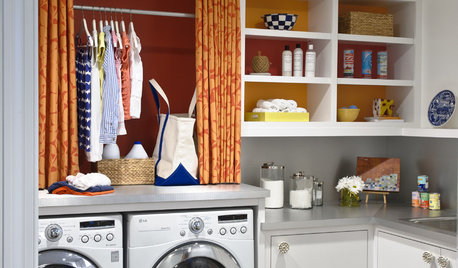
ORGANIZINGSmall Steps to Organizing Success
Take care of bite-size projects, and your home's big picture will be an organized dream before you know it
Full Story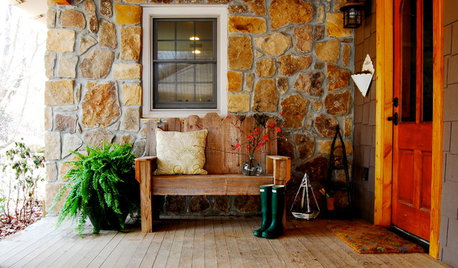
FURNITUREMeet the Quick-Change Artists of Interior Design
Are you missing a great little stool, ottoman or bench? Just look at the ways they can adapt to what you need now
Full Story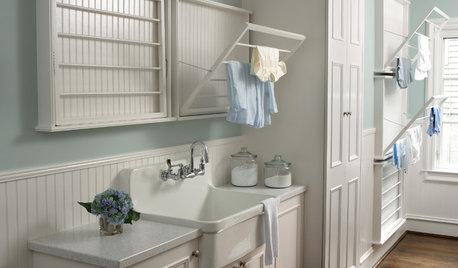
COLOR7 Laundry Room Color Palettes to Make Washday More Relaxing
Mix white with subtle colors or a dash of black to create a fresh, clean backdrop for doing laundry
Full Story
MOST POPULAR4 Obstacles to Decluttering — and How to Beat Them
Letting go can be hard, but it puts you more in control of your home's stuff and style. See if any of these notions are holding you back
Full Story
BOOKSCan Tidying Up Result in Life-Changing Magic?
Organizing phenom Marie Kondo promises big results — if you embrace enormous changes and tough choices
Full Story
DECORATING GUIDESInterior Design Trends Expected to Take Hold in 2018
Get the lowdown on the colors, materials and other design decisions gaining steam now
Full Story
BUDGET DECORATING14 Ways to Make More Money at a Yard Sale — and Have Fun Too
Maximize profits and have a ball selling your old stuff, with these tips to help you plan, advertise and style your yard sale effectively
Full Story
WORKING WITH PROSHow to Hire the Right Architect
Your perfect match is out there. Here’s how to find good candidates — and what to ask at that first interview
Full Story
ARTNew Digital Art Frame Gets Put to the Test
Our writer sets up the EO1 at home, then invites artist friends over for a look — at images of their own work. See what they have to say
Full StorySponsored
Steve J