

Another cell phone question
9 years ago
Featured Answer
Sort by:Oldest
Comments (12)
 9 years ago
 9 years ago
Related Discussions
Cell Phone Feature Question
Comments (1)I have a no-contract cell phone from Virgin Mobile. They, and others, have basic-capability plans from about $10 per month and up, though I don't know about linking to your computer....See MoreCell phone question
Comments (18)DH and I both are on Verizon (him: Motorola Droid, me: LG Dare inherited from DH but previously Samsung Flipshot) and we have had absolutely NONE of these problems! When I have a voice mail, I get a white screen with the number (or name, if it's one of my contacts, or "unknown" if it's a blocked number or a call from a multi-line system) is displayed at the top of the screen along with a timestamp, with buttons below saying "check voicemail" or "ignore". If I have a missed call where the caller didn't leave a voicemail, or I "ignore" the voicemail, I get a screen reading "missed call", name/number, timestamp, and buttons for either "ignore" or "add to contacts". If I've "ignored" any of these things, little icons appear on the screen - a little person for a voicemail, an envelope for a waiting text message, or a tiny phone for a missed call. I tap any of those icons to activate it. DH's Droid works about the same way....See Morecell phone ? if you buy a cell phone, from let's say
Comments (15)It depends on the phone and the carriers. There's a number of different types of service out there too. For instance different carriers use different frequencies (CDMA, PCS, GSM, etc) SIM cards are suggestive of GSM technology used by Tmo and ATT. If you're looking to use prepaid service you can sometimes use the phones but won't always have all the features. If you're looking for a contract service, then as cautioned before, beware of costs to change. Often the smallest thing will extend your contract. For instance, if you get a new phone, you generally get a new (extended) contract with hefty cancellation fees. You'll have to get more info from the companies, but generally speaking, Tmo will not be interchangeable with Virgin and Verizon. Tmo & AT&T are more likely to be options. Probably not answering your question, but not an easy question to answer!...See MoreCell phone question
Comments (3)It should be answered by the responders nearest to your actual location, but there can be problems. You can read a little about it at the site I've linked. Here is a link that might be useful: 911 Services...See More- 9 years ago
 9 years agolast modified: 9 years ago
- 9 years agolast modified: 9 years ago
- 9 years agolast modified: 9 years ago
- 9 years agolast modified: 9 years ago
- 9 years agolast modified: 9 years ago
- 9 years agolast modified: 9 years ago
 9 years agolast modified: 9 years ago
- 9 years ago

Related Stories

WORKING WITH PROS9 Questions to Ask a Home Remodeler Before You Meet
Save time and effort by ruling out deal breakers with your contractor before an in-person session
Full Story
SELLING YOUR HOUSE15 Questions to Ask When Interviewing a Real Estate Agent
Here’s what you should find out before selecting an agent to sell your home
Full Story
REMODELING GUIDESConsidering a Fixer-Upper? 15 Questions to Ask First
Learn about the hidden costs and treasures of older homes to avoid budget surprises and accidentally tossing valuable features
Full Story
HOME TECHUnlock Your Smart Phone's Front-Door Powers
Take your locks and keys into the digital age with 3 solutions that put convenience and new capabilities on your doorstep
Full Story
ORGANIZINGPre-Storage Checklist: 10 Questions to Ask Yourself Before You Store
Wait, stop. Do you really need to keep that item you’re about to put into storage?
Full Story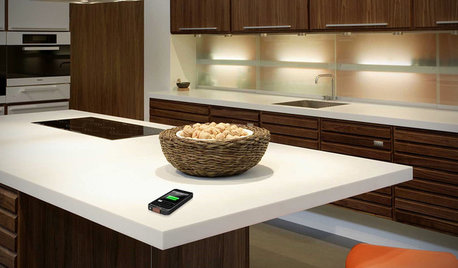
HOME TECHComing Soon: Furniture That Charges Your Phone
Countertops, tables and home appliances with wireless charging capability mean less clutter — and zero effort powering your phone
Full Story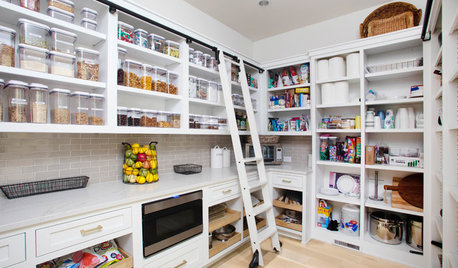
KITCHEN DESIGN9 Questions to Ask When Planning a Kitchen Pantry
Avoid blunders and get the storage space and layout you need by asking these questions before you begin
Full Story
WORKING WITH PROS12 Questions Your Interior Designer Should Ask You
The best decorators aren’t dictators — and they’re not mind readers either. To understand your tastes, they need this essential info
Full Story
HOME TECHTurn Your Smart Phone Into a Home Security System
Monitor your home a less expensive way by putting your phone and some new gadgets to work
Full Story
HOME TECHSmart Phones Hold the Keys to Front Doors
Knock, knock. Who's there? A brand-new generation of hardware and app combos that let you play doorman from anywhere
Full StorySponsored
More Discussions

Michael