

Slow computer?
9 years ago
Featured Answer
Sort by:Oldest
Comments (28)
 9 years ago
- 9 years agolast modified: 9 years ago
Related Discussions
Slow Computer - What Can I Do?
Comments (3)this is a very good article with suggestions by Miekie MVP, as she and most MVP's agree do not try using a registry cleaner they are not for novice users. The outline she presents is a very good one. Help! My computer is slow! You did not mention how much memory you have on that pc, can you tell us that please. If you do not know much about your pc and would like a good tool that will tell you everything about your pc get the free belarc tool. Belarc' and to make sure you do not have a malware infection you can get the free malwarebytes antimalware, install it update it then run full scan and allow it to remove all infections it finds. Malwarebytes' Anti-Malware...See MoreBack-up drive slows computer?
Comments (8)I'm not sure how you set up your backup drive, but mine only backs up files periodically according to a schedule. The schedule I chose was to backup at 3am when I'm not using it. In my experience, when the backup drive is copying files from the main hard drive, the main drive might respond a tad slower. However, being on the Internet and surfing to things like Facebook shouldn't really be affected unless you are trying to upload pictures, etc., while the backup is running, especially since it sounds like you have a newer computer with probably adequate RAM. You may coincidentally have something else going on....See MoreSlow computer/HP Image Zone??
Comments (16)perk2, You have a fine machine there. I doubt that a 100 photos are slowing you down. I agree with owbist (nothing will be served by you deleting them, they are simply in storage on your hard drive waiting for you to use) Some people have thousands of photos. My 2 cents on the slow down is either the HP image program or another program or mutiple programs are running in the background that you're not aware of. You can press Ctrl+Alt+Del and get an idea of what processes are running and using the most CPU. To check the programs that run at startup, get the free CCleaner it not only cleans your computer, but under tools/startup, you'll be able to delete entries that are set to run at startup. Basically all you really need to run at startup are the firewall and anti-virus protection. *note, with ccleaner, during the install uncheck google toolbar if you don't want it....See MoreProgram for Slow computer???
Comments (4)There are so many things that can cause a computer to run slowly. When I first work on a slow computer, here are some of the steps I take to resolve the issue. NOTE: If the computer is new and you don't download music or screensavers, it is probably related to running software. - Clean out cookies, temp files, and temp internet files and reboot the computer. - Using Add/Remove programs to remove ONLY programs you have installed OR programs you are SURE will not hinder efficient operation of your computer - Go thru MSCONFIG to turn off unnecessary programs at startup. Use Google to learn about each item. - Use Task Manager (ctrl-alt-del) and check all running processes to ensure each is necessary to run. Use Google to learn about each one. Turning programs off here will only turn them off for this computer session. - Make note of the hard drive size and free space. Try to have at least 25% of the drive free for efficient Windows operations - Check how much RAM you have. Consider purchasing more if under 512mb for WinXP or if under 1 gb for Vista. Crucial is a well-respected site for purchasing additional RAM. - Check your anti-virus settings to see how it is configured, you might be able to change a setting or two to gain a lot more speed. Also, some anti-malware programs do more than protect against viruses - and that causes issues with a lot of computers. - LAST - Run Error-checking and then Defrag. Make sure you check both boxes to *Automatically fix file system error AND *Scan for and attempt recovery of bad sectors. NOTE: Never run Defrag without running Error-checking first! HTH, Candy G....See More 9 years agolast modified: 9 years ago
 9 years ago
- 9 years agolast modified: 9 years ago
 9 years agolast modified: 9 years ago
- 9 years ago
- 9 years ago
 9 years ago
- 9 years ago
- 9 years ago
 9 years ago
- 9 years agolast modified: 9 years ago
- 9 years ago
- 9 years ago
- 9 years ago
- 9 years ago
- 9 years ago
- 9 years agolast modified: 9 years ago
- 9 years ago
- 9 years ago
- 9 years ago
- 9 years agolast modified: 9 years ago
- 9 years ago
- 9 years ago

Related Stories
LIFESlow Living 101: Tips for Turning Off the Chaos
It may feel as though you're too busy to slow down and enjoy life. But even little changes can have a big effect
Full Story
FEEL-GOOD HOMEThe (Lost) Art of Laziness
Do you go to bed with to-do lists flashing through your head? Try one of these 11 ideas to give yourself a break
Full Story
DECORATING GUIDESBudget Decorating: How to Decorate Smart and Slow
To make the most of your decorating dollar, forgo the disposable stuff, think vintage and free first and give yourself a splurge
Full Story
HOME TECHPlug Into Home Power Monitors That Pay for Themselves
Stop throwing away money on wasted electricity with help from new monitors that work with your phone or computer
Full Story
ORGANIZINGYour Total Home Organizing and Decluttering Guide
Take it slow or be a speed demon — this room-by-room approach to organizing and storage will get your home in shape no matter how you roll
Full Story
DREAM SPACESWe Can Dream: Nurturing Escapes for Penning a Poem
16 picturesque hideaways built to inspire contemplation and a favorite slow art form
Full Story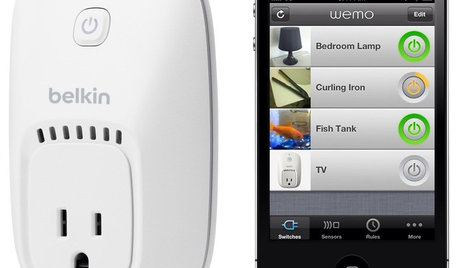
HOME TECHOn the Internet, Nobody Knows You're a Lamp
Home appliances and devices are poised to get on the Internet and start messaging one another. Here's why that'll be great for you
Full Story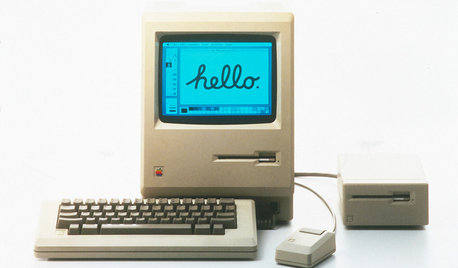
HOME TECHTurn 'Obsolete' Tech Into Fun Home Help
Here's how to put your old Mac, Atari or Newton to work around the house
Full Story

MOST POPULARTo-Dos: Your January Home Checklist
Make your home (and yourself) healthier while you nestle in and get inspired for the coming year
Full Story

ravencajun Zone 8b TX