

Trying to pick up after a full restore but get security errors
9 years ago
Sort by:Oldest
Comments (4)
Related Stories
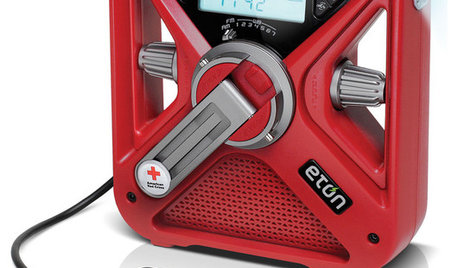
HOME TECH7 Ways to Charge Up and Connect After Disaster
Products and tips for communicating and keeping essential items running till the power's back on
Full Story
HOUSEKEEPING7-Day Plan: Get a Spotless, Beautifully Organized Entry Hall
Take your entry from scuffed up to spiffed up — restoring total cleanliness and order in just a week
Full Story
PRODUCT PICKSGuest Picks: Reclaimed Wood Pieces Full of Character
Bring a sense of history and depth to your rooms with furniture, lighting and art made from upcycled wood
Full Story
HOUZZ TOURSHouzz TV: See a Modern Family Farmhouse That Can Pick Up and Move
In the latest episode of Houzz TV, watch California architect build a beautifully practical cabin to jumpstart his parents' new farm
Full Story
FEEL-GOOD HOMEBack Problems? Try Putting Your Feet Up
Consider these alternatives to that one-size-doesn’t-fit-all sofa to avoid slumping and spinal stress
Full Story
PRODUCT PICKSGuest Picks: Get Juicing
Stay hydrated and healthy with these tools and accessories for juicing fruits and vegetables right at home
Full Story
REMODELING GUIDESMajor Remodel: Restoring a Queen Anne to Glory
Misguided 1970s changes marred this Victorian-era home in Portland, until a dedicated family moved in
Full Story
KITCHEN DESIGNGet Cookin' With the Right Microwave
Energy zapped from trying to pick a microwave model and location? This guide will fire up your decision making
Full Story
HOUZZ TOURSMy Houzz: An Orange County Ranch Gets Into the Swing of Things
Golf course views and a mild climate feature in this 1960s ranch remodeled in midcentury modern style
Full Story
BEFORE AND AFTERSKitchen of the Week: Classic White Farmhouse Style Restored
A couple remodel their kitchen to better match their 19th-century Oregon home’s style
Full Story
luis_prOriginal Author
mikie_gw
Related Discussions
strawberries - ripening, when to pick and what to do after?
Q
Best Plant For Security/ Screen Hedge in Full Sun
Q
Pick up procedure - School security
Q
Picked up some Rosalie's Zero Suds today
Q
luis_prOriginal Author
aputernut