

Reliable wireless mouse for Window Computer
10 years ago
last modified: 10 years ago
Featured Answer
Sort by:Oldest
Comments (27)
Related Discussions
Computer won't shut down
Comments (15)Unfortunately my sudden refusal to shutdown, seems to be quite regular. I click "Turn Off From the Start Menu" We get to the windows is now (closing)shutting down screen, the jingle plays...and we are not on nor off. Its Microsoft limbo hell. Mouse control has shut down. Can I delete .Net Framework 2.2 without hell to pay? My gut feeling is my problems are stemming from .net or the Merc board. The Merc board once shut down my Morrowind game and cancelled the tilde key assignment. Even Bethesda Softworks said there was nothing I could do. Ideazon support told me to upgrade my all keyboard drivers to hid, and that (unknowingly) knocked out the PS2 keyboard drivers used by the laser mouse assignments...it wasn't until I redownloaded the laser mouse drivers, did everything start to work. I can now cheat on my game to my hearts' content. (The tilde key brings up a game console where dirty little cheaters, like me, can enter codes to cheat.) This driver install and uninstall freeze with this crappy keyboard, that I'm stuck with to save money, is going to break me. It might have caused some problems. I had to reboot my computer from the default settings in bios. Although there was a warning on the Microsoft update site about one of .net updates rendering some computers unresponsive? Well! gee. I CANNOT DO A SYSTEM RESTORE! I tried a few different restore points...and honest to Pete!...I got this message saying the system hadn't changed so they weren't going to bother, there wasn't any point!? I mean, I never!!! What the????...See Moremouse freezes
Comments (3)usually that happens when the pc is being used by a lot of other programs and it has little resources available, since you said it happens at wake up that could well be the issue, everything is trying to get started at the same time and there could be conflicts also. Is it a wired or wireless mouse? does it freeze at other random times? When it freezes could you do a control alt delete and bring up task manager and look at running processes and see how much cpu resources are being used, if you are seeing like 100% then you probably have the answer and you can look at the list to see what items are the ones using the most...See Morecomputer won't read install cd
Comments (8)The CD Should open from computer, click start, click Computer, when that opens double click on the CDROM Drive, if it does not open from there then most likely a problem with CD or drive. If you are on Windows XP or Windows Vista and want to enable AutoRun once again, download this tool available from Microsoft's website. That way the cd will play when you insert it (If the CD is any good) instead of going to computer and double clicking the CDROM Drive In case you were wondering why, Microsoft decided to disable automatic execution of files via AutoRun or AutoPlay because of malware that has been targeting such methods. Click the link I provided, then save it to the desktop, once there double click it and RUN it. Here is a link that might be useful: enable AutoRun...See MoreBuying new computer with Windows 8
Comments (9)Over the past few months I've tried several Wiin 8 and 8.1 laptops, so my experience is limited. I'd suggest, for a desktop replacement, that you read some of the online reviews of the all in one desktop replacements that have a touchcreen. Many have excellent reviews, and they look really nice to boot. There's several with telescoping/pivoting screens that make it more convenient to go from desktop use to pure touchscreen/tablet type use. If you can, get something with Win 8.1 already installed. The download of an 8.1 upgrade is very big, in one big file. On our cable broadband it was a long download. Id also suggest, before you buy, if possible spend some time playing with Internet Explorer on different brands. IE seems to be optimized in slightly different ways between brands. IE was pretty wonderful using touch on high resolution screens, just ok on others. I didn't notice performance differences, if any, between the I5 and I7 machines. I've read the I7 would be better if you do a lot of graphics or other intensive computing tasks. Just my 2 cents......See More 10 years ago
- 10 years agolast modified: 10 years ago
- 10 years agolast modified: 10 years ago
- 10 years ago
- 10 years agolast modified: 10 years ago
 10 years ago
- 10 years agolast modified: 10 years ago
- 10 years agolast modified: 10 years ago
- 10 years agolast modified: 10 years ago
- 10 years agolast modified: 10 years ago
- 9 years ago
- 9 years ago
- 9 years agolast modified: 9 years ago


Related Stories

MOST POPULARHow Bluetooth 4.0 Will Change Remote Control
Manage lights, TV, refrigerators and more through your phone or tablet when the latest wireless technology rolls into all your home devices
Full Story
HOME OFFICES8 Twists on the Guest Room-Office Combo
In these clever spaces, the TV or computer can play while company's away
Full Story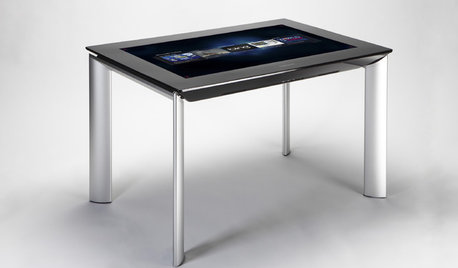
MOST POPULARGet Ready for the Smart Coffee Table
Intelligent tables with touch screens are reaching the consumer market, with all the power of personal computers and more
Full Story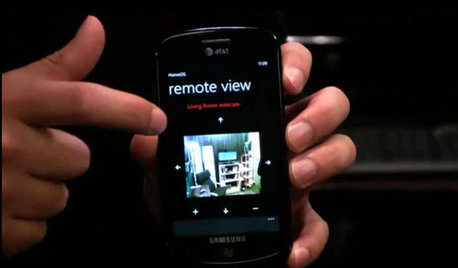
HOME TECHDoes Your Home Need an Operating System?
New technologies hope to unify the lawless frontier of home-automation products. Would they work for you?
Full Story
HOME OFFICESThe Cure for Houzz Envy: Home Office Touches Anyone Can Do
Borrow these modest design moves to make your workspace more inviting, organized and personal
Full Story
HOME OFFICES12 Ideas for Creative Desks
Have a little fun in your workspace with an out-of-the-ordinary desk
Full Story
HOME OFFICESPhoto Flip: 95 Deskscape Dazzlers
Whether you work from home or just need a stylish space in which to pay the bills, these office spaces make the grade
Full Story
THE HARDWORKING HOMECES 2015: Inching Toward a Smarter Home
Companies are betting big on connected devices in 2015. Here’s a look at what’s to come
Full Story
ORGANIZING7-Day Plan: Get a Spotless, Beautifully Organized Home Office
Start your workday with a smile in a home office that’s neat, clean and special to you
Full Story
HOME OFFICES13 Decorating Tricks for a More Pleasurable Home Office
Use these suggestions to keep your work-from-home life from feeling like just another lousy day at the office
Full StorySponsored
Elmer J Fudd