

Google vs Google Chrome
10 years ago
Featured Answer
Sort by:Oldest
Comments (9)
 10 years ago
 10 years ago
Related Discussions
Google Chrome Took Over
Comments (13)Hi owbist good question. I did a search. "The main advantage of Google Earth is the huge amount of resources that it can use since it is running locally on your machine. This allows the Google Earth application to perform much faster and with better features. Browsers were designed to have limited access to resources to prevent malicious people from gaining control of a computer that visits their site. For this reason, Google Maps are restricted to the browser. Users of Google Maps also need to have a speedy internet connection in order to talk to the Google Maps server. It the connection is very poor, the images make take a long time to load or even fail to in certain instances." http://www.differencebetween.net/technology/internet/difference-between-google-maps-and-google-earth/ And "They differ primarily in Google Maps being based on a 2D model and Google Earth using a 3D model. The other significant difference is that Google Maps is a Web application, while Google Earth is a stand-alone program that connects to the Internet." https://sites.google.com/a/kimbridges.net/google-earth-workshop/Home/background-information "Google Earth provides a more powerful, interactive user experience and offers more tools for learning about a location. The Google Earth experience is one of fast, fluid flight -- zooming and rotating and tilting imagery to view the geographic data you're interested in. You can wind along hairpin turns, view buildings in 3D, and fly to businesses near your favorite location," the Mountain View company explains." "Also, Google Earth allows you to easily measure distances and areas, draw lines and shapes, and even import your own data." http://news.softpedia.com/news/Google-Earth-vs-Google-Maps-65440.shtml...See MoreUpdate Google Chrome
Comments (16)Windows 7, correct? Right click on the desktop, left click on Personalize. There are Themes that can be chosen there that use coordinating or contrasting colors for everything from application borders to text. I don't typically use Chrome, it's my hubby's preference and I just realized that Chrome has Themes too. They are found under the 'orange' bars in settings, then appearance. If you didn't do it, maybe a child that played with the laptop? This post was edited by pkponder on Tue, Oct 22, 13 at 6:09...See MoreGoogle Chrome
Comments (10)I just downloaded chrome and have a couple observations: 1) First, it incorrectly copied my homepage from Firefox, which happens to be google! For some reason it added a couple ransom characters onto the address so it didn't work. Not a good first impression. No big deal but I had to figure out to set a homepage, which is is a bit different in chrome. 2) Bigger problem is that pages load a split second slower compared to Firefox or Explorer (which are immediate). It's akin to the delay you may have seen when using a new format vs. classic in Yahoo mail, Hotmail, etc. if you know what I mean. (Maybe it has something to do with java.) Btw, I have plain vanilla DSL at home, which is affordable, reliable and plenty quick enough. 3) Do they really need the "manila folder look" up top? Kind of boring, (even for my boring self)....See MoreGoogle Chrome don't work good
Comments (3)While you are in Chrome click on the the 3 dots in upper right hand corner and go to settings, then Extensions. You should fine it in there. Disable it....See More 10 years agolast modified: 10 years ago
- 10 years ago
- 10 years ago
 10 years ago
- 10 years ago
 10 years ago
Related Stories
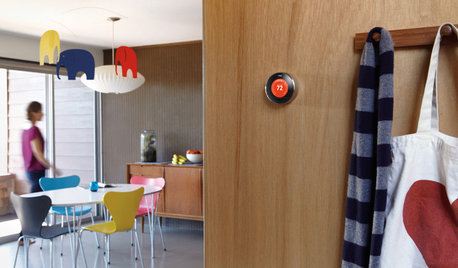
HOME TECHWhy Google Just Paid $3.2 Billion for a Company That Makes Thermostats
Smart home technology just got a new champion — and everyone is speculating about the reasons
Full Story
HOME TECHHome Automation Goes Mainstream and Mobile
Why Apple, Microsoft and Google will lead the way to a cheaper and simpler future for the remote-controlled home
Full Story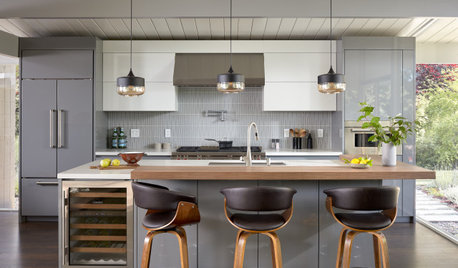
INSIDE HOUZZSee Which Smart Home Products Remodeling Homeowners Chose in 2019
Home assistants like Amazon Alexa and Google Nest are on the rise, according to the U.S. Houzz & Home survey
Full Story
HOME TECHThe Inevitable Future of Drones Around Your Home
As Google joins the push for airborne deliveries, it seems only a matter of time before neighborhoods are buzzing with drones. Is that OK?
Full Story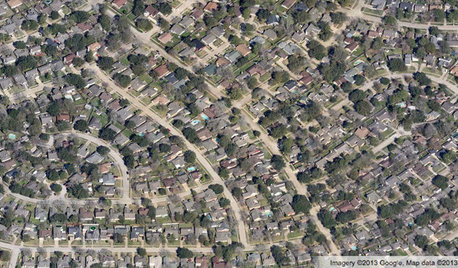
COMMUNITYGet a Bird's-Eye View of America's Housing Patterns
See the big picture of how suburban developments are changing the country's landscape, with aerial photos and ideas for the future
Full Story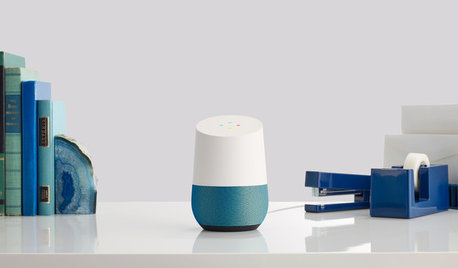
HOME TECHThe Most Stylish Home Assistants to Make Any House High-Tech
Because who wants to look at a clunky gizmo every day?
Full Story
INSIDE HOUZZInside Houzz: Introducing the Latest Houzz App for Android
Take advantage of the Houzz app’s updated look and feel, including full-screen photos and easier navigation
Full Story

INDUSTRIAL STYLESteampunk for the Powder Room
Pipes, gauges, dirigibles — old, in-your-face technology has romantic appeal in the iPhone age. Here's how to celebrate its glories at home
Full Story
INSIDE HOUZZInside Houzz: Get the Better, Brighter Houzz Android App
We’ve updated our Android app with new features and a lighter look. See for yourself and download it today
Full Story

ravencajun Zone 8b TX