

Best 2-in-1 Laptop/Tablet xpost
10 years ago
Featured Answer
Sort by:Oldest
Comments (7)
Related Discussions
Best Dishwasher Tablets/Detergent
Comments (28)Last night we had 4 extra people over for dinner, and the Miele Diamante was completely full to the max with dishes, bowls, pots/pans, glasses, cups, silverware and cutlery. We used the last half of the Miele Tab that was left over from the few demo tabs we had and ran the unit on the Pots & Pans program. Once again, everything came out clean and spotless. There are about 1-2 weeks worth of the Cascade Action Packs in the container, but I think once they are used up, I'll just get the box of Miele Tabs. Even though there are 60 tabs in the box, they are scored in the center so are easily broken in half, which really gives you 120 loads. I don't understand why they just don't make the Miele Tabs half the size to begin with, since it cleans just fine. That way you'd have 120 in the box (at the smaller size) and it would "look" to be better price, even though it is $30. The way it is now, you have 60 large tabs for $30, which seems expensive ($0.50 a tab). But when they are in half, you get 120 tabs at $0.25 each. You would of thought their marketing people would have realized this and made the boxes with 120 smaller tabs instead of 60 large tabs that can be broken in half....See MoreWhat speakers are best for laptop
Comments (3)I have several sets of speakers, but I really like my GE ultrasonix pro 2.0 speakers, they really have great sound and I paid very little for them. They have an individual volume knob on one speaker plus on off control and other controls. They are a 3 tier speaker so contain a nice bass speaker which means I do not have to have a separate subwoofer taking up space. I have more expensive speakers including, polk audio and other name brands but I tend to use those GE speakers most. They do have a plug(transformer) to plug into electric socket so they are self powered which is really best, then there is a cable that goes to the pc to connect them. This is them they are about 11" tall x 5" wide. Any speaker with 3 tiers should be good that way you will get good highs and mids and lows, but make sure it is not super light weight, a good speaker should have some weight to it, and they should have power on off plus a volume control at the very least on the speaker. Mine happen to be 16 watts, I would not go any lower than that but you can definitely go higher. I am assuming you are not wanting speakers to carry around with your laptop but to use on your desk? If you want true laptop speakers that are just plug into the usb port and are portable you might want to look at these I have heard good things about them and as you can see they have good reviews, they are a big pricy. Logitech V20 Notebook Speakers This is another really good option but is not as portable but very nice for laptops, it also includes a built in usb hub and it does have the 3 tiers, and is usb powered. Logitech AudioHub Notebook Speakers...See MoreBest laptop cmputer in your humble opionion?
Comments (8)Joemn, I was referring to my experience as a tech support person, almost ALL internet connectivity issues we assisted people with were computer-related, rather than our service. Probably the most common issue was drivers running incorrectly or not at all. Mac OS doesn't use drivers per se. If your mac loses touch with a device or can't pull an ip address, reboot. A reboot would sometimes fix a pc, sometimes only temporarily, but a mac was usually fine after that. Point of my mentioning later expense was people having to pay to have viruses spyware et al removed, macs have almost no issues like that. I always advise mac owners to have antivirus, mostly so if they receive a pc virus, that will not affect their computer, they may inadvertently spread it to someone with a pc. Don't be fooled by those microsoft ads where they basically bribe people at a store to buy a pc, one person says the mac "Only has two gigs of ram" - whilst more is always better, OSX.5 only needs 512meg, and Final cut only requires 1 gig. Vista, on the other hand needs at least a gig for the operating system alone, and many of the issues people have experience have been mitigated somewhat by more ram. So you're comparing apples to oranges. I use both systems and consider myself an advanced user. I prefer using a mac. Nicer interface, and more original. Windows vista is a poor copy of mac OSX....See MoreTablet, Laptop, Adobe Flash Problems
Comments (19)I'm going to try Bugspop1's suggestions. I have Xfinity1 and ATT routers, so it may be perilous and require calling them again for help. Also both routers have been replaced in the past 2 weeks because of other problems: The ATT router suddenly and mysteriously stopped allowing any telephone caller ID and calling features...the technician who replaced the router said he didn't know why this happened or what caused it. ATT provides 3 mbps speed, which is (from my experience) not fast enough for Amazon video, so we use ATT mainly when Xfinity isn't working. We have just one phone connected to ATT. The Xfinity/Comcast router was replaced last week because of tv issues. I got fed up with the poor service on the last cable boxes. All channels not HD were stretched to fit the format of our HD tvs. So all the people on tv look like they weigh 500 lbs. Comcast refused for months to provide info to change this in the setup menu of the cable box. So after hours on the phone to them and several trips to their store, we now have tv that shows HD and SD in the proper formats. I also had to accept yet another phone line from Comcast, their bundle, to save money. Their internet/tv bill was $270. The new bill including phone is now supposed to be $190. The stupid downside to this is the Comcast rep said I have to call Comcast on the phone number they provide, otherwise they won't provide any support. I already have 4 phone numbers so this is very annoying to me. After the cable boxes were replaced the internet router was reset by Comcast when they set up the cable boxes. That evening I logged in to the xfinity web site and saw that some videos would play and others wouldn't. CNN wouldn't play anything at all (though accessing the site outside of the xfinity portal allows some videos to play). So I called up Xfinity support who weren't helpful at all. They actually said they don't support video playback help issues on their own site! So their support is less than adequate imho. I tried the suggestions about changing video quality...Amazon works ok in SD. In HD videos start off in very poor quality and gradually get better. I don't use amazon streaming when I'm out of town because the site only streams in HD and would quickly use up my data allowance. Windows Defender is up to date. Nvidia has automatically updated it's drivers several times since I got the MSI laptop. The MSI also did the update where it installed a new version of Win10 (It took about 17 hours). There isn't any software in common on the two laptops. I tried a system restore on the MSI. It didn't help, but it didn't hurt. I uninstalled and reinstalled Adobe flash several times. If I can get inside the router setup menus is it easy to figure out if the routers are allowing adobe flash video? I'll keep working on this.......See More- 10 years ago


Related Stories
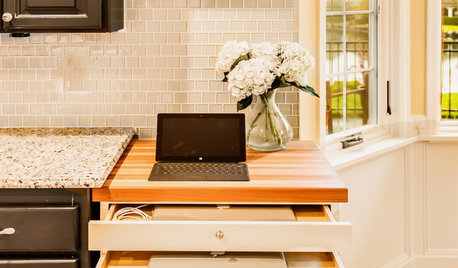
THE HARDWORKING HOMEA Hidden Charging Cabinet Corrals and Juices Family’s Electronics
The Hardworking Home: Laptops, phones and tablets now have a safe space in this kitchen, keeping the countertops uncluttered
Full Story
MOST POPULARHow Bluetooth 4.0 Will Change Remote Control
Manage lights, TV, refrigerators and more through your phone or tablet when the latest wireless technology rolls into all your home devices
Full Story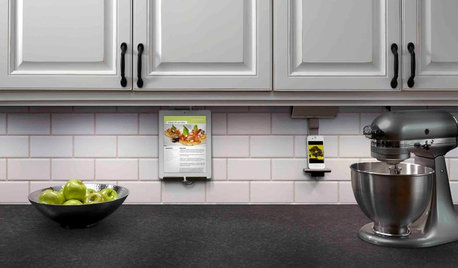
KITCHEN DESIGNHouzz Call: What’s Cooking in Your Kitchen?
Most of us turn to recipes, videos and culinary shows when we cook. Where do you set your cookbook, tablet or TV screen?
Full Story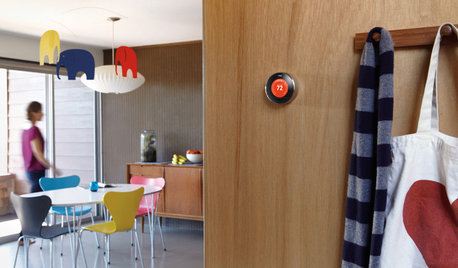
HOME TECHWhy Google Just Paid $3.2 Billion for a Company That Makes Thermostats
Smart home technology just got a new champion — and everyone is speculating about the reasons
Full Story
MOVINGRelocating? Here’s How to Make the Big Move Better
Moving guide, Part 1: How to organize your stuff and your life for an easier household move
Full Story
ARTNew Digital Art Frame Gets Put to the Test
Our writer sets up the EO1 at home, then invites artist friends over for a look — at images of their own work. See what they have to say
Full Story
HOMES AROUND THE WORLDWorld of Design: 11 Book Lovers and Where They Like to Read
Bibliophiles across the globe reveal their top books and favorite reading spots, from a 2-story library to an artfully curated book nook
Full Story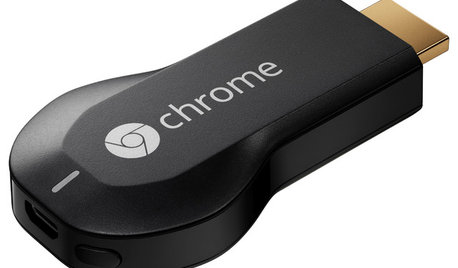
HOME TECHNow Playing in Homes Everywhere: TV, the App
It's easier than ever to beam streaming content from mobile devices to your TV screen
Full Story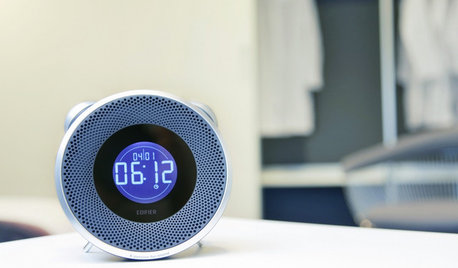
HOME TECHWake Up to the New World of Connected Alarm Clocks
Use your smart phone to enhance your alarm clock, to get more music and better sound than ever before
Full Story
DECORATING GUIDES5 Ways to Organize Your Home Electronics
Always losing your phone charger? Tired of digging for that missing DVD? Try these ideas for managing your favorite home gadgets
Full StorySponsored
User