

unlocking a I Pad
10 years ago
Featured Answer
Sort by:Oldest
Comments (10)
 10 years ago
Related Discussions
I-Pad Backup Help or Need?
Comments (13)I was here pk. I guess I should have let you know that the backup was specifically asking for the apple id password. I only brought up email because I found no contacts (but I also pointed out that I hadn't tried to link emails in any way). I also now see that there is an off setting on a 'settings' button for email. I am not sure how she sees her mail. Probably directly via Safari but I do see an email app right on her first page trey below the regular apps. Probably way more info than needed since this was not really an email question. Looking back, I now see that I wasn't clear about what password was wanted; sorry. My general question was about the whole purpose of this kind of backup. It appeared (and still does) that she may not have had anything to backup because she didn't really use itunes for paid music (and yesterday I saw something that implied it didn't do that either, I suppose because apple really only has pointers to the music and always remembers your apple id with those pointers). I was more concerned that perhaps each system update might wipe all apps and perhaps other stuff. As far as I can tell, it certainly didn't wipe all apps out (she still has some), and I see no reason it would clear specific ones. I was waiting for another response and to see if I got a backup. I can't really tell because it doesn't say so. It was not asking to be backed up yesterday (or today) and I can't find where it is indicated. The new update changed stuff on icloud and wanted new legal acceptance (i gave it) but that was after I attempted the backup. BTW I actually read a little of the legal stuff and it included that icloud could wipe your backup if you didn't backup for 120 days!!! Anyway, I still don't really understand the purpose of this backup system. While attempting to follow various directions, I got messages that suggest if there are problems (I don't think there actually were) that I should Reset the ipad. I am suspecting that perhaps that is exactly when the backup would be needed because the Reset Would wipe everything back to a new pad. Not sure of that either....See MoreiPad Case Question
Comments (11)Thanks to both of you, but it's not practical. You cannot use a laptop on a music stand and there isn't nearly such nice software for organizing and reading music as there is for iOS. Also, I would have to carry a very heavy clunky stand if I wanted to do that, and it can't come in nearly as close as a regular music stand because of the keyboard, besides looking terrible. Also, I'd have to turn every half page because laptop software isn't designed for the computer to run sideways, so you can only see half a page of music at a time with most of those programs. I find the suggestion kind of puzzling, to tell the truth. The idea that needing to bring a phone, keys, credit card, and a comb is "a whole lot of other stuff" confuses me. Don't you need those things when you go anywhere in your car? All I want is a case that can also serve as a small clutch for valuables like a phone and credit cards. You don't seem to realize that there is usually no safe place to put valuables on jobs in public locations like stores and restaurants, unless you keep it right at your feet, which clients often don't care for. In the pre-internet days it didn't matter so much, because smart thieves knew that a musician wasn't worth robbing, but these days a smartphone, for instance, is a very tempting target to anyone. I don't happen to have one, but they're going to grab the bag first and find that out later....See MoreiPad Activation Lock
Comments (6)I assume you've done a factory reset via iTunes given you say Activation lock. Should be on a white screen asking for apple id (his email address) and password. If you have access to his email address, you can try resetting the password either by sending an email, or answering questions here Apple iForgot. If you don't have that, then you'd need a proof of purchase receipt or email receipt and a death certificate and Apple MAY unlock it for you then, but it's not a guarantee. Apple has been very stubborn on stuff like this because they don't know if it's stolen and your word unfortunately means nothing to them. There are may stories online of people trying to do this very thing and Apple gave them all the cold shoulder. If you're trying to unlock the device with the passcode to access data on the device, your only hope is to guess the passcode, or try connecting it to a computer that he might have used to sync with the phone. In some cases, it will detect it as a trusted device and unlock the phone, but it's not a guarantee. If these don't work, then there is little Apple will do for you here. They don't store passcodes, and they won't even unlock a phone for a terrorist for the authorities, they will not help you here. Sorry for your loss, and best of luck....See MoreiPad & iCloud for a dummy question
Comments (4)Spanish, there's nothing in Settings with that info. I found iCloud and no option to do anything. Maddie, I've thought about linking the devices but so far no need to....See More- 10 years ago
- 10 years ago
- 10 years ago
- 10 years ago
- 10 years ago

Related Stories
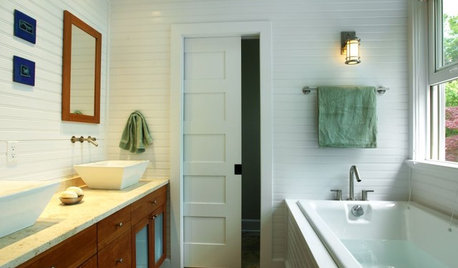
DOORSFive-Panel Doors Unlock Style
From Arts and Crafts to contemporary homes, five-panel doors add architectural interest with their classic design
Full Story
HOME TECHUnlock Your Smart Phone's Front-Door Powers
Take your locks and keys into the digital age with 3 solutions that put convenience and new capabilities on your doorstep
Full Story
Unlock the Secret to Keeping Keys in Check
Say goodbye to frenetic searching with key storage that suits your needs and matches your home's style
Full Story
INSIDE HOUZZInside Houzz: Updates to the Houzz App for iPhone and iPad
With a redesign and new features, the Houzz app is better than ever
Full Story
KITCHEN DESIGNWhy Your Kitchen Wants Its Own iPad
Cooking-school gateway, recipe database, foodie networking ... an iPad in the kitchen has uses far beyond being a message center
Full Story
LOFTSHouzz Tour: A Bachelor Pad’s Part II
A designer has a hand in two phases of this movie director’s life and his loft in a landmark Art Deco building in L.A.
Full Story

PRODUCT PICKSGuest Picks: An Apple a Day
20 products to help your iPad, iPhone and other Apple gadgets feel right at home
Full Story
WORKING WITH PROSInside Houzz: Bye-Bye, Bland Bachelor Pad
Texas newlyweds blend their styles and celebrate lake views with the help of an interior designer found on Houzz
Full Story
HOUZZ TOURSMy Houzz: Buried Treasure in an Eclectic Bachelor Pad
An under-carpeting surprise joins antique furnishings and artwork to help an owner love his Netherlands home
Full StorySponsored
zep516