

Hooking laptop to TV
10 years ago
last modified: 10 years ago
Featured Answer
Sort by:Oldest
Comments (6)
Related Discussions
Laptop won't hook up to wireless network
Comments (8)try a full power down of everything I do mean everything. Power off the computers, the router, the modem etc. leave all power off for 5 mins or so, then power up in this order, power to modem only let it get fully lit up, then power on to router, let it get fully lit up, then power up your computers letting each get fully loaded. Then try to connect to your wireless, I assume you have put in your wireless network passphrase for the laptops that are trying to access the wifi network....See MoreWho uses tv tuners on laptops?
Comments (1)I've got a USB tuner for my laptop and it does pick up signals over the air, except that I usually use it in the basement and the signal is too weak. The change in Feb 2009 is to digital, not to HD. I think digital is required for HD transmission, but non HD can still be broadcast. Whether a tuner will work after the change or not depends on the tuner. If it won't work, it should state that it won't in the ad. You can also look for something that says it picks up digital signals....See MoreShootin' laptop dad & daughter on TV
Comments (44)I hate these five minutes of fame interviews done by the morning shows. All that interview was was damage control. It's no different from the famous idiots who publicly humiliate themselves and do the same thing to change public opinion. Mel Gibson, Tiger Woods, Koby Bryant to name a few. They dress up pretty, get prepped for a "controlled" interview and have their professional talking head sitting next to them to make it all seem like it's okay and under control. What's really appalling to me about this guy is not only was he able to talk about how many people agreed with his behavior (which I find hard to believe) he let Matt Lauer scold and force that girl to admit on live TV that she was wrong for posting a stupid letter on her facebook page. IMHO, they're all hypocrites because I don't know an adult alive who at some point during their teens didn't vent to their friends about their parents; the only difference now is thanks to technology, the manner in which it's done is different. Yes Facebook is a public network but her parents did allow her to have the account and she did post it on a PRIVATE page that he had to break into. Would I want to hear my daughter talking about me like that? Of course not but then again, I wouldn't have invaded her privacy the way he did. And honestly, there are a lot worse things she could be doing to lash out with her frustrations. Still instead of seeing there was a problem and working with her to fix it, he grounds her for "months" like she's in prison and destroys the equipment she needs for school. I also feel very strongly that instead of putting a minor on national so she could be further intimidated and humiliated by someone like Matt Lauer, he should be protecting her from the backlash of his stupid antics and taking classes to gain some freaking parenting skills. I just can't believe that people are buying into the facade and don't realize that the behavior in that video is uncensored and THAT guy is who that young girl is really living with, not the jerk on the couch....See MoreConnecting my laptop to my televisions
Comments (3)For sure you need to select the right output on your computer, in Windows that's often done by right clicking the desktop and selecting "Properties". In one of the tabs you can select an external monitor. Sound should work without changing any settings, try with a headphone first if your audio is switched on. About the RCA plugs: red and white are audio, yellow is composite video. Hope this helps at least a bit....See More- 10 years ago
- 10 years ago

Related Stories

RUGSEnjoy the Tactile Beauty of Braided and Hooked Rugs
Rugs born of Colonial days offer the most color choices — and the most homey feel — of any floor covering around
Full Story
STORAGEStroke of DIY Genius: Get Hooked on These 15 DIY Storage Hacks
These DIY homeowner ideas include a repurposed vintage tennis racket and reclaimed-wood pieces
Full Story
HOME TECHNow Playing in Homes Everywhere: TV, the App
It's easier than ever to beam streaming content from mobile devices to your TV screen
Full Story
HOME TECHNew Strategies for Hiding the TV
Its easy to be discreet when you've got cabinets, panels and high-tech TV hiders like these
Full Story
HOME TECHHow Smart TV Will Change Your Living Room
Get ready for the future of TV, in which your living room becomes a movie set, a communication hub and a gaming zone
Full Story
KITCHEN DESIGNGlued to the Tube: 14 Ways to Put a TV in the Kitchen
If you must, here's how to work a flat screen into your kitchen design
Full Story
HOUZZ TV FAVORITESHouzz TV: See How Early Settlers Lived in This Restored Pilgrim House
Passionate restoration and preservation efforts give a 1665 home an honored place in the present
Full Story
LIVING ROOMSLiving Rooms That Don’t Revolve Around the TV
In these spaces, the television takes a back seat to conversation, relaxation and aesthetics
Full Story
MOST POPULARHow High Should You Mount Your TV?
Today we look at an important question to consider when locating your television: How high should you set it?
Full Story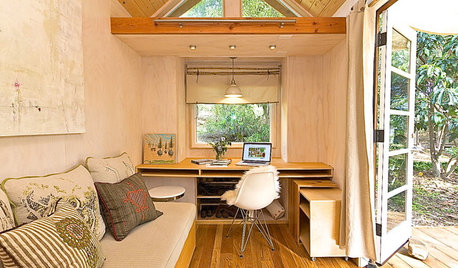
TINY HOUSESHouzz TV: Step Inside One Woman’s 140-Square-Foot Dream Home
You may have seen the story on Houzz — now check out the video tour of Vina Lustado’s warm and welcoming tiny house
Full StorySponsored
User