

Wi-Fi Range Extender Help
11 years ago
Featured Answer
Sort by:Oldest
Comments (8)
 11 years ago
 11 years ago
Related Discussions
Weak/No wi fi signal
Comments (2)If I'm reading the OP's message correctly, he needs to improve his reception of the campground's signal. The easiest solution may be to talk to campground owner/manage and see if they would be willing to install a repeater. Otherwise you need to find a way to improve your reception. You might want to look into a wireless network card that has an external antenna. You might also be able to install your own repeater assuming the campground would approve of the installation and you can find a dry location to establish a good signal with the base station. Many routers, access points, and print servers can be configured to function like a repeater so you don't have to spend a lot of money....See MoreHelp me choose a Wi-Fi extender
Comments (40)It works, and it's fast!! I just now pluggedi it in, I've been so busy mopping floors..ugh. I plugged it in and a blue light appeared, then I pushed this round button on top of the router which didn't say what it was for but had a keychain icon or something like it. I pushed the button on the extender again and all the lights lit up instead of the original two. Hopefully it wasn't a fluke and it will keep working. Thanks for all the tips!...See MoreWiFi in greenhouse
Comments (25)Vladimir, here are the promised pics. Sorry they are so bad, but it is dark and rainy today. Thank God for cozy greenhouses! I pushed the dracaena out of the way for its close up. The box has a seal along the inside to make it "weatherproof" but the signal comes through just as strong, it seems. I will have to unscrew it to get inside there if the router needs to be reset or anything. This is a view of the back side. I see why my husband peeled off that price tag now lol. I think he mounted it there because it was easiest, not sure if there were any other other reasons. Hope this helps!...See MoreIf i get a smart fridge, do I have to use WiFi or can I ignore that
Comments (29)" Why spend the money if you do not want the gadgets " Because often the appliance you want for all the other right reasons, also comes with WiFi attached. Agreed. I am so picky about the overall design of things. sometimes the only things that tick all the boxes also happen to be smart. I spend the money because I get all of the design and performance things I want, and I don't have to connect it to the internet if I don't want to. as for updates: usually those are in regards to security, but if you don't have it connected, then you don't need updates. re: TVs-- we chose not to connect ours to the internet because that brand (Samsung) had major security flaws at the time we bought it. but it's otherwise a really nice TV. like dadoes, we treat it like it's a giant monitor hooked up to our Fire TV. now that we no longer have cable, the fire TV remote controls everything. it's so slick....See More- 11 years ago
 11 years agolast modified: 11 years ago
- 11 years ago
- 11 years ago

Related Stories
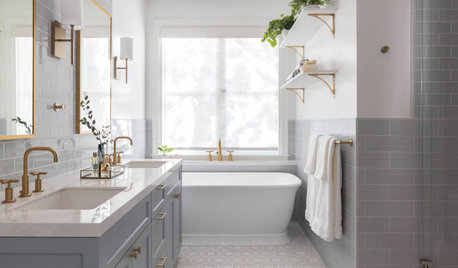
FLOORSWhat to Ask When Considering Heated Floors
These questions can help you decide if radiant floor heating is right for you — and what your options are
Full Story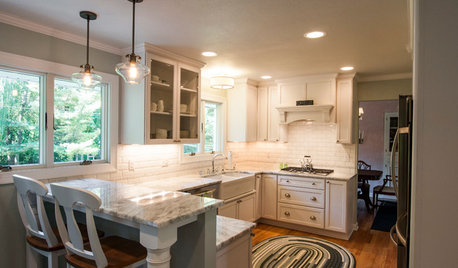
KITCHEN OF THE WEEKKitchen of the Week: 27 Years in the Making for New Everything
A smarter floor plan and updated finishes help create an efficient and stylish kitchen for a couple with grown children
Full Story
DECORATING GUIDES6 Ways to Get a Decorated Room You'll Both Love
Blending two different design styles? These decorating strategies will help you harmonize without compromising a successful result
Full Story
HOUSEKEEPING10 Tips to Streamline Laundry Day
Little adjustments to your attitude and routine can help take the wrinkles out of doing the wash
Full Story
MOST POPULARHow Bluetooth 4.0 Will Change Remote Control
Manage lights, TV, refrigerators and more through your phone or tablet when the latest wireless technology rolls into all your home devices
Full Story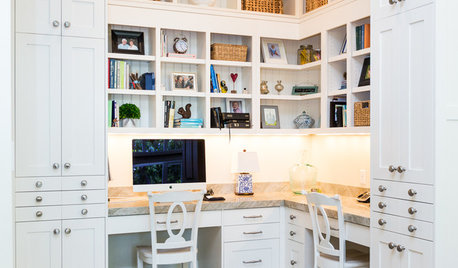
HOME OFFICESThe 20 Most Popular Home Office Photos of 2015
Technology paves the way for space-saving work areas, while designers make up for small sizes with style
Full Story
LIFEEasy Green: Modern Homesteaders Stake a Claim
With more options for raising chickens, growing edibles and keeping bees than ever, suburban and city folk are rediscovering a lost art
Full Story
ARTNew Digital Art Frame Gets Put to the Test
Our writer sets up the EO1 at home, then invites artist friends over for a look — at images of their own work. See what they have to say
Full Story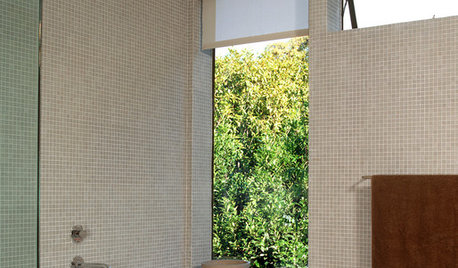
BATHROOM DESIGNFloor-to-Ceiling Tile Takes Bathrooms Above and Beyond
Generous tile in a bathroom can bounce light, give the illusion of more space and provide a cohesive look
Full Story
LIFEPolar Vortex: How Houzzers Are Coping With the Storm
Spirits are staying high even as the mercury plunges to new lows. Do any of these firsthand accounts sound familiar?
Full Story

ravencajun Zone 8b TX