Houzz Logo Print
juellie1962

Roku

13 years ago

Ok - We must be really dense here. Bought the Rocku 2
and cannot get a d*mn thing to load.....have tried the Huluplus, the Amazon Prime, nothing except Angry Birds. How frustrating.....especially since everyone told us how easy it is!!!

Comments (28)

  • 13 years ago

    Did it ask for your WiFi code, and did you enter it?

  • 13 years ago

    You're a little scant on the info you provided. Do you have a wireless router? If so, is it in range of the Roku box? Are all the cables hooked up properly? Did you go through the setup procedure and enter the router key onscreen? What exactly did you do and what happened when you first tried to get it set up?

    It won't do a thing unless it's connected wirelessly to your router.

    Here is a link that might be useful: Roku2 Guide

  • Related Discussions

    Connecting Roku help needed

    Q

    Comments (12)
    You're not going to mess anything up with a Roku box unless you start disconnecting cables you've already got in place. You just need to connect the color-coded Roku cables to one of the vacant sets of ports on the back of the tv and make a note of which port it is. Then turn on the tv, set the tv to the correct source (the one you plugged the Roku into), and you should see a setup screen. Just think of the Roku like you do a DVD player: it's just another source for video that's connected to the back of the tv, except, instead of getting a movie from a disc, you're getting it from the Internet. The link below shows the installation drawings... Here is a link that might be useful: Roku
    ...See More

    If you have Apple TV/Roku/any other movie-streaming device

    Q

    Comments (7)
    We have a Roku ... the company I work for has a wireless chip inside so a number of us at the office were given the Roku as a Christmas present a couple years ago. The Roku is very, very easy to use. Setup probably took all of five minutes. When Netflix was not charging to stream videos, it was a very good deal but now they charge $8 for mail order DVDs and $8 for streaming. Old movies aren't all that hard to find in regular programming with the cable service we have but I love watching documentaries, which are harder to come by, so streaming is good for that. Otherwise, I wouldn't bother. Jodi-
    ...See More

    TCL Roku TV

    Q

    Comments (9)
    If I'm understanding this correctly you have a TV made by TCL (which is apparently a large Chinese television manufacturer) that has Roku technology built it. This is not a separate Roku box, correct? I'd suspect that TCL's support folks would have mentioned this but are there any firmware updates for the unit? So the kind folks at TCL would like you to send their defective TV back at your expense? Any chance you bought the TV with a credit card, which may offer you additional protection?
    ...See More

    Roku Advice Needed

    Q

    Comments (11)
    I have two and have used Roku for years and will never go back to cable. They have a lot of free channels that have public domain movies/shows, and a variety of pay channel subscription options. We primarily use Netflix, Hulu, Amazon Prime, You Tube and the Roku channel. Thinking of adding Acorn. Everything we need/want for less than $25 per month. Whatever I can't get through those channels I stream online. One caution, though - if you must have current streams of shows, you may need subscriptions to many of those channels, e.g. CBS All Access.
    ...See More
  • 13 years ago

    Sorry for not giving more info...I was to frustrated and went to bed!
    Yes, we entered the wireless code and it is close to the router. We're wondering if it is I was online at the same time (does it draw from the router to much?)

    We get all the icons to come up (Amazon Prime, Hulu, etc.) they just won't load. The Time Warner Cable channel keeps asking for our TWC id and we put it in and it says it is wrong.

    Maybe a new day will bring a new perspective! :)

  • 13 years ago

    Being online at the same time should have no impact in accessing your Roku. If you have a relatively slow connection and are doing something else intensive, like watching videos on your computer at the same time, it could affect the quality of the image on the tv, but not prevent accessing the Roku. It is correct that setup is usually a snap, and it sounds like it should be ready to work. Without being in your living room, I'm at a loss to suggest any more steps, so I think it's time for you to contact Roku Tech Support: 888-600-7658. Let us know how this turns out. Good luck.

  • 13 years ago

    Thanks kudzu9, maybe later tonight after work we'll have time to try again!

  • 13 years ago

    juellie-
    So did you get this fixed?

  • 13 years ago

    Hi juellie- We installed a Roku just two weeks ago. It was very simple and quick, but I did encounter the same error you did, where it said I did not have the right code for one of the functions that I wanted to access. I was convinced that the code that is provided has a time limit and that I had been too slow with the setup, so I repeated the same steps and just hurried through them much faster, and it worked the second time.

  • 13 years ago

    Thanks for asking kudzu! "we" (meaning my dh), did get the thing installed. But we must be missing something!
    It doesn't seem; OR we're just used to just clicking the tv on and having our shows at our disposal.

    It just seems a pain to hunt & look for shows....are we just not used to it yet? And sometimes the thing seems to take a very long time to load. My son said our internet speed is fine; he did do an update to our wireless router, but other than that, we're just not impressed.

    Honestly, I don't watch enough tv to care....but dh does! :)
    Thanks again for asking! Any hints appreciated! I'd LOVE to tell TWC to take a hike!

  • 13 years ago

    Juellie, we subscribe to NetFlix (via streaming and via mail) so I just log onto our NetFlix account online and start selecting shows to add to our watch queue. That way, when I use the Roku, the movies are all waiting for me to select and watch. I also have Amazon Prime Instant Video but haven't checked to see if I can create a queue online like NetFlix but I suspect I can.

    Jodi-

  • 13 years ago

    Yes, you do have to initially look for shows. I use Netflix mainly because they seem to provide access to the largest number of streaming movies. If I am hunting and looking randomly for Netflix shows on the tv, that's slow. As jodi says, the best thing is to create an Instant Queue using your computer. I have an Instant Queue of about 200 movies already selected, and, when I turn on the tv and go to the Roku I just have to scroll through the queue for a couple of seconds to select one. Yes, with regular tv, shows are available...but it's shows somebody else picked out. With pre-selected shows in my queue I have access to exactly what I want and don't have to settle for some crap because there is noting much on.

    As far as startup speed, it usually takes about 10 seconds for a movie to load and begin playing, but there should be no delays after that...and you don't have to deal with commercials!

    I can't advise what's best to do with, say, Huluplus or Amazon Prime, since I almost always stick with Netflix, but I think you will appreciate the huge access you now have once you put in a little more time with it. Good luck.

  • 13 years ago

    Thanks for all the tips! So, can a person put regular tv shows into a queue? I guess we will have to look into doing the queue thing....can you tell I despise change? But I REALLY despise TWC!!!

  • 13 years ago

    Ours regularly does that. We just power off then back on and it usually works after that.

  • 13 years ago

    You can put tv shows into the cue on Netflix if the series is available, but you can't just put, say, this week's showing of Honey Boo Boo in the queue. I imagine that there are some sites available through Roku that let you find and play some current program episodes, but I haven't bothered to find them as I just record those on my DVR when they play.

  • 13 years ago

    Crackle is one of the "channels" on Roku -- if you like some of the older TV shows like Gunsmoke or Bonanza or The Lucy Show, Your Show of Shows and similar, you can watch those free there.

    I did a free 1-week test of HuluPlus because I was hooked on the TV show "Parenthood," and Netflix had all but the most recent season, so I ran through them on HuluPlus. I've kept the monthly subscription and usually find things to watch.

    There are many "channels" on Roku -- some movie channels, some indie film channels, Amazon (got caught up on "The Good Wife" there).

    I'm sure your could find enough free stuff to make it interesting, but for some of the hit TV series -- like "Mad Men" -- you might want to consider getting a Netflix subscription. You can cancel it at any time. I generally pull up the Netflix website on my laptop and put in the names of some actors/actresses that I like, then let the Netflix template generate other titles it thinks I might like. For instance, I have "Midsomer Murders" on my list, so it suggests other British TV series and other British mystery movies. Or, I clicked on a standup comedy show, and several others come up as "You might like these, too." One click on a title puts it into your "queue."

    One thing about Netflix: Some TV shows and movies have expiration dates -- they're available only for a certain period of time. So you should take note of that and not trust that it will be around forever. They rotate some movies in, other movies are out. I think it's also a distributer agreement thing.

    It does seem like a pain to go hunting for titles, but if you have some specific interests, you could do a quick online search like "Best romantic comedies" or "Best romantic comedies" or "Best mystery movies" or "Top AFI movies of all time" and take some suggestions from the lists that come up.

    Also, if you do a web search for "new netflix movies for april 2013," you'll get many links to websites that'll let you know about new releases (and the release dates).

  • 13 years ago

    Wow; thanks everyone. I still have no idea how to operate the thing; like I said, I don't like change and I don't watch enough tv to care. DH will have to make a decision to either play with this thing and learn about it or put up with big bills!

  • 13 years ago

    So, I am trying to understand. I am about to buy a flat panel TV and also am considering Roku. I thought you had to have some device to stream (upload?)like Roku movies from Netflix to the TV. Is that correct? My Tivo died and I don't have Wii or anything else.

    Also, if I get Roku, do I have to watch all TV though it? Must I use the Roku remote all the time or can I still use the remote for my cable box as I do now when not using Netflix.

    Oh how I long for a TV with three channels, rabbit ear antennas, and having to walk across the room to change the channel.

  • 13 years ago

    My husband bought the little Apple thing to hook up to our tv, which is not an Apple tv.... I am considering subscribing to Netflix. I looked up HuluPlus and honestly... I would not want my 10 year old granddaughter scrolling thru their movies, I saw a lot of raunchy stuff. Nexflix does advertise the general amount of movies they have, Hulu does not, so reviews say Hulu does not offer what Netflix does. Whether this is true or not I do not know. My husband said he had heard some bad things about Netflix, how people can rack up a high bill, anybody had any experience with this?.. I don't understand how this could happen if you have a 7.99 monthy plan. Can someone enlighten me on this?...

  • 13 years ago

    I'm with you dedtired! I long for rabbit ears, 3 channels, and NO BILL! I caved about 15 years ago when I had to go out on the garage roof and move the antenae....I slipped and almost fell off the roof and said "that's it, I give in...let's get cable". Truthfully, I think we might just get the converter box and go back to "regular" tv.

  • 13 years ago

    dbfirewe-
    Netflix has a number of plans, but they are all a fixed amount per month. I don't know where your husband heard about people racking up large charges with Netflix as it's not possible. Maybe if they streamed a bunch of movies to their cell phone and their data plan carrier charged them for all that bandwidth...but that's not a Netflix problem.

    For $7.99 a month you can watch as many movies as you have time to stream. I actually have two Netflix plans: one for unlimited streaming and another one for an additional $7.99 a month that allows me to have an unlimited number of DVDs per month (although only one at a time). I have the second plan because not all movies on Netflix are available for streaming.

    I'm a real movie buff, and Netflix has a very wide and deep selection of films, including some really hard-to-find titles. If you have a plan that includes getting actual discs in the mail, they are very speedy. I've used Netflix for probably 10 years and have been a very satisfied customer.

  • 13 years ago

    Thanks Kudzu... No telling what he heard and from who.... I didn't see how a person could rack up a bunch of charges. I'm pretty sure I am only interested in unlimited streaming. I don't watch a lot of tv but I really like the older westerns and Lonesome Dove series.

  • 13 years ago

    dedtired-
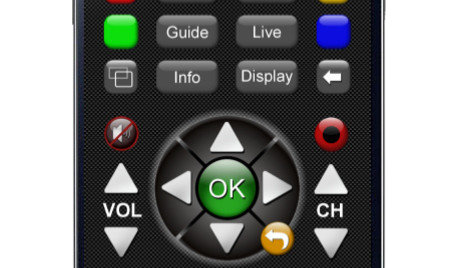
    Some new, flat panel tvs already have the electronics built-in to stream without needing to get an accessory box like Roku. If you do get a flat panel tv that doesn't have this capability, then you buy a Roku box. The Roku box is just one more device hooked up to the tv: think of it as a DVD player, except it streams the movies rather than plays them from a disc. Basically, what it does is pick up a signal from your Internet router and streams a movie from the router to your tv. On the back of the tv are a number of inputs, so you have a cable that goes from the Roku box to one of these inputs. When you are watching regular cable tv, you use your regular remote; when you want to watch a movie with the Roku box, you switch your tv over to the appropriate input source and then use the Roku remote to navigate, select a movie, and to start and stop it. The Roku remote is very basic. When you are done with the Roku movie, you use your regular remote to select the input that puts you back on regular cable. Does that answer your questions?

  • 13 years ago

    dbfirewife-
    Try Netflix for a month...there is no long-term commitment, and this should give you enough time to find out if it meets your needs.

  • 13 years ago

    This is a site for Netflix users. It lists new arrivals, what's popular and shows/movies about to be removed. I find it very useful. I discovered today that Hunger Games just became available. It makes filling my Queue very easy.

    Here is a link that might be useful: instantwatcher

  • 13 years ago

    Kudzu, THANK YOU. Yes, you have answered all my questions and that is the most cogent explanation of Roku I have ever read. Now I get it. Yay.

    Now, off to buy that tv.

  • 13 years ago

    dedtired-
    Great...and have fun shopping!

    And one other thought for you and any other potential Roku buyers. There are four models of Roku player available. The Roku 2XD and Roku 3 are the slightly more expensive models, but they are the only ones that will play closed captions if that is a feature available on the movie or series you've selected to stream from Netflix. I watch a lot of British movies and series, and even with some regular American movies I don't hear as well as a 20-year old anymore...so I have found this feature to be valuable. [UPDATE: Thanks to pammyfay, I found out that this is no longer true...see my post below for clarification.]

    This post was edited by kudzu9 on Fri, Apr 5, 13 at 15:24

  • 13 years ago

    Kudzu-- I have a Roku HD (black with purple on the bottom), and I can get captions, so maybe it depends on the kind of TV a person has? My TV is a small one that also plays DVDs, and I use it for DVDs/Netflix/HuluPlus/etc., but not my Directv service (too cheap to pay for a 3rd line!)

    I just watched part of "Sarah's Key" and had to get English for the German the actors were speaking at the beginning. There was an option to click on the page that brings up the show's name screen before you hit "play."

    (Maybe they don't make the HD anymore?)

  • 13 years ago

    pammyfay-
    Thanks for the info. My first Roku was an HD that couldn't display closed captions, so I replaced it with the Roku 2XD so I could have this capability. Your comments made me curious, so I called up Roku Support. What they told me is that they upgraded all the models, and so newer Roku HD models do play closed captions, while older model HD models (like mine) don't.

    If the tech support person I talked with was correct, all of the Roku models, from low end ($50) to high end ($100) can now play closed captions. You might want to confirm this yourself before you buy if this is a consideration.

    This post was edited by kudzu9 on Fri, Apr 5, 13 at 15:21

  • 13 years ago

    Yes, I need closed captions. I don't have trouble hearing, just understanding! When I watched Downton, I used CC because I can't always distinguish those British accents. I also love foreign films.