

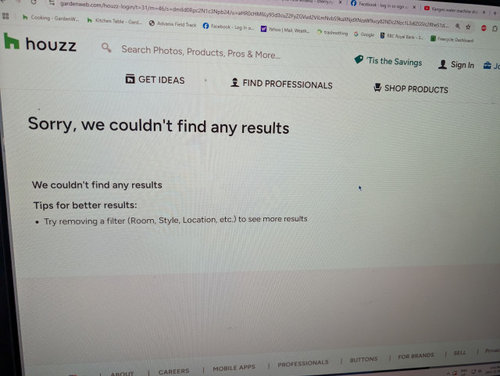
Darn GW/Houzz!!!
last year
last modified: last year
Featured Answer
Sort by:Oldest
Comments (16)
 last year
 last year
Related Discussions
GW - Darn Oreo Cookie AD is distorting the Forum!
Comments (17)I also have a Macbook Pro with Safari and this was not a pop up ad, it was a banner ad from the top that moved down to cover the links at the top and turned the entire page blue and would produce a new tab with a cookie ad in it, if you tried to navigate the page clicking on any part of the page to scroll or open a thread. I have not seen a problem today at all. I think there was something wrong with the ad itself. I already have my settings set for 'no pop up ads' which I don't have a problem with. And any 'moving' ads are usually 'disabled by disabling plug ins' in my browser preferences, but doing that didn't help in this case. I don't use Firefox. I can see stationary banner ads along the top and the right side of the screen, on GW but I ignore those....See MoreAnother GW vs Houzz help me post
Comments (19)Strange, starting last night, my bookmarked gardenweb links no longer work. When I click on any of them, they take me to the same Houzz Page, which also shows me as not signed in. This morning I tried the links to the three gardenweb boards I visit and none are working. Last night, it was just happening with one. Now this morning, it happened with this board. Im using my same iPad I always use, I haven’t changed anything, haven’t cleared my cache or reset my iPad that would’ve logged me out of everything. Basically I haven’t changed anything, but boom, my gardenweb links stopped working. I started to type in www.gardenweb.... and the gardenweb link to this board popped up in my history, and when I clicked on it, it brought me here. Phew! But when I click on my bookmark link, it takes me to Houzz. I wonder why all of a sudden my bookmarked links are now redirecting me? Last night when I was having trouble accessing a different board when my bookmarked link kept sending me to Houzz, I managed to find it by coming here first, with my bookmarked link, then from here, I then looked for the main gardenweb board menu and and found the board listed there. I then bookmarked it again. That new bookmark still takes me to gardenweb whereas the bookmark I’ve had since I joined years ago now only sends me to a Houzz page (not even the Houzz version of the board I’m trying to visit. edited to add, my new bookmarks this morning now don’t seem to work either. If I can’t bookmark my favorite boards anymore, I’m done with Gardenweb/Houzz unfortunately. I visit here frequently on a daily basis, but if it takes me several minutes to try to find my favorite boards b/c my saved bookmarks no longer take me to them, then I give up. And the weird thing is, when I click on my bookmarks now, it takes me to Houzz, but it’s just a random Houzz location, with tons of unrelated threads from different boards....See MoreGosh darn *%#!! HOUZZ!!!
Comments (13)This is aggravating and the worst part is that it's so erratic that I can't figure out hot to fix it. I'm just hoping that one day it returns to normal. I can access this forum on all 3 device through my bookmarks. I can use my bookmarks on my iPhone and iPad to access the KT. But on my Mac it goes to that inane "36 table table discussions/all questions." I can access a specific thread on the KT using the bell....See MoreIf you're having problems with errors, sign in to Houzz instead of GW
Comments (6)What's odd for me is I could not sign on with my bookmarked page and once I got in still could not sign on to this forum, but I could others....See More last year
- last year
 last year
 last year
- last year
 last yearlast modified: last year
- last year
- last year
- last year
- last yearlast modified: last year
- last year
- last yearlast modified: last year
- last year

Related Stories
FUN HOUZZThe Cutest Darn Animals on Houzz
You might end up admiring these horses, goats, llamas and more until the cows come home
Full Story
HOUZZ TOURSHouzz Tour: Off the Grid in the Remote Washington Wilderness
Not only does this house run on solar power, but it was built with it too
Full Story
TRANSITIONAL HOMESHouzz Tour: Designer’s Home Has Evolved Over the Years
An Atlanta family’s townhome is layered with special heirlooms, an art collection and favorite vintage finds
Full Story
HOUZZ TOURSMy Houzz: Arts and Crafts Inspires a Midcentury Home
Antiques and modern touches combine seamlessly in a personalized remodel for a Dallas couple
Full Story
FUN HOUZZHouzz Quiz: What Color Should Your Front Door Be?
Think you’re hip enough for orange? Or optimistic enough for yellow? Take our front-door personality quiz and find out
Full Story
SMALL HOMESHouzz Tour: Sustainable, Comfy Living in 196 Square Feet
Solar panels, ship-inspired features and minimal possessions make this tiny Washington home kind to the earth and cozy for the owners
Full Story
FUN HOUZZHouzz Call: What’s on Your Refrigerator?
Magnets, menus, children’s art, coupons, perfect-attendance certificates, song lyrics — what is fridge-worthy in your house?
Full Story
HOUZZ TVHouzz TV: This Dream Midcentury Home in a Forest Even Has Its Own Train
Original wood ceilings, a cool layout and, yes, a quarter-scale train persuaded these homeowners to take a chance on a run-down property
Full Story
REMODELING GUIDESBathroom Remodel Insight: A Houzz Survey Reveals Homeowners’ Plans
Tub or shower? What finish for your fixtures? Find out what bathroom features are popular — and the differences by age group
Full Story
SALVAGEHouzz Tour: Upcycling to the Max in a New Home
They don’t call it the Recycled House for nothing. This home in Western Australia is a marvel of all things salvaged
Full Story
KW PNW Z8