

Readers live longer..........( probably to finish that TBR pile !)
6 years ago
Featured Answer
Sort by:Oldest
Comments (7)
 6 years ago
Related Discussions
"Throw Away Your TBR List..." article
Comments (5)Like Netla, I try to wait a few days/weeks after I have found a new title and before I buy it. (Most of the time the urge leaves, and most of the time I can wait. Not easy sometimes though... And just discovered adding to the Wish List at amazon! That's a whole new world right there.) I think that the article about the TBR pile had resonated with me as I had been struggling a bit with a small and informal challenge that I had set myself. Numerous other bloggers were implementing the "TBR Challenge" whereby from Jan 01 until Mar 31, one doesn't buy a book or get a new title from the library. You can "only" read what's already in your possession and in your TBR pile. I had been doing ok with that, but then the challenge started to chafe me a bit and so I caved in. Still, I did do the TBR challenge for about 5 weeks, and removed a few (six) titles from the TBR mountain. In doing so, I learned that I am not that fond of limiting what I can read! So - the challenge is no longer an issue (as in I'm off it now), but it was good whilst it lasted. I became more aware of the book selection that I have already on my shelves and I realized how much I loved my local library! And, like Sheri, I have become better at DNFing any titles that aren't working for me. Off with their heads and into the charity pile they go!!...See MoreTell Us About Your TBR Pile!
Comments (33)PAM - you are welcome to come and dig through my shelves at any time. (Actually, all of you are. Just let me know.) And putting the pics up is v easy (now that they've added a step). Here is how you do it: * First, you find and take a photo you want to put in here. Using whichever photo program you have (iPhoto, Picassa etc.), save it and make sure you give it a file name that you can recognize (not IMG123.jpg or something - some meaningful title), and then save it where you can find it again... (Important step.) :-) This could anywhere on your computer, but say it's on your desktop. Note: Change the image title when you're saving it either by during the "save as" step or right-click on the image in your computer file and select "rename". * Open up internet and come to RP (like normal). Come to this set of posts (the TBR pile one). Scroll down to the bottom. * In the "Post a Follow-Up" section (like the place where you write your reactions to the post), at the top of the section (above the message bit); there is a line that says "Image file to upload (optional)" and then there is a box which has "Browse" right by it. * Click "Browse" and find your image file (i.e. the photo that you have just saved). "Browse" will give you access to all your files, you need to dig around a bit and remember where you saved it and what you called it. * Once you have found your photo you want to use, just click "open" on that file upload window (the same kind of window you use to open a normal file). You click on it, press "open" in the bottom right hand corner, and then you should see a trail of letters and back slashes (there "\") in that Browse box. That's good. Go to the message box and just type your message as usual. Then preview message. Bingo. I am still trying to work out how to control the size of the image when you post it, but not there yet. Perhaps this might help. Remember - your computer will not explode if you do something wrong. And it's *very* hard to break it. Just play with it and you'll learn. Promise. :-) Easy peasy....See MoreManaging TBR titles without a tower
Comments (19)Pam53 - If you're interested, here are the instructions on how to load up a photo. (I just learned over the summer, so you're not the only one!) * First, you find and take a photo you want to put in here. Using whichever photo program you have (iPhoto, Picassa etc.), save it and make sure you give it a file name that you can recognize (not IMG123.jpg or something - some meaningful title), and then save it where you can find it again... (Important step.) :-) This could anywhere on your computer, but say it's on your desktop. Note: Change the image title when you're saving it either by during the "save as" step or right-click on the image in your computer file and select "rename". * Open up internet and come to RP (like normal). Come to this set of posts (the TBR pile one). Scroll down to the bottom. * In the "Post a Follow-Up" section (like the place where you write your reactions to the post), at the top of the section (above the message bit); there is a line that says "Image file to upload (optional)" and then there is a box which has "Browse" right by it. * Click "Browse" and find your image file (i.e. the photo that you have just saved). "Browse" will give you access to all your files, you need to dig around a bit and remember where you saved it and what you called it. * Once you have found your photo you want to use, just click "open" on that file upload window (the same kind of window you use to open a normal file). You click on it, press "open" in the bottom right hand corner, and then you should see a trail of letters and back slashes (there "\") in that Browse box. That's good. Go to the message box and just type your message as usual. Then preview message. Bingo....See MoreYour TBR pile.......what are the top three ?
Comments (30)Just out of curiosity, I checked this thread to see whether I had read any of my so-called top three TBRs, a claim I made last January. It surprised me to find that I happen to be reading one of them at the moment - Fatal Grace by Louise Penny - quite by chance, and only because I had an "empty week" to fill with a quick read before I start my next book club selection. I have not made any effort to get around to the other two. How are the rest of you doing with your TBRs from January?...See More- 6 years ago
 6 years agolast modified: 6 years ago
 6 years ago
- 6 years ago
- 6 years ago

Related Stories
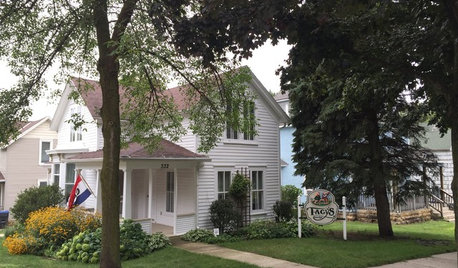
HISTORIC HOMESTwo of the Best Friends in American Literature Lived Here
Avid ‘Betsy-Tacy’ readers will want to put these 1890s homes on their must-see list
Full Story
REMODELING GUIDESHouzz Readers Share Stories of How They Survived a Remodel
Learn Houzz users’ tips and tricks for living in or moving out of a home under renovation
Full Story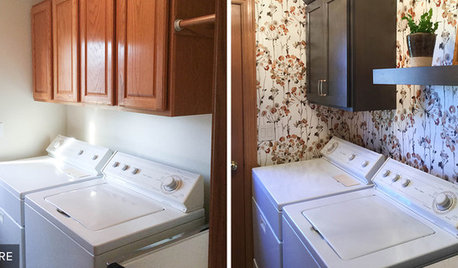
BUDGET DECORATINGReader Laundry Room: A Better Way In for $4,100 in Wisconsin
This laundry room serves as an entrance to the home, but its original finishes lacked personality
Full Story
BEFORE AND AFTERS4 Inviting Living Room Makeovers
See how designers removed walls, brightened up finishes and replaced decor to create these welcoming living spaces
Full Story
FEEL-GOOD HOMEWhat’s the Perfect Home Size? Houzz Readers Weigh In
We asked you to tell us your ideal home size. For some, it’s 337 square feet. Others find that 5,000 square feet is still too small
Full Story
REMODELING GUIDESWhat It’s Really Like to Live Through a Remodel
We offer a few tips for remodeling newbies on what to expect and how to survive the process
Full Story
DECLUTTERING10 Secrets to a Neat Living Room
Keep the clutter at bay with ‘speed bumps,’ hidden storage and a little-stuff drawer
Full Story
KITCHEN DESIGNReaders' Choice: The 10 Most Popular Kitchens of 2012
Citing savvy organizational solutions, gorgeous lighting and more, Houzzers saved these kitchen photos in droves
Full Story
LIFEHow to Prepare for and Live With a Power Outage
When electricity loss puts food, water and heat in jeopardy, don't be in the dark about how to stay as safe and comfortable as possible
Full Story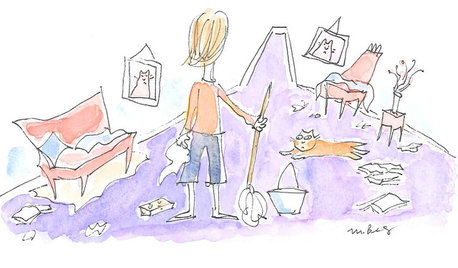
LIFEWe Can Work It Out: Living (and Cleaning) Together
Run a household without fussing and fighting with these ideas for how to work together on household chores
Full Story
carolyn_ky