

Computer Getting Slow
8 years ago
Featured Answer
Sort by:Oldest
Comments (10)
 8 years agolast modified: 8 years ago
 8 years ago
Related Discussions
Slow Computer
Comments (34)Kentuck- I don't think a couple seconds spike to 99-100% is alarming. Mine does this occasionally when opening some programs or my browser. I think it's only an issue if you have a spike and it stays up there. For example, once in a while my Windows Media Player hangs up if I try to play a video at some sites and it ties up my computer at 100% until I go into the Task Manager and select it and shut it down. As for your question about what processes are essential, here is a link that lists the main background processes by their (sometimes inscrutable) names, and tells you what they do. Make sure you have the "Show processes from all users" box checked and compare the list of names. Some of the names you'll have will be processes specific to things like your antivirus, and won't be listed here. For those that aren't, just write the name down and do a Google search. (Sometimes a virus will show up in this list, although I don't think that's your problem.) As I write this, I have 53 processes in the background. I'd have more if I hadn't prevented things like RealPlayer and Quicktime from starting each time I bootup. Here is a link that might be useful: WinTasks Process Library...See MoreSlow computer & LuCallBackProxy but Norton not installed --long
Comments (9)Compress Old Files doesn't delete any files from the drive. It compresses files that Windows hasn't accessed for a specified period of time. I have 2,597,426. You can check everything in disk cleanup, won't hurt anything. You've got more serious problems with the "No IDE fixed drive present" It means the computer is not seeing a hard drive. If you can ever get it to boot again, open My Computer, right click Local Disk (C:) / Properties, click the Tools Tab, under error checking/check now, put a check in both boxes and start. Hopefully that might fix something. To me it sounds like the hard drive has died or the ide ribbon has come loose from the hd....See MoreNew Computer & Slow Vista
Comments (17)one good program that I use that will do a good uninstall of anything you may have on your pc you want to get rid of but ALSO has a feature to show you what is running at startup and with simple clicks lets you change those from on to off and vice versa is Revo uninstaller, it is free. Revo Uninstaller on their site you can click on some screenshots to show you exactly what it will look like and they have good step by step directions on how to use it. User's help Auto Run Manager Junk Files Cleaner it does all that and more, if you go to any of those links then look to the right it lists all the various tools built in, just click on any one of those then at the bottom of that page's text there will be another link that says go to user guide page, that will give you the direct instructions and pictures to how to use that aspect of the tool Here is the list of the tools and utilities included in Revo Uninstaller: Auto Start Manager - Stop programs that start automatically on Windows startup; speed up loading of Windows! Windows Tools Manager - Handy and useful tools bundled with every version of Windows; easily find useful system tools and options! Junk Files Cleaner - Find and remove unnecessary files from your computer; free up disk space and delete files you do not need! Browsers History Cleaner - Erase web browser history, visited pages history and temporary internet files of Internet Explorer, Firefox, Netscape and Opera web browsers; free up a lot of disk space by deleting temporary internet files like temporary saved videos, temporary flash files, temporary pictures etc! Office History Cleaner - Remove the history of most recently used files in MS Office; remove your tracks by deleting the list of last opened MS Office documents! Windows History Cleaner - Remove the history of recently opened files, delete temporary files, remove usage tracks and other history items that are saved by Windows; remove your tracks saved by Windows for a lot of operations! Unrecoverable Delete Tool - Erase files and folders forever; be sure that nobody could recover your files and folders after deleting! Evidence Remover - Make sure already deleted files, folders and other data are unrecoverable; securely erase your data!...See MoreComputer loading so slow
Comments (3)First thing is check and see what all is running when the computer starts a lot of programs that do not need to start right off will be a major problem. Check by hitting control,alt,delete once and a screen comes up showing what programs are running and more important are the process's running. Before you stop anything stop by Black Viper's page and make sure it is sate to stop. then after stopping what programs you can reboot and it should be faster. Another thing is what anti virus are you running? Some can be memorr hogs. Here is a link that might be useful: Black Vipers site...See More- 8 years ago
 8 years ago
- 8 years ago
- 8 years agolast modified: 8 years ago
- 8 years ago
- 8 years agolast modified: 8 years ago
- 8 years ago

Related Stories
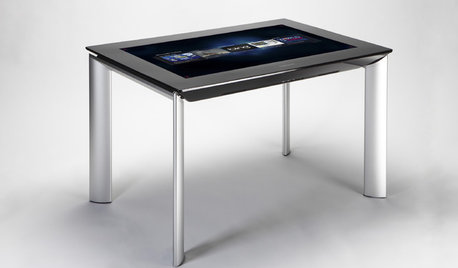
MOST POPULARGet Ready for the Smart Coffee Table
Intelligent tables with touch screens are reaching the consumer market, with all the power of personal computers and more
Full Story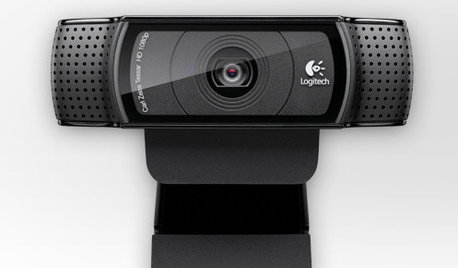
HOME TECHTech to the Rescue: How to Get Stolen Gadgets Back
Catch any crook who dares steal devices from your home with recording and tracking technology that's easy to use
Full Story
DECORATING GUIDESCleaning Out: The Right Way to Get Rid of Electronics
Learn how to dispose of worn-out electronics in a safer, more Earth-friendly way
Full Story
LIFEGet Cozy! And 6 More Ways to Make the Most of This Weekend
Enjoy holiday happenings, get busy crafting and take time to revel in the comforts of home
Full Story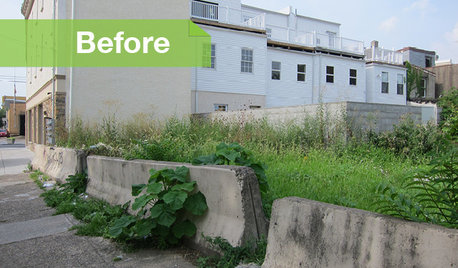
URBAN GARDENSGarbage to Garden: A Vacant Philly Lot Gets Some Green-Thumb Love
Transformed by an artist, this once-derelict urban property is now a tranquil garden with living walls
Full Story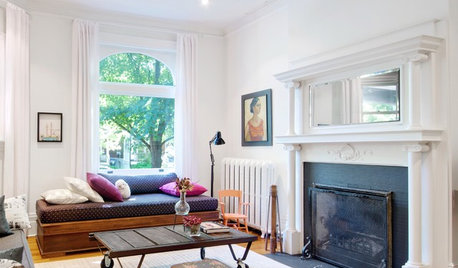
HOUZZ TOURSMy Houzz: A 1900s Edwardian Gets an Eclectic Refresh
Thanks to a 7-year renovation and a quirky mix of art and furniture, a Toronto home gets its groove back
Full Story
HOLIDAYS8 Ways to Really Slow Down and Savor the Holidays
Running amok to fit in holiday tasks can leave you frazzled and unfulfilled. Here's how to focus on what you enjoy most
Full Story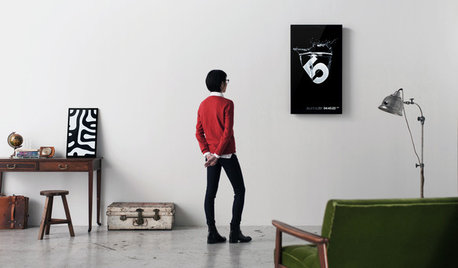
ARTNew Digital Art Frame Gets Put to the Test
Our writer sets up the EO1 at home, then invites artist friends over for a look — at images of their own work. See what they have to say
Full Story
MIDCENTURY STYLEHow to Get Midcentury Modern Style Today
Use the building blocks of midcentury modern design to create a new version for your own life and style
Full Story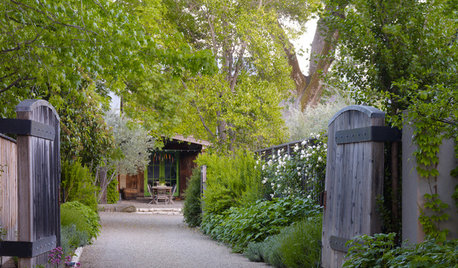
LANDSCAPE DESIGNGet the Look: California Wine Country Garden Style
Design your garden for laid-back outdoor living inspired by Napa and Sonoma
Full Story
bengz6westmd