

Need a new pc
9 years ago
Featured Answer
Sort by:Oldest
Comments (8)
 9 years ago
Related Discussions
new PC - what options do I need?
Comments (8)1. Memory. XP will run in 1 Gbyte, but 2 Gbyte is better. With 2 Gbyte, you can have a goodly number of web pages open at the same time and be running several applications, too. 2. Hard Drive(s). You can get a nice big one of 120 Gbyte these days for the cost of a lesser drive of yore. Consider running 2 hard drives: one for software and the second drive for data. The software (system) drive will likely get the most wear, It can be replaced without disturbing your data if ALL your data is kept on the second drive. Another convenience is ease of backup. You only need to back up your data. If all the data is on a separate drive, its an easy chore to periodically backup the entire data drive. For most home users, the data portion will be much smaller than the system and application software. But if you are short on cash, I suggest that a single large drive could be subdivided into 2 logical drives. However, I am a advocate of the 2-drive system. 3. A few extra USB ports are nice and low cost. It doesn't take many accessories to fill 3 or more USB ports. Think: printer, scanner, memory card reader, mouse, thumb drives, camera, etc....See MoreNeed a new PC but do not want Vista
Comments (13)About Vista...Nobody is madly in love with it. I originally thought Microsoft was going to force feed us Vista, but there are so many speed bumps...that can't do it. As we all have noticed, most mainstream new computers didn't offer the choice, Vista or nothing. That's changing. Probably because manufacturer's can't deal with the headaches...and particularly HP who is selling Vista Premium on computers ill-equiped for the graphic laden OS. Gamers are the big problem. That's a big headache for Microsoft, because gaming is the premise of what Vista is built upon. Even my little Morrowind 2002 game forum over at CNET's Gamespot have posters complaining loud and clear. ______________...See MoreI need a new PC, am confused
Comments (26)1st: I would have to agree with what Asolo and Asylum said about the IMac..... for a "regular user" there is nothing better, "it" just works....Or maybe go to Sears Roebuck and get one of their brand new Linux PC's at less than $200(US) BUT......Right at $200(US) Go to: pricewatch(dot)com and click on "Computers PC no OS" since you: >>>> "I do not game, I do not download music, I do not want to watch movies or TV on my computer, I am the only user, only computer in house, I want a desk top." Pick out one of the systems that are less than $170 and increase the installed RAM to 2GB....I would at the least get one with a CDR/RW, but there are always USB CD/DVD drives if you want to stick with the lowest possible price. Now that you have the PC, get a copy of PCLinuxOS, LinuxMint, SimplyMepis7.0, ZenWalk, or VectorLinux or DreamLinux and do the install........If the CD doesn't have all the software you are looking for/want/need, LOL, check out the distro's repository...More than you'll ever know what to do with, and if that's still not enough, there is more than you could possibly imagine available on the WWW. A repository is where a distro maintains all of their compiled specifically to run with that distro software. (Yes geekers I know, but that's the simplest way I know to say it) Your new PC w/Linux will run extremely fast, much faster and with more stability and "robustness" than any MSWin version on the same hardware. Run the OS in RAM and all your MSWin-fan friends will be amazed and jealous of the lightening speed your "budget PC" will outperform their super whiz bang with all the high dollar bells and whistles, maybe even astounded when you offer them a FREE AND LEGAL copy to try on their own machine. Oh yeah, and you don't have to pay the MS or the Apple tax for your Operating System either...And, Linux requires much less high dollar hardware, and I can say this from personal experience.... There is never any need for "Security" software... no scanners, no "Anti-Virus", no registry mechanics, no de-frags, no nothing.....This thing has been running for just a few weeks now w/o being powered down or ever disconnected from the WWW. It is currently running 3 browsers/14windows/44 tabs (I just counted). I have gone as long as 10 months w/o ever shutting down or rebooting or disconnecting from the WWW, and other than an outgoing firewall, I run ABSOLUTELY ZERO "security" software The Linux "learning curve" is, quite honestly, a vastly overblown issue mainly bandied about by people who either: A) sell PC's and know that there is a lot more commission to be made on a $200 OS installed on a high hardware requirement PC than on a "naked" hard-drive PC w/o no need for unnecessary hardware "upgrades" B) that have no idea what they are talking about, or C) can only figure things out when somebody is there to step by step them through virtually every click... If you can figure out "Vista" you can figure out almost any Linux. SimplyMepis7.0 is a 4 click install that your Grandma could figure out how to install, run, modify, and download/install to. But some folks swear that the others mentioned above are just as easy an install, I just prefer SM7 Get a few LiveCD's and try them out, and install the one (or ones) that you like best.... But if you don't mind spending the money, for "Joe and Jane User", an IMac is pretty hard to beat. AMD Sempron 3000+ Computer System; SATA DDR2 PCI-e -MBoard; 2GB DDR-2 Dual Channel RAM; 40Gb Hard Drive; CDr/RW DRIVE; DeltaChrome 3D 256MB Shared Video; 6-Channel Audio; 10/100 Ethernet (LAN); MIDTOWER CASE Assembled & Tested! $210 (US) or, $230 to my door in 3 business days... But then again, there is that $0.1325 per CD for burning an ISO image of each Linux distro you might want to try.....Or you can order them from the vendors advertising on DistroWatch.com for real cheap...like you can get maybe almost 100 complete operating systems and all the included software for the price of JUST ONE COPY OF MSVista! Oh yeah....BTW.... with a Linux OS you are free to copy, modify, trade, sell, give away, install on 3256 separate machines. Ever actually read the MSXP/Vista EULA? You don't actually even own the contents of discs you just paid $200 for. And with Linux you can add/delete/change hardware devices at will and unlike with an MS OS, you won't have to buy a new OS whenever the MS decides that you have made too many changes and need to buy a new OS, as in MSWorld your clicking on "I agree" you agreed to give MS the right to determine the hardware changes make your old PC a new PC,and therefore to disable your system in in its entirety. And your new (or old) PC won't be "phoning home" everyday to report to MS what your software and hardware configuration was yesterday, is today, or what it is tomorrow. Go to your friendly local Barnes and Noble, or Borders bookstore and get a copy of one of the Linux mags, I would suggest "LinuxFormat" and get the multiple OS DVD with the mag and try whatever versions are on the DVD..or CD.... And while you're there, get a copy of "Knoppix Hacks" you get Knoppix5.1.1 with the book. Knioppix, never leave home without it...no kidding... Don't pay any attention to anyone telling you you need even more memory, a big video card or any such bull.....Unless you insist on getting a "MSVista" PC, in which case you need a minimum of 2GB RAM, and a pretty good video card would help too....And don't fall for all ANY talk about buying "Vista Home Basic", if you want a "Vista" that actually works at a speed you can tolerate (with enough hardware resources) you gotta "upgrade" for a whole lot more $$$. And for a whole less than what a free Linux distro will get you, except for a whole lot more money? HAGD! Here is a link that might be useful: OS 's for a new PC...See Moreexcellent guide by Corrine for a new pc setup
Comments (10)I am a new PC owner-receiving an Acer 5532 wireless laptop for Xmas. The cable co. hooked me up yesterday w/my bundled service. I'm a bit upset as the cable rep told me he'd help hook up my webcam & printer. This unit has the new 7 installed but no built in webcam. When he atempted to hook it into the system-a screen said it was not compatible with 7. Grrr. Ravencajun..thank you for the link above to get me started. I haven't run a 'puter since 1996-and that was just my company's program, so I'm CLUELESS how to navigate this laptop! I have been using an msn2 unit and (prior to that- a webtv unit) for the past 12 years- If there are any other links to a tutorial on how to use all of the functions..can anyone link me or will the above link be all I need? My biggest fear is not knowing how to transfer my folders' contents from msn unit to the new pc. My new email is set up-haven't tried it yet. I did move all photos stored in my photos file,into a 'share photos' folder- which one MSN webber said:"Your favorites are already stored on Sky Drive Windows Live. They'll be mirrored on Sky Drive Windows Live on your computer at your present users address." (my msn addy or the new addy?) ??? Yeah right..so how do I transfer them to the PC? I am such a ROOKIE! Going to the link you provided, now. Thanks!...See More 9 years agolast modified: 9 years ago
- 9 years ago
 9 years ago
- 9 years agolast modified: 9 years ago
 9 years ago
 9 years ago
Related Stories
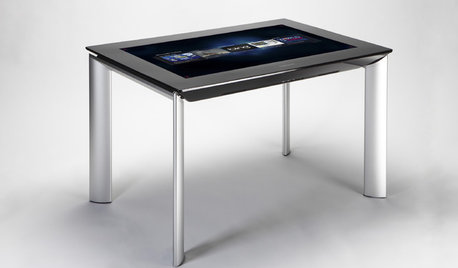
MOST POPULARGet Ready for the Smart Coffee Table
Intelligent tables with touch screens are reaching the consumer market, with all the power of personal computers and more
Full Story
COLORWake Up Your Woodwork With Black
Strike a dramatic note with black window frames, shelves, stairs and more, making features stand out or blend in
Full Story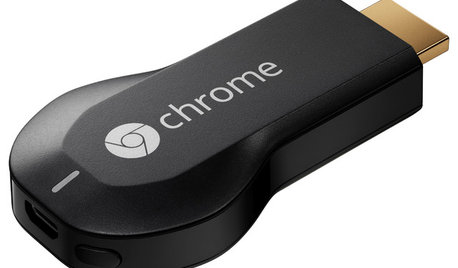
HOME TECHNow Playing in Homes Everywhere: TV, the App
It's easier than ever to beam streaming content from mobile devices to your TV screen
Full Story
HOLIDAYSA Violet, Brown, Bronze and White Holiday
7 Great Reasons to Deck the Halls With Unconventional Colors
Full Story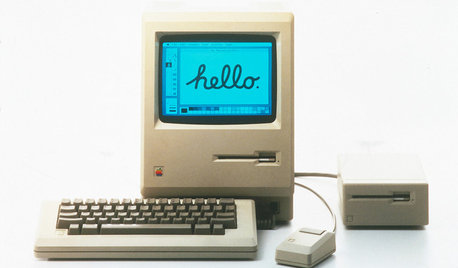
HOME TECHTurn 'Obsolete' Tech Into Fun Home Help
Here's how to put your old Mac, Atari or Newton to work around the house
Full Story
HOUZZ TOURSHouzz Tour: Open and Cozy Family Space
Ranch Re-dressing Creates Light, Airy Home on Original Footprint
Full Story
BEDROOMSGuessing Game: What Might Our Bedrooms Say About Us?
For entertainment only; actual accuracy may vary. Always don fun goggles and engage your imagination before playing!
Full Story
DECORATING GUIDESDecorate With Intention: Get Your Home Office Right
Help personality and productivity team up in a home office for a win-win situation
Full Story
MATERIALSMaterials Workshop: Polycarbonate — a Low-Cost Alternative to Glass
Looking for something lighter, stronger and less expensive than glass? Multiwall polycarbonate may be a good option
Full Story
azinoh