

Looking for photo editing software
9 years ago
Featured Answer
Sort by:Oldest
Comments (7)
 9 years ago
Related Discussions
Photo editing software that enable a "warm" black and white?
Comments (5)I use photoshop. I don't know if photoshop elements has this option. I recommend making a copy of your file, then working off the copy. First, convert the copy of your photo to grayscale: Open the copy of the image, then select IMAGE, then MODE, then GRAYSCALE Doing that will then activate the DUOTONE option. Re-select IMAGE, then MODE again, but this time choose DUOTONE. When the window opens up, it'll have two basic selections: PRESET which will have "Custom" in the window, and TYPE which will have "monotone" in the window. You can select "Monotone", "Duotone", "Tritone", or "Quadtone" as your type. That controls how many levels of additional color (1, 2, 3, or 4) you want to add to your grayscale photo. Under "preset" you can select from numerous types of preloaded toning combinations. The name implies the type of tone it will impart to your grayscale photo. For a "chocolate" look, you might want to take a look at "brown 464 bl 1" or something in that group. You can also tweak the tones to your liking. Best, Mongo...See MoreNik photo editing software is now free!
Comments (18)Here's an example of the sort of thing that can be done with it. In the first picture, choosing to give the sky reasonable lighting ended up darkening the barn to the point where the image was delete-worthy. But Silver Efex Pro not only salvaged it, but created a dramatic image that I like a lot. Other than color removal, the only change was to the lighting....See Morephoto editing software
Comments (6)Thank you for your response. I used Picture It for easily selecting images from pictures (like plants) and adding them to other pictures, for a very realistic effect, perhaps for a landscape plan. I haven't seen anything that works as well for that as well as for a few other nice features. Would irfanview do a good job of that, do you think? I'll look it up. Thank you....See MorePhoto editing software
Comments (1)Photoshop, not easy to learn but does everything I need. I first started working with it professionally then decided I enjoy it so much that I was willing to pay for having it at home. I think there is a simplified (& cheaper) version out - Photoshop Elements....See More- 9 years ago
- 9 years ago


Related Stories
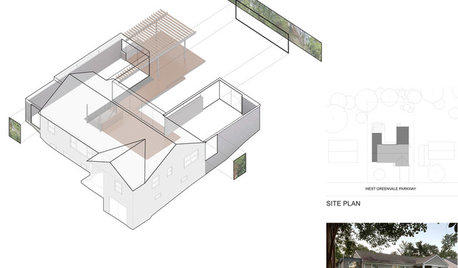
DESIGN PRACTICEDesign Practice: How to Pick the Right Drawing Software
Learn about 2D and 3D drawing tools, including pros, cons and pricing — and what to do if you’re on the fence
Full Story
TASTEMAKERSA Designer Edits — and Adds — for Dramatic Effect
Interior designer Nancy Braithwaite’s new book shows how it’s possible to edit rooms of all styles to create their best look
Full Story
LANDSCAPE DESIGNHow to Look Good From Any Angle (the Garden Edition)
Does your garden pique interest from one vista but fall flat from another? These tips and case-study landscapes can help
Full Story
LIFEEdit Your Photo Collection and Display It Best — a Designer's Advice
Learn why formal shots may make better album fodder, unexpected display spaces are sometimes spot-on and much more
Full Story
ARCHITECTUREModern or Contemporary Architecture? The Interiors Edition
See how one expert distinguishes between two popular camps of interior architecture. Do you agree with his choices?
Full Story
DECLUTTERINGDownsizing Help: How to Edit Your Belongings
Learn what to take and what to toss if you're moving to a smaller home
Full Story
DECORATING GUIDESEdit Keepsakes With Confidence — What to Let Go and What to Keep
If mementos are weighing you down more than bringing you joy, here's how to lighten your load with no regrets
Full Story
LIVING ROOMSRoom of the Day: Editing and Evolving in Philadelphia
With just the best pieces and a new transitional style, this living room suits its owners’ tastes today
Full Story
DECORATING PROJECTSWhat to Do With Old Family Photos
Find out how to research, share and preserve images that offer a connection to the past
Full StorySponsored
cacocobird