

RAR - Corrupted files
10 years ago
Featured Answer
Sort by:Oldest
Comments (7)
 10 years ago
 10 years agolast modified: 10 years ago
Related Discussions
W8 Zip (WinRAR, WinZip, 7-Win....)
Comments (5)I believe what happened is that you opened the archive(.rar) and simply got a peek inside the archive. Double-clicking the pic caused it to be extracted to a "temp" directory where it was subsequently opened by your image viewer. It wasn't really hidden, just not "really" extracted. To extract the contents of the entire archive, you can right-click the unopened archive and select "Extract here". Or if you just need a file or two out of the archive, you can open the archive, select the desired file, and extract it. Myself, I would do that by dragging the file out onto my desktop. I'm going by memory, which may not be accurate. Also, I'm thinking of how I would do it with WinRAR. If you're using 7-zip or something built into Win8, then I don't really know. I suspect it would work similarly?...See MoreCorrupted File? Western Digital Backup?
Comments (4)A corrupted file wouldn't do that, but a corrupted file system might. The drive may still be okay, but it's likely that the files on it are lost. Something like spinrite might be able to recover the files, or if you don't need to recover them, you can try reformatting to see if the drive is still usable....See MoreExtracting .rar files?
Comments (7)I have just posted an old free version of WinRAR on Yousendit. It will remain available for 7 days. It was a special offer that they themselves gave away several years ago as a teaser to buy their latest version. For simplicity I have converted it into a self-extracting file that should unpack o.k. - if it doesn't let me know! Colin Here is a link that might be useful: Free WinRAR v3.5.1 on YouSendIt.com...See Morerar file
Comments (6)As a variant for resolving a problem, you may apply method below or next software as https://repairrar.recoverytoolbox.com/ Recovery Toolbox for RAR Right click on the RAR files and from the list, click on the extract files option. A window will appear showing where a folder can be selected and where it may be saved. Choose the check box which gives the option ‘Open Broken file’. Click OK at the bottom of the window. A warning will pop up but it should be disregarded at this point....See More- 10 years ago
 10 years ago
- 10 years agolast modified: 10 years ago
- 10 years ago
Related Stories

ORGANIZINGAvoid the Great Paper Pileup
Don't let unavoidable scraps cause a jam in your paperless system. These easy tips will keep your home office lanes clear
Full Story
BUDGETING YOUR PROJECTConstruction Contracts: What Are General Conditions?
Here’s what you should know about these behind-the-scenes costs and why your contractor bills for them
Full Story
CONTRACTOR TIPSBuilding Permits: When a Permit Is Required and When It's Not
In this article, the first in a series exploring permit processes and requirements, learn why and when you might need one
Full Story
GARDENING AND LANDSCAPINGGrow a Lush Privacy Screen
No need to wait forever for patio privacy the green way. These 10 ideas will get your screening up and running in no time
Full Story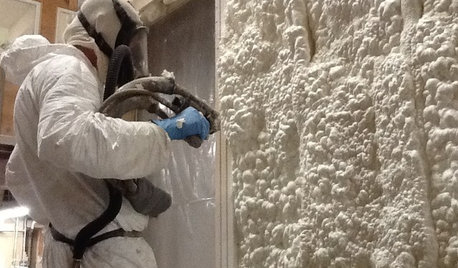
MATERIALSInsulation Basics: What to Know About Spray Foam
Learn what exactly spray foam is, the pros and cons of using it and why you shouldn’t mess around with installation
Full Story
HOUSEKEEPINGTips for Removing Carpet Stains
Know the right solutions and when to use them to handle stains from coffee, pets, chocolate, ink and more
Full Story
karl jeppesen