

Hard to turn Computer off & on ....
10 years ago
Featured Answer
Sort by:Oldest
Comments (9)
 10 years agolast modified: 10 years ago
 10 years ago
Related Discussions
Off line computer--turn off security
Comments (2)You might be able to go to Control Panel/Security Center/under Resources in the left hand column/Change the way Security Center alerts me/uncheck Virus Protection - Alert me if my computer might be at risk because of my virus protection software settings. This may turn off the popup, but not the antivirus software. Probably need to know which AV you use to know how to turn it off....See MoreHibernate/sleep or turn off monitor/hard drive?
Comments (13)hobby_libby- The average computer may typically use about as much energy as a 100 watt bulb...more if it's really high-powered, less if not, and you'll generally use less overall if you are talking about a laptap rather than a traditional computer with stand alone monitor. An LCD monitor fully on (or with a screensaver) might use about 50 watts. So if your computer and an LCD monitor are fully on 10 hours a day, you're talking about using 1.5 kWhr. The cost for a single kWhr is maybe 10-15 cents in many parts of the country, so your total energy cost to have a computer and monitor on for 10 hours a day might be about 20 cents. Now if you decide to have no screensaver AND have it go into sleepmode when you are not using it, you could save at least 15 cents a day, or maybe $50 a year...if you have air conditioning going year-round. However, during the heating months, the heat energy thrown off by the computer goes to heat your home and the furnace has to provide a little less heat, so you get little benefit there. And, of course if you actually have the computer in use, then your savings will be proportionally less. Bottomline: if you put your computer in sleep mode, with the screen off, and you don't use the computer much, you'll save enough each month to buy one extra latte at Starbucks. Don't get me wrong. Saving energy and money is a good thing, and I'm not trying to discourage you. I was just making the point that you are not going to see the massive savings you might have expected. If you want to understand where the electricity really gets eaten up in your home, and how to conserve so you can reduce your bill in a noticeable way, check out the link below. At the bottom of the linked page there is lots of good info on things you can do, and how much different things in your home account for in the overall energy picture. Here is a link that might be useful: Electric use...See Moremy computer is turning off. . . .
Comments (5)OK so try removing the left side and leave it off for a few days to see if heat is an issue. Is there a build up up crud under the fan you see mounted on the motherboard? This is the heatsink for the processor and it is designed to shut the computer down if it overheats for protection. Remove the power cord if you go in there and rest a bare arm or hand on the metal frame to eliminate static electric. You should seriously consider installing an anti malware program for greater protection. These do not run automatically but you update and run at intervals. Consider MS Essentials, Superantispyware, Malwarebytes or any other program you feel will keep you safe. Those mentioned are all free but pay attention during the install or you'll find yourself installing the 'for a fee' software....See MoreRebuilt anti-siphon hose bib hard to turn on and off now.
Comments (2)The B-nut that goes around the valve stem can be loosened a bit to make it easier to turn. Try 1/4 turn, if that's still too tight, try another 1/4 turn. It isn't too loose until it leaks around the stem when turned on....See More- 10 years ago
- 10 years ago
- 10 years agolast modified: 10 years ago
- 10 years agolast modified: 10 years ago
- 10 years agolast modified: 10 years ago
 10 years ago
Related Stories
LIFETurn Off the Video Games and Turn On Your Kid's Creativity
Going nuts planning summer activities? Kids overdosing on screen time? It may be time to foster more self-directed play
Full Story
LIFESlow Living 101: Tips for Turning Off the Chaos
It may feel as though you're too busy to slow down and enjoy life. But even little changes can have a big effect
Full Story
HOMES AROUND THE WORLDMy Houzz: Hard Work Pays Off With an Elegant and Light Apartment
A creative executive in England rehabs her first home, a turn-of-the-last-century apartment with good bones
Full Story
HOUZZ TOURSMy Houzz: Hard Work Pays Off in a DIY Cottage Renovation
First-time homeowners roll up their sleeves and give their midcentury Montreal home an infusion of style and personality
Full Story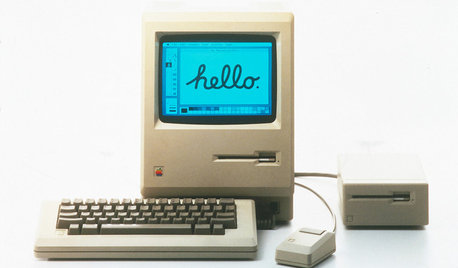
HOME TECHTurn 'Obsolete' Tech Into Fun Home Help
Here's how to put your old Mac, Atari or Newton to work around the house
Full Story
CLOSETSHow to Turn Your Closet Into an Office
15 tips and lots of inspiration for small (but mighty) home offices
Full Story
HOME TECHTurn Your Smart Phone Into a Home Security System
Monitor your home a less expensive way by putting your phone and some new gadgets to work
Full Story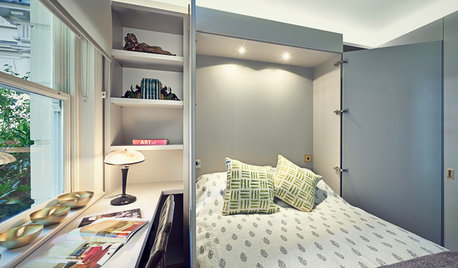
DECORATING GUIDESHow to Turn Almost Any Space Into a Guest Room
The Hardworking Home: Murphy beds, bunk compartments and more can provide sleeping quarters for visitors in rooms you use every day
Full Story
STORAGEStorage Surprise: Turn Colorful Tool Cabinets Into Fun Furniture
Reimagine your handy chests as nightstands, bar carts and kitchen storage for a bright interior alternative
Full Story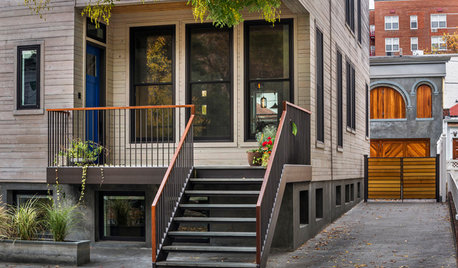
HOUZZ TOURSHouzz Tour: A Brooklyn Townhouse Takes a Warm, Contemporary Turn
Softening a traditional boxy shape creates better access and a more interesting look for a Brooklyn family home
Full Story
azinoh