

boot problem
11 years ago
last modified: 11 years ago
Featured Answer
Sort by:Oldest
Comments (20)
 11 years ago
Related Discussions
Zone 5 planted shoes/boots problem
Comments (8)Not sure how your weather is, but here in NH it was 60 a week ago and Wed we had 12" of snow. I have a pair of boots that I planted with hens and chicks at least 8 years ago. Every spring I think they are dead. Then, when I am not looking, they come to life!!! If you are still getting freezes...give them a little more time....See MoreDisable SATA ?
Comments (10)Hi, Thanks for the further discussion/links on this issue ! A reply I (thought I) posted last night apparently didn't show up, so I'll have to offer it again here (in my response to zep). At what point during the startup does this loop commence? I assume it must be during the initial POST when the screen is black and the writing scrolls up the screen? When you changed from 'enabled' to 'disabled' in the BIOS you did remember to click F10 to save and exit I presume? What model number and how old is this laptop? owbist, On powering up, I'll get as far as the "Windows" screen (the black screen with the multi-colored progress bar underneath the word "Windows") and then it will flicker totally blue for a fraction of a second and then it goes back to the black HP start-up screen (with the F1 and F10 options at bottom). Then the F5 screen appears (the one with all the options for how to boot up: safe mode, last known good configuration, etc. I tried both of those, but to no avail). Only disabling the SATA setting (and saving it via F10) allows me out of the loop and into a normal boot-up. Re: model #: although I don't have it in front of me at the moment, as I recall it's about 2-3 years old. A DV5000 HP laptop. I wonder why it's getting enabled? That I don't know.. zep, I can't imagine, and Matt, our computer guy, doesn't know, though he suspects some sort of power surge. But, as I wrote in my post that vanished into cyber oblivion last night, my aunt did get a new AC adapter recently. It has been working just fine for weeks. But I have noticed that the plug doesn't have a very tight fit in the computer. She sometimes has to rotate it a bit back and forth in the jack to make sure it's connecting properly. Otherwise she'll get the battery icon in the lower right of the taskbar. I wonder if toggling from battery to AC to battery and back again could send the kind of signals to the computer that would affect the SATA setting. ??? It certainly hasn't affected any other aspect of the computer or its performance that I can see. Anyway, it seems to be working okay for now. As long as it is (and as long as she doesn't really need the SATA setting to be enabled) she/we can live with it. Thanks again for the comments ! Scott...See MoreBoot problem after MS updates
Comments (11)I get the paid version of Windows Secrets and I would guess you are talking about the article on Windows Genuine Advantage? They should be called on the carpet for making us continue to go through that over and over it is ridiculous, make us do it once and be done with it. I did not see any mention of this last patch Tuesdays updates causing any problems, they do mention the patches for IE and their importance. I have only seen on a few forums some very minor issues but none like this 98 thing. I have run this windows 98 issue by a few MS MVP's and no one has seen or hear of it happening and all want to know the outcome so please arkie62 keep us posted on what you do and your outcomes please. For those who want to view the latest windows secrets here is the link, this however will not contain the paid content, it is an excellent newsletter and well worth subscribing to whether the pay or free version. Here is a link that might be useful: windows secrets newsletter...See MoreNew Toshiba now need External DVD
Comments (6)Given booting problems with my existing 3 year old notebook I was under some pressure to buy a new machine. I found two attractive machines in my price range, under $500 and one, the one I purchased a Toshiba T135D is like a big Netbook, attractive to me. As it turns out there was also a Toshiba 14" notebook, only one pound heavier and $20 less expensive, that was the competitor in my selection process. There were many trade-offs (both ways) but my decision was driven by the AMD processor (not Celeron) and much longer life battery on the T135D and by its classy appearance and light weight and reduced size. I concluded I almost never use a DVD anyway.. I don't play games or watch movies on my computers. But, as I am now moving my application on to the new computer I realize if I'm going to use my old MS Outlook for my business email I need to have a CD drive to load the application from my purchased copy. It is a 2002 version and works well for me. This coupled with the fact I purchased my wife an Acer Netbook last February, I have two uses for an external DVD. I would in general not carry the DVD with me when traveling. I have never needed my DVD when at meetings... that may be a misrepresentation I've done a lot of travel over the past 20 years with notebook in hand, and I suppose I used the CD then DVD a couple of times, but nothing comes to mine. All my current I/O related to meetings is via WiFi, never exchanging of hard-copy mediums....See More 11 years ago
- 11 years agolast modified: 11 years ago
- 11 years ago
- 11 years agolast modified: 11 years ago
- 11 years agolast modified: 11 years ago
- 11 years agolast modified: 11 years ago
- 11 years ago
- 11 years ago
- 11 years agolast modified: 11 years ago
- 11 years ago
- 11 years agolast modified: 11 years ago
- 11 years ago
- 11 years ago
- 11 years agolast modified: 11 years ago
- 11 years ago
- 11 years ago
- 11 years ago
- 11 years agolast modified: 11 years ago
Related Stories

LANDSCAPE DESIGNProblem Solving With the Pros: Sustainable Landscape Captures Runoff
An underground cistern, permeable paving and a rain garden are part of this Washington, D.C. yard's thoughtful design
Full Story
LANDSCAPE DESIGNProblem Solving With the Pros: An Abundant Garden Stretches Its Means
Swaths of resilient, eye-catching plants thrive with little care or resources in the landscape of a Pennsylvania farmhouse
Full Story
DECORATING GUIDES5 Pet Problems Solved by Design
Design-Friendly Ideas for Pet Beds, Bowls, Doors — and yes, the Litter Box
Full Story
HOUZZ TOURSHouzz Tour: Major Renovations Aid a Usonian Home
Its classic lines got to stay, but this 1950s home's outdated spaces, lack of privacy and structural problems got the boot
Full Story
GROUND COVERSGreat Design Plant: Blackfoot Daisy for Prettier Dry Ground
Don’t let its delicate looks fool you. This ground cover can survive extreme cold and heat, and with little water to boot
Full Story
KITCHEN DESIGNKitchen Counters: Durable, Easy-Clean Soapstone
Give bacteria the boot and say sayonara to stains with this long-lasting material that's a great choice for kitchen and bath countertops
Full Story
MUDROOMSHouzz Call: We Want to See Your Hardworking Mudroom
The modern mudroom houses everything from wet boots to workstations. Proud of your space? Inspire us with your photos and tips
Full Story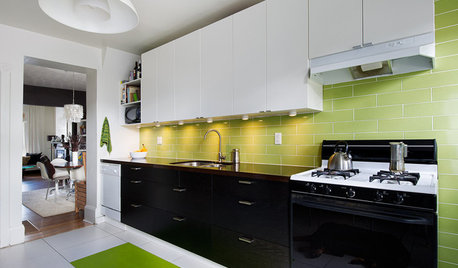
KITCHEN DESIGNKitchen of the Week: Budget-Friendly Boosts in Toronto
Blandness gets the boot as a Canadian kitchen receives a bold dose of color and custom cost-conscious storage
Full Story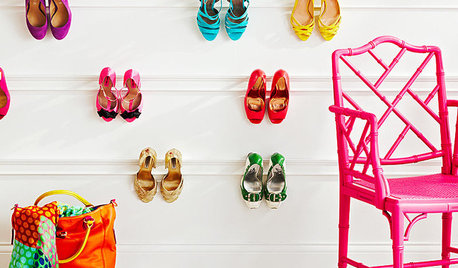
STORAGE10 Smart Storage Hacks for Shoe Lovers
If your heels, flats, sneakers and boots are piling up in your foyer and bedrooms, restore order with these savvy storage hacks
Full Story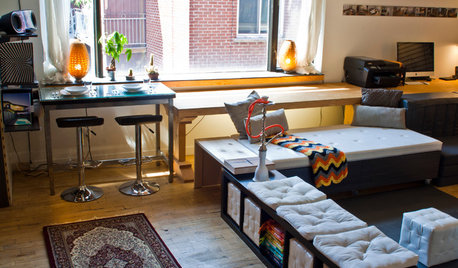
HOUZZ TOURSMy Houzz: Ultimate Live-Work Space Adapts to the Needs of the Day
Incredibly flexible and playful to boot, this 720-square-foot Montreal apartment and office expresses its creative side
Full StorySponsored
mike_kaiser_gw