

Your real name may be in visible in the address bar
8 years ago
Featured Answer
Sort by:Oldest
Comments (24)
 8 years ago
 8 years ago
Related Discussions
Pardon Me, May I Crash Your Party?
Comments (19)Thank you all for your warm welcome. I would have answered sooner, but I decided to find out why the GW hates my ellipses. So I grabbed up my trusty axe to chop my way through the dense jungle of complex computerese to find out. (Do the Nerds really have to talk like they do on the web? I wonder if they're just showing off.) Anyway, it turns out that Linux does not shake hands with Microsoft when they process ellipses. I don't know what Linux did to annoy you Mr. Gates, but I wish that you two would makeup and get this straightened out. I have decided that there are ways to get around this - short of switching to Microsoft. Maybe if I just complete my sentences without using an ellipise, but I rather like the dangling, airiness of them. I could type out the word ellipis or perhaps typing period comma space, period comma space, period may trick the computer. But maybe it would be easier just to get used to �. If this were audio, I imagine its what the bleep used to cover up a naughty word would look like. Again, thank you...See MoreNew - May MNF Your Mom's Name Challenge!
Comments (86)Good morning! I've RECEIVED!! :) My super box from Shirley! In my MOM was: C: Candy: Jolly Rancher Bites...the kids LOVE these!! Columbine: Pink/White Cleome: Pink...THANK YOU! Mine fizzled out this spring :( late frost...now I can start again AWESOME! Cards, handmade by Shirley, of course! I love your cards! You are so talented!! A: A pack of 4'O Clocks :) R: Roses..these are going right out in my ceramic container the kids made me for mother's day. I've been trying to get to the store to put some flowers in there...and here they are! :D O: OOOHHH BOY! Life Savers..Right up there with CHOCOLATE in my book! Terrific! L: Lint Roller, lol! How did you know...piggy hair is very sticky :) F: Magnet Picture Frame...I just, and I mean, just yesterday, went and bought one of these for Taylor to put the boys picture in her locker. This morning Billy wanted me to put his picture in a frame to do the same thing...YOU ARE A LIFE SAVER!! LOL!!! life saver...see 'O' :) Shirley also included a beautiful hand made card for me, and one for my mom. I won't open her's, but, I just know she'll be so tickled you thought of her. THANK YOU!! Zackey, the iris' names are written on the leaf and I hope the daylily made it there okay too. "S" Strawberry Candy Daylily...lol! It bums me a little to think the box was open :( This was such a super fun swap! Thank you Shirley for having such creative and fun ideas for us... YOUR AWESOME!! Have a super day!! vina...See Moreemail addresses/screen names with birth years
Comments (41)My big peeve is when they ask for your phone or email & you decline; they give you dirty looks because they're usually younger & don't feel that it's a big deal handing your info out. Comcast automatically gives a name account like that from what I remember. Years ago; when I 1st came to GW I used SBA; then Spike made us all "join" & we rushed to figure out a unique user name. There have been times I couldn't get Roselvr- Ebay it was already taken; but managed to with both Comcast & Gmail. We lost the Capital letters a few years ago; pretty sure it was after iVillage bought it. It's the one thing that ticks me off. I wish they would have been able to fix it....See MoreWhat's Blooming in Your Garden - A photo Thread - May 2015
Comments (77)The rhododendron border is out (former site of the pines) This is Calsap in another garden A yakushimanum -can't remember which one. A hino crimson azalea in The Philosophy Garden Does anybody remember the name of the little white flowers? Kousa out front - not the one I stumped - just out Salix integra ‘Hakuro-nishiki’Dappled Willow is really tall. In a garden with rainbow leucothoe and little henry itea, and Japanese styrax - soon to bloom. It's loaded with little bells. And, my box of lettuce. (smile) Jane - we all have such wonderful flowers and shrubs. We're all lucky!...See More- 8 years agolast modified: 8 years ago
 8 years ago
 8 years ago
- 8 years ago
 8 years ago
- 8 years ago
- 8 years ago
- 8 years ago
- 8 years agolast modified: 8 years ago
- 8 years agolast modified: 8 years ago
- 8 years ago
- 8 years ago
- 8 years ago
- 8 years agolast modified: 8 years ago
- 8 years ago
- 8 years ago
 8 years ago
- 8 years ago
- 8 years ago
- 8 years agolast modified: 8 years ago
- 8 years ago
Related Stories
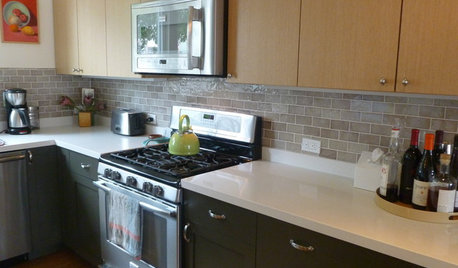
KITCHEN DESIGNPearls of Wisdom From a Real-Life Kitchen Remodel
What your best friend would tell you if you were embarking on a renovation and she'd been there, done that
Full Story
MOST POPULAR9 Real Ways You Can Help After a House Fire
Suggestions from someone who lost her home to fire — and experienced the staggering generosity of community
Full Story
KITCHEN DESIGNHow to Fit a Breakfast Bar Into a Narrow Kitchen
Yes, you can have a casual dining space in a width-challenged kitchen, even if there’s no room for an island
Full Story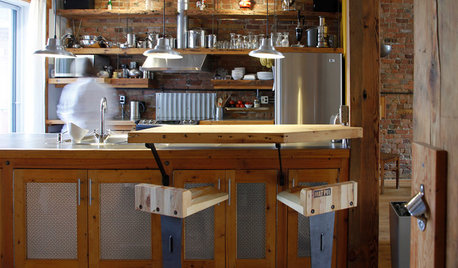
KITCHEN DESIGNPersonal Style: 50 Clever Real-Life Kitchen Design Details
Get ideas from savvy homeowners who have a knack for creating kitchens celebrating personal style
Full Story
LIFEIs Cabin Fever Real? Share Your Story
Are snow piles across the U.S. leading to masses of irritability and boredom? We want to hear your experience
Full Story
MORE ROOMS28 Great Real-Life Home Offices
Houzz Readers Prove You Can Turn Any Room Into Inspiration Central
Full Story
REMODELING GUIDES10 Features That May Be Missing From Your Plan
Pay attention to the details on these items to get exactly what you want while staying within budget
Full Story
HOMES AROUND THE WORLDFormer Berlin Bar Now a Light and Bright Home
An architect shows how he converted a commercial space into a residence with strong material choices and the right lighting design
Full Story
FURNITUREWhat to Know Before Buying Bar Stools
Learn about bar stool types, heights and the one key feature that will make your life a whole lot easier
Full Story
HOUZZ TOURSMy Houzz: 1950s Rebound for a Cliff May House
Loving restoration brings a midcentury gem back to life and its owners to the kind of life they love
Full Story
moonie_57 (8 NC)