

Need Help with Excell Spreadsheet and Recommendations for Keyboard
11 years ago
Featured Answer
Sort by:Oldest
Comments (7)
- 11 years ago
 11 years agolast modified: 11 years ago
Related Discussions
Free Spreadsheet - 1000 Toms/500Peppers
Comments (18)glchen, that's exactly right. The plant size will be small enough to allow you to use baskets or smaller containers (like 5 gallons) to grow the plant EASILY. My personal experience says that any tomato can be grown in a container of 15 gallons or more. The smaller the container, the more often one must attend to the water needs of the plant. Ted...See MoreAn excellent mortgage experience- recommendation- Berks County PA
Comments (2)Well, the first appraisal w/ the inept idiots came out terribly b/c the guy used 2 year old comp houses that were way below the value. The second bank reappraised, used reasonable comps, gave us credit for the upgrades, and the appraisal jumped up $175,000. So, the house ended up appraising for almost what we paid for it. (We knew we wouldn't get the full amnt. back, there were too many upgrades people won't pay for)....See MoreNeed help with excel, please
Comments (4)Another thing might be to save the original to your computer with a different name (so you don't get confused about which one you've worked with) then look at the formula for those cells. Just highlight the cell and look up at the formula bar. Aside from that, you might try Microsoft, although it would be a pay call and I am unsure whether they are open on weekends....See MoreHelp choosing a new keyboard
Comments (4)Tapla - first, thanks for all of the helpful posts on container plants. I'm taking the time to write this as an extended "thank you" for all of the help you've given me over the past month (unbeknownst to you) since I started looking at what to do with a henry lauder walking stick tree I inherited at my new home. Sorry if this reply is too late, just noticed it while looking for more helpful threads from you. Short version: I'd recommend taking a look at the Corsair Strife with Cherry MX Silent keys for about $90, if you like the feel of mechanical keys. If that's over budget or if those are too loud, look at an inexpensive gaming keyboard from someone like Logitech, Corsair, Cooler Master, and Razer - only because that's where you'll find backlit full-sized keys. I have the CM Storm and that's okay for now, backlight generally works (except with ChromeOS) but I'd try something different. If you want backlit chiclet keyboards, I think Kensington still has a backlit scissor-type version on their SlimType line. Amazon basics is $12 (no backlight) and works with linux. For mice, if you're not gaming and don't care about whether it lights up, it's hard to go wrong with Logitech. For a no frills wired option, look at the M500. Long version: I'm a software geek by trade and I type quite a bit, both for work and after work. I work solely on linux and chromeOS machines, although I'll troubleshoot a windows or apple when I need to. I also have had access to a lot of computer equipment over the past 20 years. Since you're running linux, you'll likely get little use out of the additional gaming features that keyboards have (i.e. windows software that control macros). Backlit keys and mice may have a dimming button or specialized LED pattern that might or might not work on linux, or might not work if you're connecting through a USB hub. Sometimes the more inexpensive gaming keyboards with lots of features suffer the most from these compatibility issues -- doesn't mean you shouldn't try, just realize it may not work without some trial and error or modification. A notable exception is Razer, which seems to have an open source project for gaming drivers for linux (unsure if they contribute to the project, I just see one exists). You didn't mention whether you liked the more traditional/mechanical keyboard (think old IBM-style) or chiclet keys (what you'd see on a macbook). I'd make that decision first. The device that allows the key to be pressed and move up and down is called the switch. There are really three categories of key switches, with variation within each category: mechanical, membrane, and scissor. This article talks about the more popular mechanical switches but with blurbs about membrane and scissor switches. The switches: - Membrane are the cheapest switches, where there's a rubber dome under the key which is used as a spring. When the key bottoms out, it's pressed and that key is "on". When the dome pops up, that key is "off". There's two main types here, where they'll either look like a mechanical key with a long key travel, or on the other end of the spectrum like a chiclet with almost no travel. There's minimal longevity - the rubber wears out and there's no individual key replacement. For that reason, there's less data on this type, as opposed to the mechanical keyboard worship sites. But you can find keyboards with these switches for a lot less than the rest. There's various quality here, from the under $10 OEM keyboard to the lower-end of the gaming spectrum $25-75. The low end price point of the popular keyboard manufacturers tend to use these -- look at Logitech, Corsair, Cooler Master, and Razer. - Scissor switches are typically used for laptops, with a plastic hinge that bottoms out with the keypress. I've seen them in some chiclet desktop keyboards as well. The benefit is they allow for slimmer keys (useful in laptops). The negative to most people is that they have less key travel, which can trigger repetitive strain injuries, depending on the amount of typing. - Mechanical switches are the most expensive and reliable, with a couple of notable brands that sell their switches to the majority of the keyboard manufacturers. Cherry and Kaihua are the big two manufacturers of switches. These switches give the most feedback. Different versions can give various levels of force needed to press each key (actuation force), various levels of key travel (how far you press, called actuation difference and reset point), and bumps or bumpless key travel (linear, tactile, etc.). The wirecutter has an article explaining in detail, and they also give recommendations on keyboards. These keyboards are generally at $75 and up Do you think of a keyboard as disposable and lasts only as long as your computer? Or do you want a keyboard that will last quite a bit longer? Most people upgrade there computers every 5 years, most software companies target 2-3 years for a refresh. A good keyboard can last a lot longer than that. Summary: If you want a chiclet keyboard, you're deciding between membrane or scissor, and if you want full-sized keys and larger travel, you're deciding between mechanical or membrane. For chiclet, I think you're going to have a hard time finding scissor switches (apple?) and that used to have linux compatibility issues, although there's a big fanbase there. Full sized keys, you have an overwhelming set of choices to make between switches if you can't just type on one at a store. What I like: I find mechanical keyboards much more comfortable to type on for a while, but also use a membrane keyboard at home where noise is more of a concern. I don't care as much about the brand of keyboard as I do the switches. At work, where I type the most, I use a keyboard with Cherry MX Brown. Those used to be the most silent mechanical switch out there and has a good "familiar" feel for me. A main competitor to that is the Razer Orange. But neither are quiet -- I still think it's way too loud for a bedroom, for example. I don't know that truly silent keys exist. For really quiet keys, you're probably looking at membrane switches, with two exceptions worth investigating: - There's a newer release from Cherry called Cherry MX Silent. This article says it can be found in other keyboards, although a search on amazon only links to the Corsair Strife, which would be one I would try if that's within your budget - it's backlit, from a reputable manufacturer, with a reputable key switch. I haven't tried it myself, but will likely buy one in the future. - The wirecutter article I referenced above recommends using damping o-rings on any cherry MX key to make it more silent. I haven't tried this either, but videos on youtube don't show that they're much more quiet. I've used Keytronic keyboards with linux machines quite a bit - but the membrane rubber dome kind. They were the freebies we used to get with our work machines that died within a year or two. Fine, but nothing special. They were definitely clicky, not even close to quiet. Haven't looked into whether they have backlit versions or a more silent type. I have a CM Storm at home, that's relatively quiet, at least compared to the cherry Brown. That backlight works with linux, not with some USB hubs, and not with a chromebook. YMMV. As far as mice, I have an old weighted Logitech mouse that looked a lot like the M500 but you could change the feel (I liked it heavier) - and the model number has long rubbed off. I have the M500 too and have no issues. If you care about specialized mouse software, you'll have the same issues with mice as you do keyboards with regards to linux support. For instance, the Logitech Setpoint software still doesn't have a linux version. For button remapping, use something natively built for your desktop environment, if you care; I don't. My recommendation: - if you want to keep it for a long time, go mechanical: $90+: try the Corsair Strife with Cherry MX Silent - or, go membrane full-size: $25-50: One of the lower-end gaming keyboards from Logitech, Corsair, Cooler Master, or Razer - chiclet: $15 amazon basics (membrane) or $30 kensington (scissor) Finally - I didn't mention ergo keyboards, key placement, or DIY customization. Some people really have a strong opinions on whether their enter key isn't L-shaped, the size of their Ctrl key, and whether there is a windows logo or not, nevermind changing the letters to Dvorak, Colemak, or any other alternative layouts. If you care about any of those things, you're definitely looking at full-sized keys and you're probably in the mechanical keyboard camp to find the right configuration. Good luck, and feel free to private message me for more questions....See More- 11 years ago
- 11 years ago
- 11 years ago

Related Stories

LIFE12 House-Hunting Tips to Help You Make the Right Choice
Stay organized and focused on your quest for a new home, to make the search easier and avoid surprises later
Full Story
REMODELING GUIDESKey Measurements to Help You Design the Perfect Home Office
Fit all your work surfaces, equipment and storage with comfortable clearances by keeping these dimensions in mind
Full Story
WORKING WITH PROSA Beginner’s Guide to Managing a Remodel
How do you make your design dream a reality? Here’s some project management know-how to help you work with your designer
Full Story
BUDGETING YOUR PROJECTConstruction Contracts: What to Know About Estimates vs. Bids
Understanding how contractors bill for services can help you keep costs down and your project on track
Full Story
DECORATING GUIDESHow to Savor Your Beautifully Imperfect Home
Hardly anyone escapes home design envy. These strategies can help you appreciate your home for all it offers you right now
Full Story
REMODELING GUIDESConstruction Timelines: What to Know Before You Build
Learn the details of building schedules to lessen frustration, help your project go smoothly and prevent delays
Full Story
MOST POPULARThree Magic Words for a Clean Home and a Better Life
Not a natural tidying and organizing whiz? Take hope in one short phrase that can change your life forever
Full Story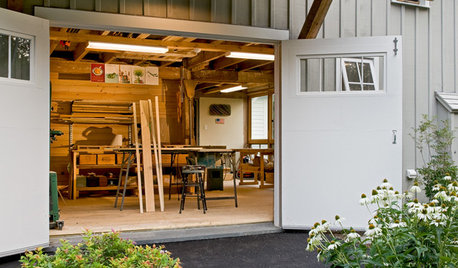
LIFEStressed Out? Try Hitting the Woodshop
Building things with your hands just might boost your mood while giving you personal new pieces for your home
Full Story
MOST POPULARHow Bluetooth 4.0 Will Change Remote Control
Manage lights, TV, refrigerators and more through your phone or tablet when the latest wireless technology rolls into all your home devices
Full Story
GARDENING GUIDESHow to Find the Right Native Plants for Your Yard
Find plant maps, sale sites and guides that make going native in the garden easier than ever
Full Story
Elmer J Fudd