

Kindle Fire OS question.
11 years ago
Featured Answer
Sort by:Oldest
Comments (8)
 PRO11 years agolast modified: 11 years ago
- 11 years ago
Related Discussions
kindle fire vs nook tablet
Comments (12)Well, I now have a Nook Tablet AND a Kindle Fire. I'm planning to return one of them but I felt like I had to try them both. I've had the Nook for a few days but just got the Fire tonight. So far I think I like the Nook better. I like the feel of it - it's more comfortable to hold and not as slippery. It also has kind of a frame around the screen that makes it nicer to hold compared to the Fire which just has a little ridge around the edge - probably why the Fire is a bit smaller. I want to use it without a book-like cover on it - will just store it in a sleeve. I do think the web browser is better on the Fire since it has tabs and the keyboard and shortcuts are nice. However the Nook touch screen seemed more responsive - touching things on the Kindle sometimes didn't "register". The Nook has more options for the book display though and I think some of them are easier on the eyes than the Fire - at least I prefer some of the options that aren't available on the Fire. I imagine a lot of this stuff can change though with a software update. What wouldn't change is the home button on the Nook which I also like - maybe I've just gotten used to it. I'm going to try them out over the weekend and then decide. I do think Amazon is way ahead on content but I'm mainly interested in books and there are lots of books available through B&N and other sources. Kindle has many more apps but I don't care much about that because I do all that stuff on my iPhone. One thing I loved with the Nook was that my favorite magazine (Cooking Light) is available in a beautiful version tailored to the Nook. There is a Cooking Light app that's available for the Kindle to paper magazine subscribers but I really don't want the paper magazine. That could just push me over the edge. Plus I kind of want to give the underdog a chance....See MoreWhich one Nook, Kindle, Kindle Fire? Which one?
Comments (21)just keep in mind that android tablets let you install the kindle app and the nook app so you can have all of those on one device. It really depends on your needs and wants as to what you get. the tablet with the best sound that I have owned was the vizio it had 3 speakers so no matter which direction you held it in you had stereo and the sound was fantastic. Wish more manufacturers would be more interested in the sound quality and take a lesson and put at least 3 or 4 speakers on them. I often struggle hearing with the one small speaker especially on my phone. I love love love my new Asus transformer tf300 10" tablet with dock but it too could use some improvement in the sound and speaker department. My husband still absolutely loves his lookbook in fact he now has his and mine and I am trying to make him transition over to my Vizio tablet so he has more options and can do other things on it. He is fighting me he wants to stick with his lookbook he is not a fan of the touch screen he keeps touching things by accident then I hear swearing lol. He is not a good student is all I have to say LOL That lookbook is extremely light weight you will not likely find any tablet that is that light....See MoreDo you have a Kindle Fire?
Comments (13)I thought about the mini iPad, but it's too pricey and I've heard a lot of good things about the KF. They do have an iPad which is my DIL's and he doesn't use it. He's always checking his phone for news, email, and plays games on it, so I wanted something a bit bigger he can toy with. The KF came yesterday, I'm impressed by the size! I do have a question, it didn't come with any shipping papers. I know my credit card statement will be my receipt. But what if it doesn't work and he needs to send it back? Pammy, I'll definitely check out the charger. Thanks!...See MoreKindle Fire users, how's it going?
Comments (25)The battery on my Kindle Fire lasts a good eight hours with Wi-Fi turned on, more with the Wi-Fi off. But I pretty much always leave the Wi-Fi on because we have a wireless network here at home, and there's wireless at work, too. Tami, once you've downloaded a book to your Fire, you should be able to read the entire book with the wireless turned off. Go to the home screen on the Fire. You should see the Carousel, the Favorites shelf, and near the top, from left to right you should see the words "Newstand," "Books," "Music," "Video," "Docs," "Apps," and "Web." Touch on the word "Books." Centered near the top, just under where the time is displayed, you will see the words "Cloud," and "Device." Directly below them, also centered, you will see the words, "By Author," "By Recent," and "By Title." Whichever words are shown in orange are active. So, if the words "Cloud" and "By Author" are orange, it means that you are looking at all of your books that are in the Amazon cloud, and they are arranged by the authors' names. Also, if you're looking at the "cloud view," any books that have a small dark grey circle with a white downward-pointing arrow in the lower right-hand corner are only in the cloud. Any books that don't have that circle/arrow showing have been downloaded to your device. So, in the Books view, touch on "Device." Doesn't matter how they're sorted -- you just want at this point to see which books are on your device. If no books are showing in the Device view, it means you haven't really downloaded any books to the Fire itself. If you DO see books in the Device view, then turn off the wireless. You should still see those same books in the Device view. And you should be able to touch any one of them to open it and begin reading. You wrote, above, "I can not read with out wi-fi. I am supposed to be able to, but can not make it do it. I have not contacted amazon yet as I want to be home with no distractions when I do so. I have done everything that's been suggested otherwise, ans still can't read with out it, unless I just let it go to sleep instead of shutting it down." It's that last phrase that has me puzzled. You say you can't read without the wireless being on unless you let it go to sleep. When the device is in sleep mode, it's sort of the same as being powered off, except that you can bring it back more quickly. When the device is in sleep mode, it's not using the battery, but you can't do anything with/on it because it's asleep. So... if you look at the books on your Device, and it shows books, but you cannot read them without wireless, it means there is something wrong with your particular Kindle Fire, and you need to contact Amazon....See More- 11 years ago
- PRO11 years agolast modified: 11 years ago
- 11 years ago
- 11 years ago
Related Stories

KITCHEN DESIGNKitchen Luxuries: The Wood-Fired Pizza Oven
If you love homemade pizza and are (ahem) rolling in dough, a wood-burning oven may be just the right kitchen investment
Full Story
FUN HOUZZDecorated Houses Help Save a Detroit Neighborhood
Art's a start for an inner-city community working to stave off urban blight and kindle a renaissance
Full Story
LIVING ROOMSHow to Convert Your Wood-Burning Fireplace
Learn about inserts and other options for switching your fireplace from wood to gas or electric
Full Story
LIFE7 Tips to Get With a New Minimalist Mentality
Feeling overwhelmed by your stuff? Here's how to pare down, simplify and keep just what you need and love at home
Full Story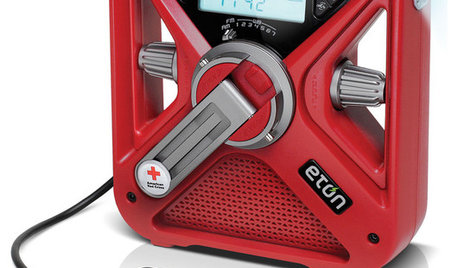
HOME TECH7 Ways to Charge Up and Connect After Disaster
Products and tips for communicating and keeping essential items running till the power's back on
Full Story
LIVING ROOMS8 Reasons to Nix Your Fireplace (Yes, for Real)
Dare you consider trading that 'coveted' design feature for something you'll actually use? This logic can help
Full Story
RUSTIC STYLE10 Cabin Rental Basics for City Slickers
Stay warm, dry and safe while you’re enjoying winter cabin life with this valuable advice
Full Story
LIFE'Not My Precious Books!' — Pain-Free Ways to Declutter Your Library
Have your books and neatness too, with these ideas for paring down and straightening up a beloved collection
Full Story
GREAT HOME PROJECTSHow to Remodel Your Fireplace
Bring your fireplace design up to snuff with this makeover lowdown
Full Story
DENS AND LIBRARIESHow to Care for Your Home Library
Increase your enjoyment of books with these ideas for storing, stacking and displaying them
Full StorySponsored
More Discussions

kudzu9