

The cost of cable tv
16 years ago
Featured Answer
Sort by:Oldest
Comments (54)
 16 years ago
- 16 years ago
Related Discussions
I dumped cable TV - very long technical report
Comments (21)I'm coming full circle. When we moved to Portland 8 years ago, I got Comcast triple play (voice, TV, internet) for $115, it was such a good deal! Well, over time it went up and up and last year, when it was $230 or so, I dropped voice and replaced it with a $12 extra line with our cellular carrier. That took the Comcast bill from $230/mo to $130/mo This weekend I dropped TV, something my kids have been telling me to do, since we hardly ever watch cable TV. That takes my Comcast bill to $95/mo for just 50 MB/s internet. I will also drop my TiVo service at $15/mo. I can reduce it to $85/mo by downgrading to 25 MB/s internet, or I can drop Comcast entirely and get internet from our local telco. They charge $80/mo for 40 MB/s, but there is a 1 year introductory $30/mo price, and I'm told they extend that for another year if you call and state your intention to drop. We are paying for $16/mo for Netflix and Hulu Plus. I might subscribe to an online sports streaming service for another $10/mo. In the summer, I might pay $30 to watch the Tour de France online. TL:DR version - "I was paying $245/mo for Comcast + TiVo, I am now $123/mo for Comcast + Netflix + Hulu + a cellular home phone, and I can get it to $58/mo for telco internet 1-or-2-year deal + Netflix + Hulu + cellular home phone." I will spend about $200 one-time for a used modem, Roku, cables to connect Mac to TV, maybe an OTA antenna. We are still figuring out the limitations of Netflix and Hulu. For example, my son asked how he could watch the current season of Doctor Who. Turns out that BBC UK streams it but only to the UK, and by going through a free proxy server in the UK, you can watch it in the US....See Moreuse wifi (dsl internet) and blueray+ to watch tv
Comments (18)A follow up to share what I learned. The Smart HDTV is now working and delivering streaming movies to our bedroom via the WiFi. The only wires to the HDTV (Vizio) is the house A/C electricity. 1) Don't change the WiFi password in a router using the WiFi interface, use a Ethernet interface. This is based on experience with 5 year old Netgear (low end) Router still 54 mb capable 802.11n? I tried and the Router ended up locked up. The password change may gone astray in any case the Router could not access the internet for connection to either the Ethernet or the WiFi. Lights on the Router showed both the Internet and WiFi okay. I replaced with a newer Netgear which supports 150 mb and has more Internet based features. 2) My Smart HDTV (all?) does provide for inputting all keyboard characters via an on-screen keyboard(s). I got in trouble because the number only input on the hand controller made me decide to change my Router password to all numbers, which I did on the new Router. Still better, much faster putting in numbers from the channel keypad than to use the "Hunt and Peck" on screen keyboard. The (my) HDTV does not have a touch screen so one has to click the pointer around the keyboard to pick out inputs. This into my view only after I entered the all numeric password and hit the "OK" - the next screen was the subject keyboard - which I no longer needed, but did need later when logging onto Netflix. The operation involves being in a data field, input any leading numbers (best) from the hand held keys then hit the "OK". An on screen keyboard then appears. If nothing more is needed, i.e., all numbers, click down to the "Enter". Side benefit: then new Router specifies Windows 8 compatibility - the old one was XP, maybe Vista qualified and some older Routers have problems with newer OS. The HDTV showing a Netflix movie had no detectible breaks (buffering?). I thought maybe that is because of the new Router, as my W8 computer had (and still has) some breaks in Netflix streaming, not sure about other services. The W8 laptop still exhibits this problem. One last start up issue on the HDTV. After logging on to my WiFi I pushed the Netflix button on my controller and Netflix started to load but failed. I started over again, it failed again. I then tried the Amazon application and it too failed. I then when into "chat" with Netflix technical support (they came on quickly) after the exchange of information on the situation on my end the support person typed, try youtube, so I did, and it come up/worked. I typed back the smart HDTV must be learning or youtube is more fault tolerant, No response, but I then tried Netflix and it worked and continues to work....See Morecable tv interference
Comments (0)a few months back i wired our upstairs bedroom for cable tv and installed and had the cable company inspect it and had them install an amplifier. the amplifier is plugged in the nursery circut, which doesnt have anything plugged in that room except a light. about every hour or so our cable (upstairs only) goes completly fuzzy for 3-4 minutes then back to normal. after checking in the basement, there are a few spots where there are electrical lines that come within an inch or so from the cable line. i am not sure what is on those circuts, but is it possible that something that is not on all the time but only periodicly could cause some type of interferince? the appliances i was thinking about are the fridge, chest freezer, furnace or sump pump. is it possible one of these are causing interferience? at this point i dont think i would be able to relocate either the electrical or the cable. would there be any other solution to this? i have called the cable company and they say we would have to pay for them to come and try to fix it because they did not install it and that costs money we dont have! any help would be appriciated....See MoreTV above fireplace--how do you run cables for cable box/DVD
Comments (5)Well, you point the remote at the device you wish to control, however, human nature always makes you want to point it at the television. If the cable box and television are roughly in the same area, the cable box will hopefully "see" the remote control's IR (infrared) signal. If they are too far away, or if the A/V components are in a cabinet, you can purchase an "IR repeater". The repeater consists of a IR receiver which you discreetly place near the television. It then sends the IR signal to small IR emitters that you place near your A/V components. They come in both wired and wireless versions between the receiver and emitters. You may need some help from somebody that can look at the outputs available on your A/V components: Cable Box, DVD player, etc, and the input options of the television to determine what types of connection/cables you will need between the two. You may also want to add some additional cables for "future components." Additionally, Ethernet wiring (for an internet connection) should be run to the television and also another to where your A/V components are located. If you're installing a home theater sound system, the wiring for that needs to be figured out as well. The single HDMI cable reference I made earlier refers to connecting all you A/V components to the receiver for the sound system, and using it to control which source is displayed on the television. Many people end up preferring to send the signals to both the receiver and the television. That way, if you are "just watching TV" you can use just the TV. If you are watching a movie on DVD and want the full surround sound, then you turn on the receiver as well. By the way, the cables/wiring used in-wall to the television (and speakers wiring if done in-wall) need to be in-wall rated. That refers to the type of insulation used in the cable for safety purposes....See More- 16 years ago
- 7 years ago
 7 years ago
- 7 years ago
- 7 years ago
 7 years ago
- 7 years ago
- 7 years agolast modified: 7 years ago
- 7 years ago
 7 years ago
- 7 years ago
 7 years ago
- 7 years agolast modified: 7 years ago
- 7 years agolast modified: 7 years ago
- 7 years ago
- 7 years agolast modified: 7 years ago
- 7 years agolast modified: 7 years ago
- 7 years ago
 7 years ago
- 7 years ago
 7 years ago
 7 years ago
 7 years ago
- 7 years ago
- 7 years ago
- 7 years ago
- 7 years ago
 7 years agolast modified: 7 years ago
 7 years ago
- 7 years agolast modified: 7 years ago
 7 years ago
- 7 years ago
- 7 years ago
 7 years agolast modified: 7 years ago
- 7 years ago
- 7 years ago
- 7 years ago
- 7 years agolast modified: 7 years ago
 7 years ago
- 7 years ago
 PRO7 years agolast modified: 7 years ago
- 7 years agolast modified: 7 years ago
- 7 years ago
- 7 years ago
 7 years ago
- 7 years ago
- PRO7 years ago
- 7 years ago

Related Stories
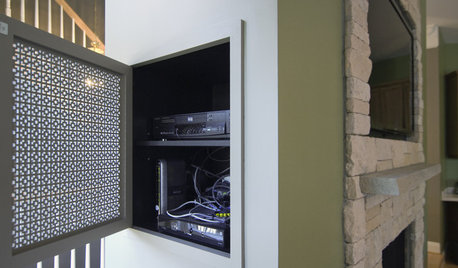
DECORATING GUIDESHow to Hide Your TV Cables
Make your TV room clutter-free by hiding your electronics in the wall
Full Story
HOUZZ TOURSHouzz Tour: A 'Portlandia' Home Raises an Eyebrow
Cable TV came calling for this quirky home in Oregon, and it played its spaceship part to a T
Full Story
HOME TECHNow Playing in Homes Everywhere: TV, the App
It's easier than ever to beam streaming content from mobile devices to your TV screen
Full Story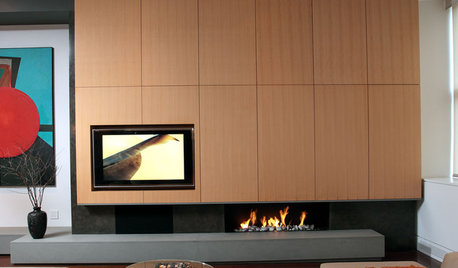
MOST POPULAR7 Ways to Rock a TV and Fireplace Combo
Win the battle of the dueling focal points with a thoughtful fireplace arrangement that puts attention right where you want it
Full Story
HOME TECHNew TV Remote Controls Promise to Do More — Without the Struggle
Dim your lights, set up user profiles and discover a remote you can't lose. Welcome to the latest and greatest way to change the channel
Full Story
LIVING ROOMSLiving Rooms That Don’t Revolve Around the TV
In these spaces, the television takes a back seat to conversation, relaxation and aesthetics
Full Story
HOME TECHDesign Dilemma: Where to Put the Flat-Screen TV?
TV Placement: How to Get the Focus Off Your Technology and Back On Design
Full Story
KITCHEN DESIGNGlued to the Tube: 14 Ways to Put a TV in the Kitchen
If you must, here's how to work a flat screen into your kitchen design
Full Story
DECORATING GUIDESTGIR: The Case of the Disappearing TV
They Got It Right: If you can’t beat it, camouflage it. See how these designers made TV screens almost unnoticeable
Full Story
HOME TECHNew Strategies for Hiding the TV
Its easy to be discreet when you've got cabinets, panels and high-tech TV hiders like these
Full Story

dilly_dally